
VsBase
A base for building modpacks with Valkyrien Skies 2.
Screenshots
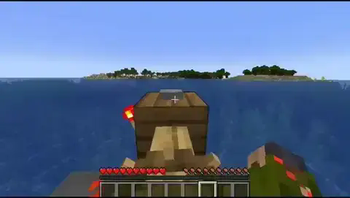
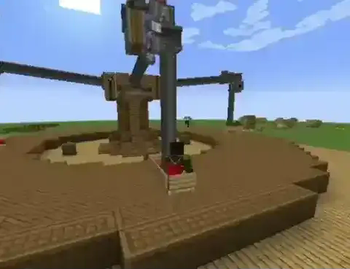
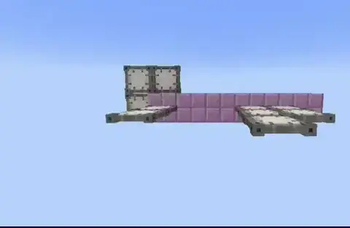


About this Modpack
This modpack is intended to be used as a base for your own modpack or tinkering around. You can find a modpack for each version that Valkyrien Skies 2 supports. That's 1.16.5/1.18.2/1.19.2/1.20.1 fabric and forge.
In general, forge will have more addons while fabric will have better performance. Some addons are only available on some versions.
If you need help with your modpack you can join the Valkyrien Skies Discord.
Important!
(Updated May 17th, 2024)
The 1.20.1 fabric modpack uses a patched version of Create: Interactive.
DO NOT REPORT BUGS WITH IT TO THE DEVELOPERS!
If you're experiencing lighting issues on blocks like chests or tracks it's likely the flywheel backend of create. You can change it to batching mode to fix the issue but be warned. Instancing is default so you may experience crashes. Off should also work but may reduce performance.
Development of Valkyrien Skies 2 has moved from 1.16.5 to 1.18.2 and as such it is very unlikely that you'll get support for issues on 1.16.5.
The 1.20.1 version of Valkyrien Skies 2 currently has a major issue with wings/flaps. If you plan on building planes, helicopters, or other such vehicles that'd use wings/flaps don't use 1.20.1
Addon Explainations
Create: Eureka!
A create SU powered engine for Eureka
Valkyrien Engines
A Solar and electric engine for Eureka
Not Found
Blocks which can move your Eureka ship in all axes
KubeVS
Support for controlling VS2 ships with KubeJS
Valkyrien Pirates
Moving pirate ships using VS2 physics and Eureka
Valkyrien Relogs
A block to make you login where you left on Eureka ships
Better VS Ship Assembler
A better ship assembler tool than the one that comes with VS2
BulletFix
Compatibility between CGM and VS2
CC: VS
Support for controlling VS2 ships with CC via APIs
Clockwork
Additions to allow create SU to power ships
Create: Interactive
Support for turning Create contraptions into VS2 ships
Kontraption
Additions to allow mekanism to power ships
Some Peripherals
Additions to allow CC to detect changes around your ship
Trackwork
Treads which you can use to create land vehicles
VMod
A tool for constraining and playing with VS2 physics
VS Addition
Compatibility fixes and additions to VS2
VS Mini Worlds
Blocks which create small interactable platforms above them
VS: Tournament
Random fun additions
Valkyrien Storage - Sophisticated Compatibility
Fixes duping with Sophisticated Storage
Eureka! Ships! for Valkyrien Skies (Forge/Fabric)
Blocks which can be used to create air and sea vehicles
Valkyrien Computers
Support for controlling VS2 ships with CC via peripherals
List of available addons for each version
1.20.1
Fabric
- CC: VS
- Clockwork
- Create: Eureka!
- Create: Interactive (patched version, don't report bugs to devs!)
- Eureka! Ships! for Valkyrien Skies (Forge/Fabric)
- VMod
- VS: Tournament
- Valkyrien Engines
- Valkyrien Pirates
- Valkyrien Relogs
Forge
- CC: VS
- Clockwork
- Create: Eureka!
- Create: Interactive
- Eureka! Ships! for Valkyrien Skies (Forge/Fabric)
- Kontraption
- VMod
- VS Addition
- VS: Tournament
- Valkyrien Relogs
1.19.2
Fabric
- CC: VS
- Clockwork
- Eureka! Ships! for Valkyrien Skies (Forge/Fabric)
- Not Found
Forge
- CC: VS
- Clockwork
- Create: Interactive
- Eureka! Ships! for Valkyrien Skies (Forge/Fabric)
- Valkyrien Storage - Sophisticated Compatibility
1.18.2
Fabric
- Better VS Ship Assembler
- CC: VS
- Clockwork
- Eureka! Ships! for Valkyrien Skies (Forge/Fabric)
- KubeVS
- Some Peripherals
- VMod
- VS Addition
- VS Mini Worlds
- VS: Tournament
- Valkyrien Computers
- Valkyrien Pirates
- Valkyrien Relogs
Forge
- Better VS Ship Assembler
- BulletFix
- CC: VS
- Clockwork
- Create: Interactive
- Eureka! Ships! for Valkyrien Skies (Forge/Fabric)
- Kontraption
- Some Peripherals
- Trackwork
- VMod
- VS Addition
- VS Mini Worlds
- VS: Tournament
- Valkyrien Computers
- Valkyrien Storage - Sophisticated Compatibility
1.16.5
Fabric
- Eureka! Ships! for Valkyrien Skies (Forge/Fabric)
- Valkyrien Computers
Forge
- Eureka! Ships! for Valkyrien Skies (Forge/Fabric)
- Valkyrien Computers
Licenses
Create: Eureka! Licensed under CC0 1.0 by FixerSchis.
Better VS Ship Assembler Licensed under Apache 2.0 by PriestOfFern.
Trackwork Licensed under MIT by Endalion.
VS Addition Licensed under Apache 2.0 by xiewuzhiying.
VS Mini Worlds Licensed under Apache 2.0 by PriestOfFern.
Valkyrien Storage - Sophisticated Compatibility Licensed under MIT by r4ndomize.
LazyDFU (FORGE) Licensed under MIT by tuxed, port to forge by Corgi Taco.
MrCrayfish's Gun Mod Licensed under GPL v3.0 by MrCrayfish.
Framework Licensed under LGPL v2.1
Sophisticated Backpacks Licensed under GPL v3.0 by P3pp3rF1y.
Sophisticated Core Licensed under GPL v3.0 by P3pp3rF1y.
Sophisticated Storage Licensed under GPL v3.0 by P3pp3rF1y.
Available Versions
How to Set Up a VsBase Server
Order Server
Choose at least 4 GB RAM (6 GB recommended for VsBase). Based on player count: per 5 players.
Install Modpack in Dashboard
Open the modpack browser in the dashboard, search for "VsBase" and click "Install". The fabric loader and Minecraft 1.20.1 are configured automatically.
Start Server & Play
Start the server – all mods are loaded automatically. Share the server IP with friends and play together!
Frequently Asked Questions
VsBase server crashes or won't start – what to do?
Most common causes: insufficient RAM or wrong fabric loader. Check latest.log for "OutOfMemoryError" → increase RAM to at least 6 GB. For "Mixin" or "ClassNotFoundException" errors: modpack version and loader don't match. With Mado Hosting, loader and Minecraft version are auto-configured on modpack install – preventing most startup issues.
How much RAM does a VsBase server really need?
Minimum 4 GB, recommended 6 GB for stable performance. per 5 players. Important: Minecraft modpacks need more RAM than vanilla – plan extra per additional player. With Mado Hosting, you can scale RAM up live at any time without data loss (from €8/month).
Can I add custom mods to VsBase without conflicts?
Yes, but check compatibility: only use mods for the same loader (fabric) and same Minecraft version (1.20.1). Common issues: ID conflicts with recipe mods and incompatible coremod versions. The Mado dashboard mod browser only shows compatible mods and warns about known conflicts.
VsBase server lagging – performance tips
1) Increase RAM to 6 GB+. 2) Reduce server view-distance to 8 (server.properties). 3) Pre-generate chunks with the "Chunky" plugin. 4) Use /spark profiler to check which mods consume the most tick time. With Mado Hosting, all servers run on NVMe SSDs with dedicated CPU cores – eliminating hardware as a bottleneck.
Similar Modpacks
![Better MC [FABRIC] - BMC2](https://cdn.modrinth.com/data/shFhR8Vx/a19c2bcb51d38f32f138d3607e91cb2b7b8e387f_96.webp)
![Better MC [FORGE] - BMC4](https://cdn.modrinth.com/data/4BV47HRn/7f5ef7cc61b2593609aabef3ed07a866a4f11b73_96.webp)


![Better MC [FABRIC] - BMC3](https://cdn.modrinth.com/data/NHUidpfR/327e0749bb6d160c41799fd77bf6d3d631569dc8_96.webp)

Rent VsBase Server
Start your own server with automatic modpack installation.
Supported Versions
Start your VsBase Server now
From €8.00/month with 6 GB RAM for the best performance.
Configure Server →