
Vulkan optimization Boost
Use the simple and powerful Vulkan optimization Boost integration package to greatly optimize your game! 使用简单又强势的Vulkan optimization Boost整合包大幅优化您的游戏!
About this Modpack
Extremely Lightweight Optimization Modpack
A super lightweight optimization modpack with only 22 mods, yet delivers unparalleled FPS boost! ready to play upon installation!
The core mod VulkanMod replaces Minecraft's rendering engine with Vulkan API for massive performance gains, but comes with compatibility limitations.
My first modpack ever. Originally created for personal use, but worked so well I decided to share it!
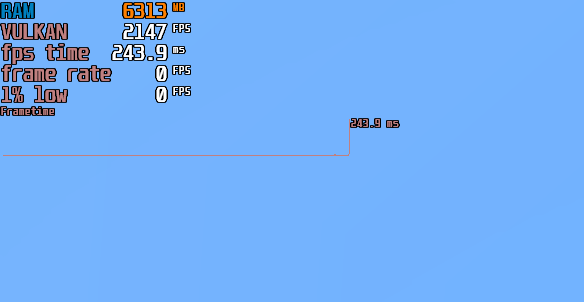
Performance Demo (i5 12400f + 2060):

Mod List
# **[VulkanMod](https://modrinth.com/mod/vulkanmod)** [BadOptimizations](https://modrinth.com/mod/badoptimizations) [3D Skin Layers](https://modrinth.com/mod/3dskinlayers) *[Text Placeholder API](https://modrinth.com/mod/placeholder-api)* [Better Ping Display](https://modrinth.com/mod/better-ping-display-fabric) [Cull Leaves](https://modrinth.com/mod/cull-leaves) [Mod Menu](https://modrinth.com/mod/modmenu) [Sound Physics Remastered](https://modrinth.com/mod/sound-physics-remastered) [Jade 🔍](https://modrinth.com/mod/jade) [Presence Footsteps](https://modrinth.com/mod/presence-footsteps) [AppleSkin](https://modrinth.com/mod/appleskin) [Lithium](https://modrinth.com/mod/lithium) [Wavey Capes](https://modrinth.com/mod/wavey-capes) [Mouse Tweaks](https://modrinth.com/mod/mouse-tweaks) *[Cloth Config API](https://modrinth.com/mod/cloth-config)* *[Fabric API](https://modrinth.com/mod/fabric-api)* [FPS - Display](https://modrinth.com/mod/fpsdisplay) [More Culling](https://modrinth.com/mod/moreculling) [Noisium](https://modrinth.com/mod/noisium) [Super Fast Math](https://modrinth.com/mod/super-fast-math) [Very Many Players](https://modrinth.com/mod/vmp-fabric)FAQ
Q: What if my PC can't run it?
A: Hardware incompatibility can't be fixed - use traditional optimization packs insteadQ: Does shader support exist?
A: Not until someone develops Vulkan-based shadersQ: Why Vulkan?
A: As a 2000s-era API, OpenGL lacks optimization for modern hardware. Vulkan offers better performance with lower memory usage by leveraging GPU capabilities, significantly reducing 32-bit memory overflows. We welcome developers to help expand this mod!
中文版说明
非常轻量的优化整合包,仅有22个mod,却能带来无与伦比的fps提升!并且含有生存辅助模组,安装后就可以正常游玩!
这个整合包的主要模组是VulkanMod,它替换了游戏的渲染器为Vulkan,让游戏性能得到了大幅提升,但也因此和大多数模组不兼容
这是我的第一个整合包,是我平时自己使用的,效果很好所以我分享了出来
效果展示(i5 12400f + 2060):
模组列表
FAQ
Q:电脑无法运行怎么办?
A:电脑不兼容无法修复,只能使用常规优化包Q:能否使用光影?
A:不能,除非有人基于Vulkan API 写出来了新的光影。Q:为什么要使用Vulkan?
A:OpenGL 作为一个2000年左右热门的兼容性极高的图形 API ,在新世代的硬件对此的性能和效果也并没有过多的优势,在截止目前,多数手机乃至电脑端游戏,或多或少都有提供选项去切换至 Vulkan 图形API去渲染,并且帧数与 DirectX 相差不大,同时 Vulkan 的天然优势还有个能节省内存占用,利用显卡去负载,能够在保持帧数的同时,极大的减少 32 位游戏爆内存的情况,欢迎有能力的人去为此模组发展与推广。Q:有没有汉化文件?
A:有的兄弟有的,GitHub上有个非官方的汉化文件,下载后用材质的方式加载就行
Available Versions
How to Set Up a Vulkan optimization Boost Server
Order Server
Choose at least 4 GB RAM (6 GB recommended for Vulkan optimization Boost). Based on player count: per 8 players.
Install Modpack in Dashboard
Open the modpack browser in the dashboard, search for "Vulkan optimization Boost" and click "Install". The fabric loader and Minecraft 1.21.4 are configured automatically.
Start Server & Play
Start the server – all mods are loaded automatically. Share the server IP with friends and play together!
Frequently Asked Questions
Vulkan optimization Boost server crashes or won't start – what to do?
Most common causes: insufficient RAM or wrong fabric loader. Check latest.log for "OutOfMemoryError" → increase RAM to at least 6 GB. For "Mixin" or "ClassNotFoundException" errors: modpack version and loader don't match. With Mado Hosting, loader and Minecraft version are auto-configured on modpack install – preventing most startup issues.
How much RAM does a Vulkan optimization Boost server really need?
Minimum 4 GB, recommended 6 GB for stable performance. per 8 players. Important: Minecraft modpacks need more RAM than vanilla – plan extra per additional player. With Mado Hosting, you can scale RAM up live at any time without data loss (from €8/month).
Can I add custom mods to Vulkan optimization Boost without conflicts?
Yes, but check compatibility: only use mods for the same loader (fabric) and same Minecraft version (1.21.4). Common issues: ID conflicts with recipe mods and incompatible coremod versions. The Mado dashboard mod browser only shows compatible mods and warns about known conflicts.
Vulkan optimization Boost server lagging – performance tips
1) Increase RAM to 6 GB+. 2) Reduce server view-distance to 8 (server.properties). 3) Pre-generate chunks with the "Chunky" plugin. 4) Use /spark profiler to check which mods consume the most tick time. With Mado Hosting, all servers run on NVMe SSDs with dedicated CPU cores – eliminating hardware as a bottleneck.
Similar Modpacks

![Cobblemon Official Modpack [Fabric]](https://cdn.modrinth.com/data/5FFgwNNP/e7f9ee2e9d361623847853fe2ddce42f519ee64f.png)
![COBBLEVERSE - Pokemon Adventure [Cobblemon]](https://cdn.modrinth.com/data/Jkb29YJU/581ecf54530972afb18a04660afd820f2f24f6c7.png)
![Better MC [FABRIC] - BMC2](https://cdn.modrinth.com/data/shFhR8Vx/a19c2bcb51d38f32f138d3607e91cb2b7b8e387f_96.webp)


Rent Vulkan optimization Boost Server
Start your own server with automatic modpack installation.
Supported Versions
Start your Vulkan optimization Boost Server now
From €8.00/month with 6 GB RAM for the best performance.
Configure Server →