
Vulkanic Optimizations
is a VulkanMod based performance modpack, carefully crafted together to achieve superior performance compared to others.
Screenshots

About this Modpack
Vulkanic Optimizations
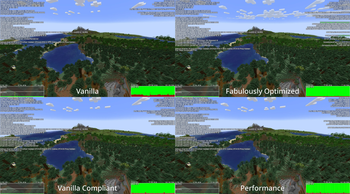
Vulkanic Optimizations is a VulkanMod based performance modpack, carefully crafted together to achieve superior performance compared to others. Effort was not only put into increasing FPS, but providing a smooth and reliable gameplay experience even on low-end systems. It improves various aspects such as, but not limited to, world loading/generation/saving, resource usage and server connectivity.
Which version to choose?
There are two versions available to download, Recommended and Base. The Base version contains only key performance mods and is useful if you want to make your own Modpack based on this. Recommended includes all the Base mods, but also some quality of life (qol) mods that I like to use and is the one I recommend for the best experience.
Files for manual installation are included in the releases itself under the 'Files' tab.
Requirements
To run Vulkanic Optimizations, your GPU needs to support at least Vulkan 1.2, which most already do. If you are unsure or run into issues, check for GPU support in the Vulkan Database and for driver support by running vulkaninfo --summary or vulkaninfo.exe --summary in the terminal. Make sure your GPU drivers are up-to-date if the GPU support differs from driver support.
Compatibility
This Modpack should be compatible with the vast majority of quality of life (qol) mods, but it's still limited by VulkanMod's abilities. You can get a good idea by looking at VulkanMod's incompatible-mods list.
Furthermore, some included configurations might also cause compatibility issues.
Some Notes
If you see any visual changes from vanilla that you don't like, it's probably because of one of these mods:
- FastChest
- Blocky Bubbles
- Fast Items
If you are suddenly having issues with your farms/contraptions, this might be because of one of these mods:
- Alternate Current
- Clumps
- Get It Together, Drops!
- Immersive Optimizations
- Ksyxis
- Lithium
Feel free to remove any of them as needed.
Vulkanic Optimizations also ships with Resource Fixes made by Minecraft_hyr to reduce the number of triangles being rendered. If you run into issues loading your Resourcepack, try disabling it.
Getting more FPS
If you want to increase performance even further, I recommend the following:
- Updating VulkanMod is probably the easiest way to gain FPS, almost every new version has better compatibility and performance.
- Installing Adoptium (Temurin) JVM makes the game run smoother and can increase your FPS.
- Using Java arguments can also increase performance in certain cases, but be mindful about it and benchmark carefully, as they can decrease performance as well.
- Using an external server will reduce CPU load and can increase performance if you are CPU limited.
- Furthermore, a significant performance boost can be seen on Linux by running Minecraft in gamemode.
Credits
The credits go towards all the amazing mod developers making such performance improvements possible.
Special thanks goes to xCollateral who created VulkanMod, it does most of the heavy lifting and is absolutely awesome!
Base Version
- Achievements Optimizer - bigenergy
- Advancements Screen Optimizer - JustAlittleWolf
- Alternate Current - Space Walker
- Audition - Tasuposed
- Bad Optimizations - thosea
- Blocky Bubbles - axialeaa
- Client Side Noteblocks - DaCubeKing
- Clumps - jaredlll08
- Collision Fix - LopyMine
- Concurrent Chunk Management Engine - ishland
- Enhanced Block Entities - FoundationGames
- Entity Culling - tr7zw
- Fast Chest - Domi
- Fast IP Ping - fallen-breath
- Fast Items - Noryea
- Fast Paintings - MehVahdJukaar
- Fast Quit - contaria
- Faster Random - AnOpenSauceDev
- Faster Particle Collisions - AnOpenSauceDev
- FerriteCore - malte0811
- FPS Reducer - bre2el
- Function Compiler - EpicPix
- Get It Together, Drops! - bl4ckscor3
- Immersive Optimization - Luke100000
- Krypton - astei
- Ksyxis - VidTu
- Language Reload - Jerozgen
- Lithium - jellysquid3
- Main Menu Credits - isxander
- Mod Menu - Terraformers
- ModernFix - embeddedt
- More Culling - FX and 1Foxy2
- Noisium - Steveplays
- Rail Optimization - EasterGhost2
- Remove Reloading Screen - dima_dencep
- ScalableLux - ishland
- StutterFix - wisecase2
- Tekst - Tektonikal
- Your Options Shall Be Respected - shedaniel
Recommended Version
All Credits as in the Base version, plus:
- Accurate Block Placement Reborn - Kaddicus
- AppleSkin - squeek502
- AutoTools - zelythia
- Chat Patches - OBro1961
- ClickThrough Plus - Cassian
- Controlling - jaredlll08
- Creative Inv Extension - 02Alexis
- Equipment Compare - Grend
- Freecam - hashalite
- HotbarReplace - twokilohertz
- Idwtialsimmoedm - glisco
- InvMove - PieKing1215
- Just Enough Items - mezz
- Mouse Tweaks - YaLTeR
- No Telemetry - kb1000
- Overflowing Bars - Fuzs
- The Open Sauce Toast Killer - AnOpenSauceDev
- Peek - henkelmax
- Pick Up Notifier - Fuzs
- Simple HUD Enhanced - SoRadGaming
- Smooth Scrolling - SmajloSlovakian
- ToolTipFix - kyrptonaught
- ViaFabricPlus - FlorianMichael
- Zoomify - isxander
Available Versions
How to Set Up a Vulkanic Optimizations Server
Order Server
Choose at least 4 GB RAM (6 GB recommended for Vulkanic Optimizations). Based on player count: per 8 players.
Install Modpack in Dashboard
Open the modpack browser in the dashboard, search for "Vulkanic Optimizations" and click "Install". The fabric loader and Minecraft 1.21.1 are configured automatically.
Start Server & Play
Start the server – all mods are loaded automatically. Share the server IP with friends and play together!
Frequently Asked Questions
Vulkanic Optimizations server crashes or won't start – what to do?
Most common causes: insufficient RAM or wrong fabric loader. Check latest.log for "OutOfMemoryError" → increase RAM to at least 6 GB. For "Mixin" or "ClassNotFoundException" errors: modpack version and loader don't match. With Mado Hosting, loader and Minecraft version are auto-configured on modpack install – preventing most startup issues.
How much RAM does a Vulkanic Optimizations server really need?
Minimum 4 GB, recommended 6 GB for stable performance. per 8 players. Important: Minecraft modpacks need more RAM than vanilla – plan extra per additional player. With Mado Hosting, you can scale RAM up live at any time without data loss (from €8/month).
Can I add custom mods to Vulkanic Optimizations without conflicts?
Yes, but check compatibility: only use mods for the same loader (fabric) and same Minecraft version (1.21.1). Common issues: ID conflicts with recipe mods and incompatible coremod versions. The Mado dashboard mod browser only shows compatible mods and warns about known conflicts.
Vulkanic Optimizations server lagging – performance tips
1) Increase RAM to 6 GB+. 2) Reduce server view-distance to 8 (server.properties). 3) Pre-generate chunks with the "Chunky" plugin. 4) Use /spark profiler to check which mods consume the most tick time. With Mado Hosting, all servers run on NVMe SSDs with dedicated CPU cores – eliminating hardware as a bottleneck.
Similar Modpacks

![Cobblemon Official Modpack [Fabric]](https://cdn.modrinth.com/data/5FFgwNNP/e7f9ee2e9d361623847853fe2ddce42f519ee64f.png)
![COBBLEVERSE - Pokemon Adventure [Cobblemon]](https://cdn.modrinth.com/data/Jkb29YJU/581ecf54530972afb18a04660afd820f2f24f6c7.png)
![Better MC [FABRIC] - BMC2](https://cdn.modrinth.com/data/shFhR8Vx/a19c2bcb51d38f32f138d3607e91cb2b7b8e387f_96.webp)


Rent Vulkanic Optimizations Server
Start your own server with automatic modpack installation.
Supported Versions
Start your Vulkanic Optimizations Server now
From €8.00/month with 6 GB RAM for the best performance.
Configure Server →