
Vuurwerkshow Modpack
🎆 The modpack for the best optimized Minecraft experience to watch a fireworks show!
Screenshots
About this Modpack
English version of the description
Fireworks show modpack
A panorama resource pack for the 2023-2024 New Year's Eve fireworks show on the Torchcraft server! I made this modpack so that everyone can watch the fireworks show with good performance and even shaders to have the best experience.
Modpack features
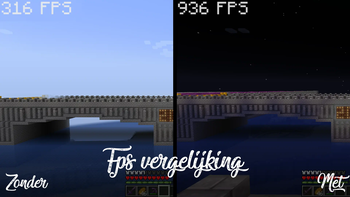
This modpack ensures that you can watch the Torchcraft fireworks show with better performance and therefore better FPS. The modpack also contains useful shaders, resource packs and other tools to take beautiful screenshots of the show or videos.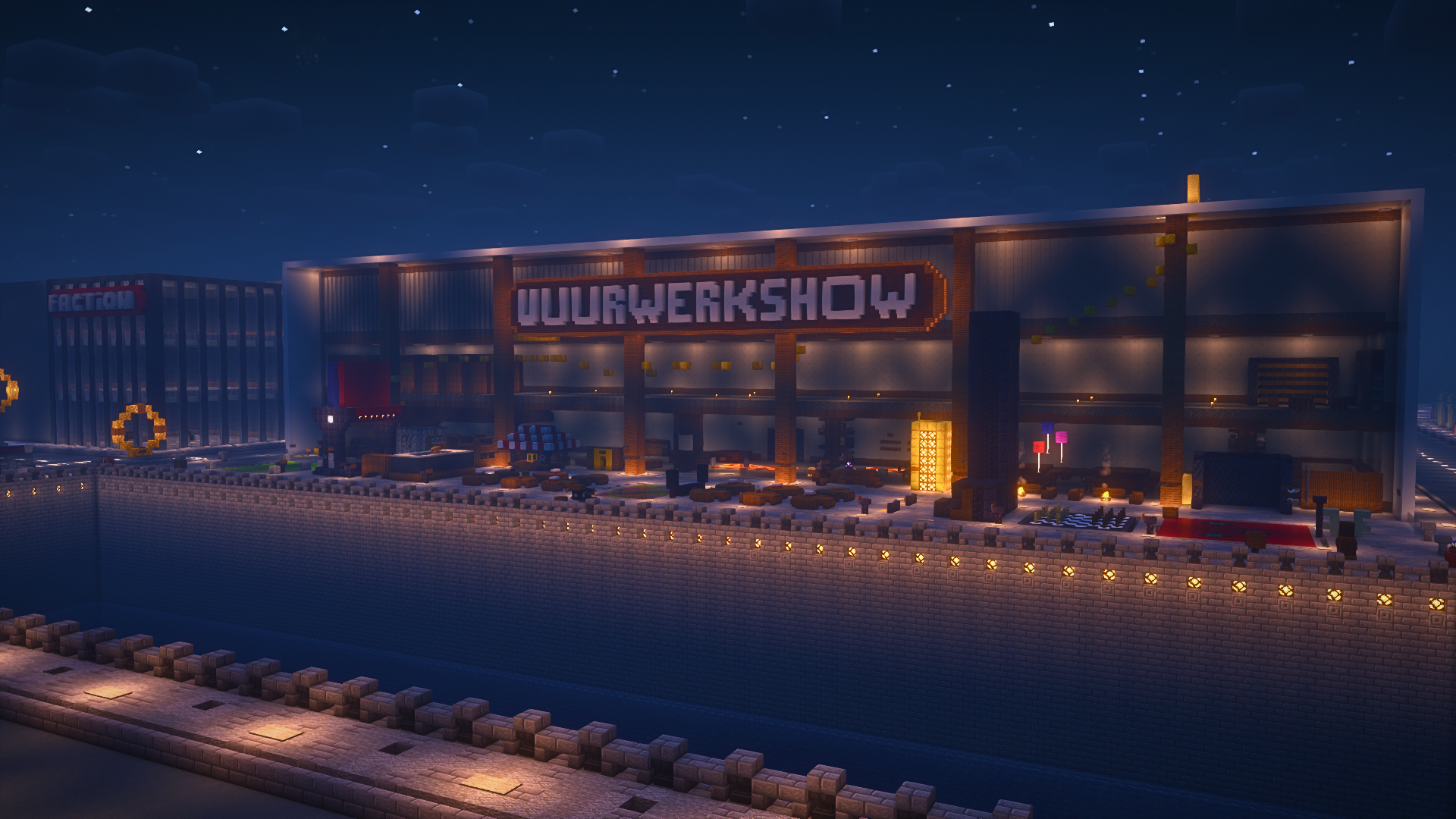
Explanation
Every year we organize a fireworks show at the end of the year with a number of players on the Dutch server Torchcraft to celebrate New Year's Eve together. We start the evening with a speech, followed by the fireworks show that lasts about 10 minutes. Afterwards we have lots of fun activities such as giveaways, checkers, 4 in a row and much more! This year the show will take place on 27/12, announcement will follow soon.
Announcement: (Coming Soon)
Support
If you have any issues, ideas, or other feedback about this project, please contact me via Discord or email. You can contact me on Discord by sending a friend request so you can message me.
Discord: tibodp
Email: [email protected]
Vuurwerkshow modpack
Een panorama resourcepack voor de vuurwerkshow van 2023-2024 met oud & nieuw op de Torchcraft server! Deze modpack heb ik gemaakt zodat iedereen de vuurwerkshow met goede performance en zelfs shaders kan kijken om de beste ervaring te hebben.
Functies modpack
Deze modpack zorgt ervoor dat je met betere performance en dus betere FPS naar de Torchcraft vuurwerkshow kan komen kijken. Ook bevat de modpack handige shaders, resourcepacks en andere tools om mooie screenshots van de show te maken of video's.

Uitleg
Elk jaar organiseren we met een aantal spelers op de Nederlands server Torchcraft een vuurwerkshow op het einde van het jaar om samen oud & nieuw te vieren. We beginnen de avond met een toespraak waarop daarna de vuurwerkshow volgt die zo een 10 minuten duurt. Daarna hebben we tal van leuke activiteiten zoals giveaways, dammen, 4 op een rij en nog veel meer! De show vindt dit jaar plaats op 27/12, aankondiging volgt binnenkort.
Aankondiging: (Binnenkort)
Support
Als je problemen, ideeën of andere feedback hebt over dit project, neem dan contact met mij op via Discord of e-mail. Je kunt contact met mij opnemen op Discord door een vriendschapsverzoek te sturen, zodat je mij een bericht kunt sturen.
Discord: tibodp
Mail: [email protected]
🌟 My other projects:
- Torchcraft Lobby Panorama
- The Ultimate Creator
- Chromakey Blocks
- No Worldborder
- Vuurwerkshow Modpack
- Vuurwerkshow Panorama
- Vuurwerkshow Paintings
Please only join the server if you speak Dutch because it is a Dutch-speaking server.
Available Versions
How to Set Up a Vuurwerkshow Modpack Server
Order Server
Choose at least 4 GB RAM (6 GB recommended for Vuurwerkshow Modpack). Based on player count: per 8 players.
Install Modpack in Dashboard
Open the modpack browser in the dashboard, search for "Vuurwerkshow Modpack" and click "Install". The fabric loader and Minecraft 1.21.10 are configured automatically.
Start Server & Play
Start the server – all mods are loaded automatically. Share the server IP with friends and play together!
Frequently Asked Questions
Vuurwerkshow Modpack server crashes or won't start – what to do?
Most common causes: insufficient RAM or wrong fabric loader. Check latest.log for "OutOfMemoryError" → increase RAM to at least 6 GB. For "Mixin" or "ClassNotFoundException" errors: modpack version and loader don't match. With Mado Hosting, loader and Minecraft version are auto-configured on modpack install – preventing most startup issues.
How much RAM does a Vuurwerkshow Modpack server really need?
Minimum 4 GB, recommended 6 GB for stable performance. per 8 players. Important: Minecraft modpacks need more RAM than vanilla – plan extra per additional player. With Mado Hosting, you can scale RAM up live at any time without data loss (from €8/month).
Can I add custom mods to Vuurwerkshow Modpack without conflicts?
Yes, but check compatibility: only use mods for the same loader (fabric) and same Minecraft version (1.21.10). Common issues: ID conflicts with recipe mods and incompatible coremod versions. The Mado dashboard mod browser only shows compatible mods and warns about known conflicts.
Vuurwerkshow Modpack server lagging – performance tips
1) Increase RAM to 6 GB+. 2) Reduce server view-distance to 8 (server.properties). 3) Pre-generate chunks with the "Chunky" plugin. 4) Use /spark profiler to check which mods consume the most tick time. With Mado Hosting, all servers run on NVMe SSDs with dedicated CPU cores – eliminating hardware as a bottleneck.
Similar Modpacks


![Cobblemon Official Modpack [Fabric]](https://cdn.modrinth.com/data/5FFgwNNP/e7f9ee2e9d361623847853fe2ddce42f519ee64f.png)
![COBBLEVERSE - Pokemon Adventure [Cobblemon]](https://cdn.modrinth.com/data/Jkb29YJU/581ecf54530972afb18a04660afd820f2f24f6c7.png)
![Better MC [FABRIC] - BMC2](https://cdn.modrinth.com/data/shFhR8Vx/a19c2bcb51d38f32f138d3607e91cb2b7b8e387f_96.webp)

Rent Vuurwerkshow Modpack Server
Start your own server with automatic modpack installation.
Details
- License
- LicenseRef-All-Rights-Reserved
- Server-side
- Unsupported
- Client-side
- Required
Supported Versions
Start your Vuurwerkshow Modpack Server now
From €8.00/month with 6 GB RAM for the best performance.
Configure Server →