
what the gog doin'
Yet another Botania Garden of Glass pack, with QoL changes, optimisation and progression adjustments.
Screenshots
About this Modpack
Generic Garden of Glass pack #401
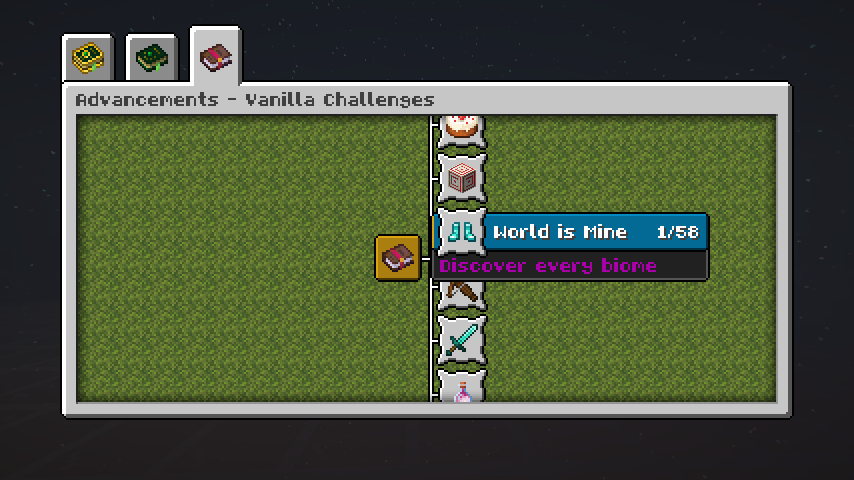
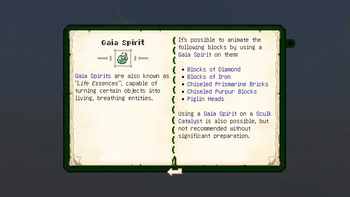
Kidding, kind of? This small pack aims to make GoG gameplay a bit smoother through QoL changes, optimisation and some opinionated progression adjustments. I've tried to keep the Vanilla + Botania vibe by keeping the recipe book (with some tweaks), adding a couple of advancements and documenting most changes in the Lexica Botania.
The pack runs comfortably on a 512MB heap :)
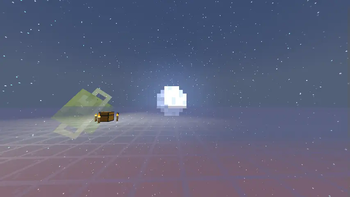
There's also a custom Superflat preset, as pictured in the banner. Enable the Bonus Chest setting if using this mode (would recommend).
Notable changes:
- Void Nether! Try not to look down. The Lexicon should have some useful info.
- Thermalilies are actually automatable!
- The Orechid now accepts Netherrack as an input. Ignem? What's that?
- Flint drops from Gravel have been bumped up to encourage cobbleworks-powered Entropinnyums
- Mobs killed by the Rod of the Unstable Reservoir (missile rod) have a chance to drop rare loot
- Loot tables have been subjectively improved. Entities drop a little more, fishing junk and treasure is better (and the open water requirement relaxed)
- Sniffers can now dig up Sus Sand and Gravel
- Regular brewing no longer exists, use the Botanical Brewery instead
- Emeralds, Copper, Netherite, Lapis Lazuli, Villagers and Nether/End structures have been crobbed. Botania Quartzes and Manasteel replace their trim functionality
- Wither Skeletons spawn rarely in Soul Sand Valleys
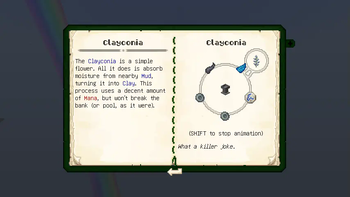
- Rebalanced runic altar and petal apothecary recipes. For example, Runes of Earth now require a Clay Block (for balance™), so a Clayconia might be nice to have. Dripstone-adjacent mechanics are faster now, if you prefer the vanilla method.
- End Portal Frames are gated behind the Alfheim Portal, so Corporea and Red String are accessible earlier. You might even be able to acquire Ender Air without entering the End, with a little trickery :)
- Half of all enchants have been removed (usually those with bauble/potion equivalents), and the Enchanting Table is now decorative. Books can be obtained via fishing or the Loonium
- Miscellaneous stuff like the hunger system being overhauled, the Vitreous Pickaxe working on more blocks and other things I can't remember off the top of my head. The Fabrication menu has a summary of all enabled tweaks, but notable ones are the inclusion of a Forgiving Void-like mechanic, and Firework Boosting being disabled (in favour of the Rod of the Skies)
I had fun making this pack, even if it ate up a bunch of time which could have been better spent on university coursework. I've learnt how to use Pixelorama, Git and patch workflow in the process. I hope you have fun playing through it. My Discord tag is @makesbadlattes if you really want to get in touch, but I'm not expecting any comments/feedback since it's mainly a personal project. There's still plenty more I wanted to do with this pack (in the bundled to-do.txt), but for now I'm relatively happy with how it turned out.
Available Versions
How to Set Up a what the gog doin' Server
Order Server
Choose at least 6 GB RAM (10 GB recommended for what the gog doin'). Based on player count: per 4 players.
Install Modpack in Dashboard
Open the modpack browser in the dashboard, search for "what the gog doin'" and click "Install". The fabric loader and Minecraft 1.20.1 are configured automatically.
Start Server & Play
Start the server – all mods are loaded automatically. Share the server IP with friends and play together!
Frequently Asked Questions
what the gog doin' server crashes or won't start – what to do?
Most common causes: insufficient RAM or wrong fabric loader. Check latest.log for "OutOfMemoryError" → increase RAM to at least 10 GB. For "Mixin" or "ClassNotFoundException" errors: modpack version and loader don't match. With Mado Hosting, loader and Minecraft version are auto-configured on modpack install – preventing most startup issues.
How much RAM does a what the gog doin' server really need?
Minimum 6 GB, recommended 10 GB for stable performance. per 4 players. Important: Minecraft modpacks need more RAM than vanilla – plan extra per additional player. With Mado Hosting, you can scale RAM up live at any time without data loss (from €12/month).
Can I add custom mods to what the gog doin' without conflicts?
Yes, but check compatibility: only use mods for the same loader (fabric) and same Minecraft version (1.20.1). Common issues: ID conflicts with recipe mods and incompatible coremod versions. The Mado dashboard mod browser only shows compatible mods and warns about known conflicts.
what the gog doin' server lagging – performance tips
1) Increase RAM to 10 GB+. 2) Reduce server view-distance to 8 (server.properties). 3) Pre-generate chunks with the "Chunky" plugin. 4) Use /spark profiler to check which mods consume the most tick time. With Mado Hosting, all servers run on NVMe SSDs with dedicated CPU cores – eliminating hardware as a bottleneck.
Similar Modpacks

![Cobblemon Official Modpack [Fabric]](https://cdn.modrinth.com/data/5FFgwNNP/e7f9ee2e9d361623847853fe2ddce42f519ee64f.png)
![COBBLEVERSE - Pokemon Adventure [Cobblemon]](https://cdn.modrinth.com/data/Jkb29YJU/581ecf54530972afb18a04660afd820f2f24f6c7.png)
![Better MC [FABRIC] - BMC2](https://cdn.modrinth.com/data/shFhR8Vx/a19c2bcb51d38f32f138d3607e91cb2b7b8e387f_96.webp)


Rent what the gog doin' Server
Start your own server with automatic modpack installation.
Supported Versions
Start your what the gog doin' Server now
From €12.00/month with 10 GB RAM for the best performance.
Configure Server →