
XPerience
A modpack that aims to make vanilla Minecraft as visually and auditorily pleasing, and convenient as possible!
Screenshots
About this Modpack
The purpose of this modpack is to enhance the quality of your experience playing Minecraft while retaining the Vanilla roots of the game and staying 100% client sided. So there's no worry for any compatibility matters.
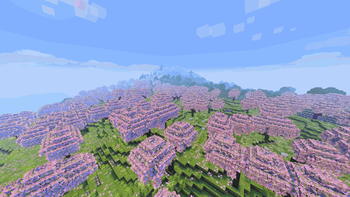
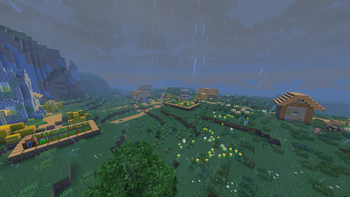
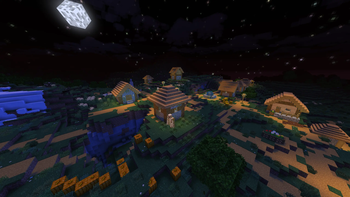
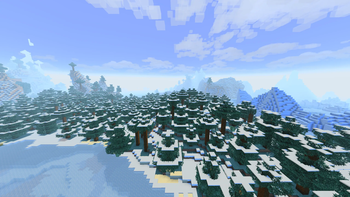
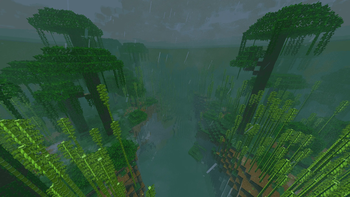
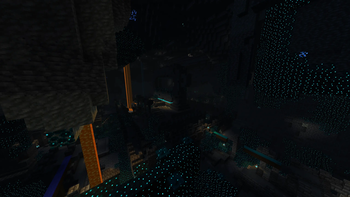
ALL IMAGES IN GALLERY ARE DIRECT SCREENSHOTS FROM IN GAME WITH THIS MODPACK!!! 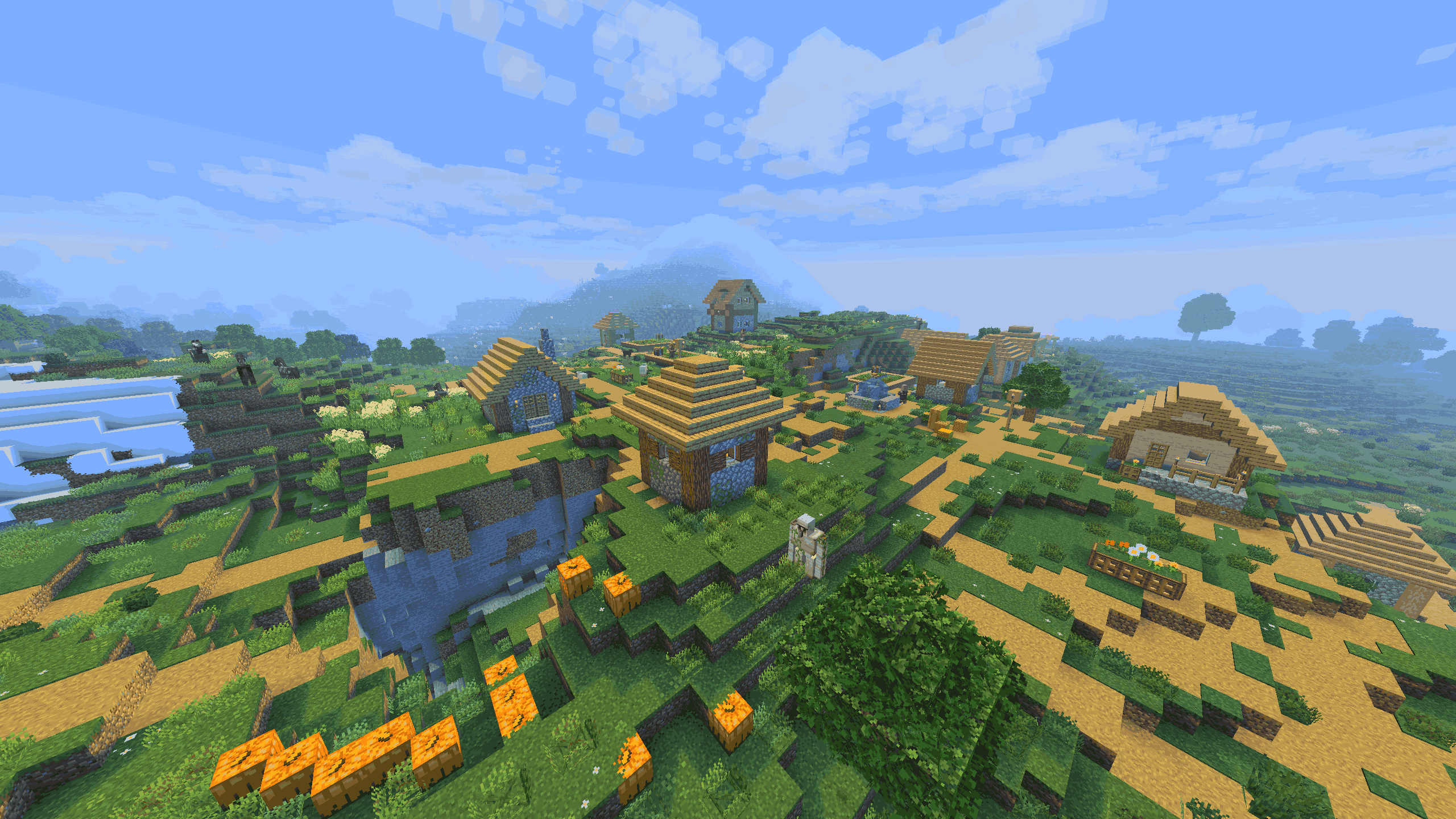 (No post processing was done and no shaders were used!)
VISUAL CHANGES: This modpack enhances the visuals of the game to look by far better without losing the Vanilla feel, or killing your PC. (Sky, Animations, GUI, 3D, Emissives, Particles, Fog, etc.)
AUDIO CHANGES: Various mods MOSTLY add more sounds and music to make the gameplay more immersive and realistic. Most notable mod is "Ambient Sounds" or "Sound Physics Remastered" which tells all sorts of stories when playing the game.
QOL CHANGES: Many mods were added with the purpose of adding more convenience to your experience. Best example of this is the Essential mod or Mouse Tweaks. (MC Chat, Durability, Combat, Multiplayer, Fog, Navigation, Info, etc.)
PERFORMANCE CHANGES: Mainly here so all the added visual enhancements doesn't make your game run like crap. Sodium, along with many other performance mods, ensure smoother gameplay across all scenarios. From testing the modpack, it will get you similar performance to vanilla Minecraft, just a bit faster.
RESOURCE PACKS: This modpack utilizes a few resource packs to bring connected textures, emissives, 3D textures, and QOL functions into the game. Big thanks to resource pack creator DR7 for bringing "Re-Shaded" to us! This resource pack modifies Minecraft's core shaders to make the game appear like it's running shaders without destroying your performance. Here's a link to DR7's Discord to be updated on the lastest news and get access to beta versions he releases!
ReShaded Discord: https://discord.gg/KCbwJcyqXM
Also big thanks and credit to Vanilla Tweaks for their versatile, configurable resource packs! I highly reccomend you check the website out if you've never heard of it.
Vanilla Tweaks Website: https://vanillatweaks.net/picker/resource-packs/
Apparently the order of resource packs that I set do not transfer over so here is the order so the game looks as I intended: Example Animations, Connected Paths, Even Better Enchants, Weskerson's 3D Items, Blue's Core Shaders, Glowing OF, Glass Pane Culling Fix, Default Connected Textures, Simple Grass Flowers, Vanilla Tweaks, Fresh Animations, Nautilus 3D, ReShaded, Fabric Mods, Default Resources
ISSUES & SUGGESTIONS: I want to hear YOUR ideas and suggestions for how I could further enhance the vanilla experience. As well as the issues you come across. Navigate to the "Report Issues" link to record your issues, suggestions, and ideas for me to analyze!
Available Versions
How to Set Up a XPerience Server
Order Server
Choose at least 6 GB RAM (8 GB recommended for XPerience). Based on player count: per 5 players.
Install Modpack in Dashboard
Open the modpack browser in the dashboard, search for "XPerience" and click "Install". The fabric loader and Minecraft 1.21.10 are configured automatically.
Start Server & Play
Start the server – all mods are loaded automatically. Share the server IP with friends and play together!
Frequently Asked Questions
XPerience server crashes or won't start – what to do?
Most common causes: insufficient RAM or wrong fabric loader. Check latest.log for "OutOfMemoryError" → increase RAM to at least 8 GB. For "Mixin" or "ClassNotFoundException" errors: modpack version and loader don't match. With Mado Hosting, loader and Minecraft version are auto-configured on modpack install – preventing most startup issues.
How much RAM does a XPerience server really need?
Minimum 6 GB, recommended 8 GB for stable performance. per 5 players. Important: Minecraft modpacks need more RAM than vanilla – plan extra per additional player. With Mado Hosting, you can scale RAM up live at any time without data loss (from €12/month).
Can I add custom mods to XPerience without conflicts?
Yes, but check compatibility: only use mods for the same loader (fabric) and same Minecraft version (1.21.10). Common issues: ID conflicts with recipe mods and incompatible coremod versions. The Mado dashboard mod browser only shows compatible mods and warns about known conflicts.
XPerience server lagging – performance tips
1) Increase RAM to 8 GB+. 2) Reduce server view-distance to 8 (server.properties). 3) Pre-generate chunks with the "Chunky" plugin. 4) Use /spark profiler to check which mods consume the most tick time. With Mado Hosting, all servers run on NVMe SSDs with dedicated CPU cores – eliminating hardware as a bottleneck.
Similar Modpacks
![Cobblemon Official Modpack [Fabric]](https://cdn.modrinth.com/data/5FFgwNNP/e7f9ee2e9d361623847853fe2ddce42f519ee64f.png)
![COBBLEVERSE - Pokemon Adventure [Cobblemon]](https://cdn.modrinth.com/data/Jkb29YJU/581ecf54530972afb18a04660afd820f2f24f6c7.png)
![Better MC [FABRIC] - BMC2](https://cdn.modrinth.com/data/shFhR8Vx/a19c2bcb51d38f32f138d3607e91cb2b7b8e387f_96.webp)


![Better MC [FORGE] - BMC4](https://cdn.modrinth.com/data/4BV47HRn/7f5ef7cc61b2593609aabef3ed07a866a4f11b73_96.webp)
Rent XPerience Server
Start your own server with automatic modpack installation.
Details
- License
- Creative Commons Attribution Non Commercial 4.0 International
- Server-side
- Unsupported
- Client-side
- Required
Supported Versions
Start your XPerience Server now
From €12.00/month with 8 GB RAM for the best performance.
Configure Server →