
fopwoc's YAqol&oM
Steam Deck ready vanilla compatible qol + optimizations modpack.
Screenshots


About this Modpack
fopwoc's Minecraft modpacks
"Gentoo" way to play minecraft – Why just share zip with your friends when you can write a CI for your modpack?
Inspired and partially based on Deckium and Fabulously Optimized modpacks.
What does "YAqol&oM" means?
Y - Yet
A - Another
q - quality
o - of
l - life
& - and
o - optimization
M - Modpack
So… what is it?
My personal vanilla-compatible modpack focuses on quality of Life, fixes, and optimization. It also includes numerous platform-related fixes (Mac and Linux issues) and features a well-designed Steam Deck layout.
Performace?
Certainly! It incorporates nearly all modern and widely-used optimization mods. Here's a brief list of them:
- Sodium – better rendering engine.
- Indium – Sodium addon with additional features and optimizations.
- Starlight – light engine rewrite.
- Lithium – game logic optimization.
- Exordium – HUD framerate render fix.
- ImmediatelyFast – faster entity, particles, etc. rendering.
- More Culling – better culling, huge performance boost.
- DashLoader – caches game data and makes it load super fast.
- ModernFix – an all-in-one fix and tweak mod for various aspects of the game.
- And more...
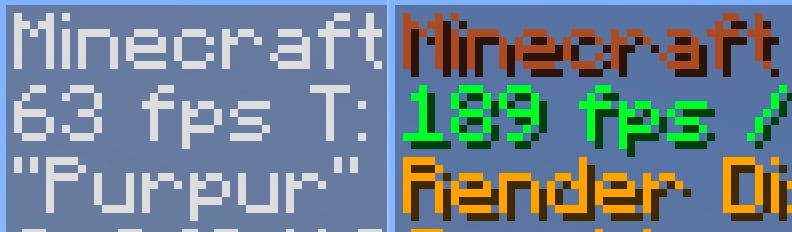
Compared to vanilla without mods, it offers a substantial performance boost and runs exceptionally well on my M1 Mac.
Qol?
Absolutely! Everyone appreciates comfort, right? This modpack includes numerous useful mods that will make you never want to play without them again.
- CustomHud – I love seeing IRL time when playing the game. This is the best vanilla-looking HUD mod that lets me see it.
- Shulker Box Tooltip – You never remember what inside shulker boxes. So why not to preview them.
- Auto Elytra – Automatically switch chestplate to elytra and vice versa.
- Controlify – Controller support with many great features.
- Chat Patches – This mod makes chat great again.
- Durability Viewer – Useful for seeing the exact durability left with your items.
- Inventory Profiles Next – ADHD inventory sorting. But also has many awesome inventory management features.
- Chest Tracker – Helps you find in which chest your certain items are located.
- ChatWalk – Useful when you need to travel straight for a long distance but are too lazy to press the W button all the time (though not the main purpose of this mod).
- Xaero's World Map – The best world map and waypoints mod ever existed.
- Ok Zoomer – My personal favorite zooming mod. This mod is literally the only reason why I use Quilt over Fabric :)
- Screenshot Viewer – Great way to preview screenshots right in-game. Handy on Steam Deck where I can't open filesystem.
- And so much more…
You mentioned it works well on the Steam Deck?
Sure thing! Here's a short gameplay video on my deck:
https://github.com/fopwoc/minecraft-modpacks/assets/21304354/8e327b8c-762a-4343-b4f6-ae9a0ccd2e5d
Available Versions
How to Set Up a fopwoc's YAqol&oM Server
Order Server
Choose at least 4 GB RAM (6 GB recommended for fopwoc's YAqol&oM). Based on player count: per 8 players.
Install Modpack in Dashboard
Open the modpack browser in the dashboard, search for "fopwoc's YAqol&oM" and click "Install". The quilt loader and Minecraft 1.20.1 are configured automatically.
Start Server & Play
Start the server – all mods are loaded automatically. Share the server IP with friends and play together!
Frequently Asked Questions
fopwoc's YAqol&oM server crashes or won't start – what to do?
Most common causes: insufficient RAM or wrong quilt loader. Check latest.log for "OutOfMemoryError" → increase RAM to at least 6 GB. For "Mixin" or "ClassNotFoundException" errors: modpack version and loader don't match. With Mado Hosting, loader and Minecraft version are auto-configured on modpack install – preventing most startup issues.
How much RAM does a fopwoc's YAqol&oM server really need?
Minimum 4 GB, recommended 6 GB for stable performance. per 8 players. Important: Minecraft modpacks need more RAM than vanilla – plan extra per additional player. With Mado Hosting, you can scale RAM up live at any time without data loss (from €8/month).
Can I add custom mods to fopwoc's YAqol&oM without conflicts?
Yes, but check compatibility: only use mods for the same loader (quilt) and same Minecraft version (1.20.1). Common issues: ID conflicts with recipe mods and incompatible coremod versions. The Mado dashboard mod browser only shows compatible mods and warns about known conflicts.
fopwoc's YAqol&oM server lagging – performance tips
1) Increase RAM to 6 GB+. 2) Reduce server view-distance to 8 (server.properties). 3) Pre-generate chunks with the "Chunky" plugin. 4) Use /spark profiler to check which mods consume the most tick time. With Mado Hosting, all servers run on NVMe SSDs with dedicated CPU cores – eliminating hardware as a bottleneck.
Similar Modpacks

![Cobblemon Official Modpack [Fabric]](https://cdn.modrinth.com/data/5FFgwNNP/e7f9ee2e9d361623847853fe2ddce42f519ee64f.png)
![COBBLEVERSE - Pokemon Adventure [Cobblemon]](https://cdn.modrinth.com/data/Jkb29YJU/581ecf54530972afb18a04660afd820f2f24f6c7.png)
![Better MC [FABRIC] - BMC2](https://cdn.modrinth.com/data/shFhR8Vx/a19c2bcb51d38f32f138d3607e91cb2b7b8e387f_96.webp)


Rent fopwoc's YAqol&oM Server
Start your own server with automatic modpack installation.
Supported Versions
Start your fopwoc's YAqol&oM Server now
From €8.00/month with 6 GB RAM for the best performance.
Configure Server →