
Zearkcraft
Zearkcraft is a Forge 1.20.1 modpack that focuses on exploration, building, and technology.
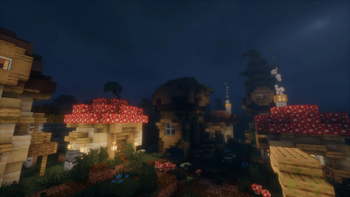
Screenshots

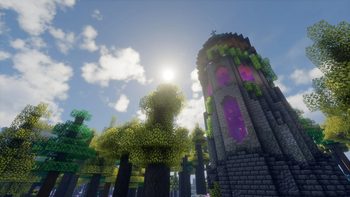
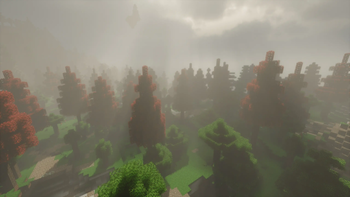
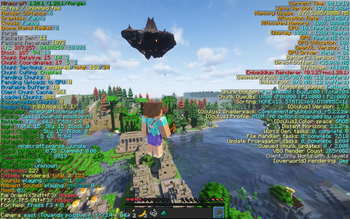
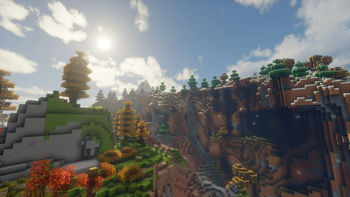
About this Modpack

This mod is a WORK IN PROGRESS, things will be added and removed as my friends and I continue to play the modpack. Expect bugs, crashes, and oddities!
What is Zearkcraft?
Zearkcraft is a Forge 1.20.1 modpack (250 mods) curated towards exploration, building, and technology. The intention of the mod is to overhaul the entire vanilla experience and blend multiple modpack genres with an overwhelming amount of pathways any player can take.
Why did you make this modpack?
I wanted to make a modpack that has a bundle of avenues one can take that isn't too intense and soul crushing. I've played many mod packs with my friends (specifically RPG focused) and just like every minecraft phase, most of the fun and interest just fizzles out after a week or two of playing because we've grinded our hearts out on a specific end goal. In vanilla minecraft, you have an end goal but it isn't really pushing you to focus on it unless YOU want to. Really, this modpack is just an amalgamation of how my ADHD brain focuses on things. Also, I guess I'm just a control freak and want to have control of every single aspect of how the game works.
Why so many mods?
The simple answer is this: I have friends who want very specific mods so I decided to add a little bit of everything but emphasized the building and exploration aspects as that's what I believe the heart of Minecraft is.
Key Mods
Technology
- Create (+ Addons)
- Applied Energistics 2 (+ Addons)
Exploration
- CTOV
- Epic Dungeons
- When Dungeons Arise
- Katters' Structures
- Moog's Mods (MES, MNS, MSS, MVS)
- All of YUNG's Mods
- Dungeons & Taverns
- Better Archeology
- Aquamirae
- Spleunkery
- Deeper and Darker
- Incendium
- Nullscape
Environment
- Tectonic
- Terralith
- Bushier Flowers
- Immersive Weathering
- Serene Seasons
- More Little Decorations
Entities
- Alex's Mobs
- Critters and Companions
- Spawn
- Ribbits
- Creeper Overhaul
- Enderman Overhaul
- Mutant Mobs
- Herobrine (Harmless)
Building
- Beautify!
- Amendments
- Handcrafted
- Supplementaries (+ Squared)
- Extra Carpets
- Macaw's Mods (with BOP additions)
- Excessive Building
- [Let's Do] Candlelight
- [Let's Do] Beach Party
Farming, Cooking, Fishing, Etc.
- Farmer's Delight (+ Addons)
- Terraqueous
- Floralis
- Exline's Fishing
- [Let's Do] Bakery
- [Let's Do] HerbalBrews
- [Let's Do] Vinery
- [Let's Do] NetherVinery
- [Let's Do] Brewery
Combat, Weapons, Armor, & Tools
- Better Combat
- Epic Empires
- Epic Knights
- Epic Samurais
- Simply Swords
- Gliders
- Exposure
QoL
- Quark
- Viner
- HT's TreeChop
- Corpse
- Shoulder Surfing Reloaded
- Storage Lables
- Lootr
- Waystones
- Healing Campfire
- Infinite Trading
- Do a Barrel Roll
- EMI
- Inventory Essentials
- AppleSkis
- Xaero's World Map
- Xaero's Minimap (Disabled by Default)
Graphics, Audio, & User Interface
- Embeddium
- Oculus
- Distant Horizons
- Ambient Sounds
- Quality Sounds
- Sound Physics Remastered
- Dynamic Crosshair
- Unique Dark (Interface)
- Custom Menu/Loading Screen (via FancyMenu + Drippy)
- Fresh Animations (Resource Pack)
- Fresh Moves (Resource Pack)
- Bliss Shaders (via GitHub for DH Support)
- Complementary Shaders (Reimagined & Unbound)
Side Notes:
- This mod is a WORK IN PROGRESS, things will be added and removed as my friends and I continue to play the modpack.
- Most mods have compat/integration with each other and the world generation.
- Several performance mods have been installed to increase compatibility between hardware and increase client and server performance.
- I reccomend allocating a minimum of 8GBs of RAM towards Forge.
- I've tested this modpack on my M2 Pro Mac (16GBs) and have experienced fairly good performance.
- I always strive to be open minded as this is my first offical modpack. I'm learning as I go and feedback is always loved and wanted! :)
Known Issues:
- Frame drops in larger villages (Improved in 2.0 Update)
Double Doors sometimes do not open together (usually in world generated structures).FIXED!- Player transparency issues when using shaders.
- Bliss Shaders incompatible on macO
- Complementary Shaders give around 40-50 FPS on macOS (M2 Pro w/16GBs)
Goals/Plans
- A wiki is in development to help get the player started and have easier access to additional mod resources and video tutorials.
- A server-pack is about 90% finished. In testing phase.
- Increase server-side performance and lower tick rate.
External Attributions:
- Bliss Shaders (with DH Support): GitHub
Special Thanks
- All of the mod creators, I wouldn't have been able to achieve my vision without the hard work from all of you! <3
- Chocapic13 for creating Bliss Shaders.
Available Versions
How to Set Up a Zearkcraft Server
Order Server
Choose at least 6 GB RAM (8 GB recommended for Zearkcraft). Based on player count: per 5 players.
Install Modpack in Dashboard
Open the modpack browser in the dashboard, search for "Zearkcraft" and click "Install". The forge loader and Minecraft 1.20.1 are configured automatically.
Start Server & Play
Start the server – all mods are loaded automatically. Share the server IP with friends and play together!
Frequently Asked Questions
Zearkcraft server crashes or won't start – what to do?
Most common causes: insufficient RAM or wrong forge loader. Check latest.log for "OutOfMemoryError" → increase RAM to at least 8 GB. For "Mixin" or "ClassNotFoundException" errors: modpack version and loader don't match. With Mado Hosting, loader and Minecraft version are auto-configured on modpack install – preventing most startup issues.
How much RAM does a Zearkcraft server really need?
Minimum 6 GB, recommended 8 GB for stable performance. per 5 players. Important: Minecraft modpacks need more RAM than vanilla – plan extra per additional player. With Mado Hosting, you can scale RAM up live at any time without data loss (from €12/month).
Can I add custom mods to Zearkcraft without conflicts?
Yes, but check compatibility: only use mods for the same loader (forge) and same Minecraft version (1.20.1). Common issues: ID conflicts with recipe mods and incompatible coremod versions. The Mado dashboard mod browser only shows compatible mods and warns about known conflicts.
Zearkcraft server lagging – performance tips
1) Increase RAM to 8 GB+. 2) Reduce server view-distance to 8 (server.properties). 3) Pre-generate chunks with the "Chunky" plugin. 4) Use /spark profiler to check which mods consume the most tick time. With Mado Hosting, all servers run on NVMe SSDs with dedicated CPU cores – eliminating hardware as a bottleneck.
Similar Modpacks
![Cobblemon Official Modpack [Fabric]](https://cdn.modrinth.com/data/5FFgwNNP/e7f9ee2e9d361623847853fe2ddce42f519ee64f.png)
![COBBLEVERSE - Pokemon Adventure [Cobblemon]](https://cdn.modrinth.com/data/Jkb29YJU/581ecf54530972afb18a04660afd820f2f24f6c7.png)
![Better MC [FABRIC] - BMC2](https://cdn.modrinth.com/data/shFhR8Vx/a19c2bcb51d38f32f138d3607e91cb2b7b8e387f_96.webp)


![Better MC [FORGE] - BMC4](https://cdn.modrinth.com/data/4BV47HRn/7f5ef7cc61b2593609aabef3ed07a866a4f11b73_96.webp)
Rent Zearkcraft Server
Start your own server with automatic modpack installation.
Details
- License
- LicenseRef-All-Rights-Reserved
- Server-side
- Optional
- Client-side
- Optional
Supported Versions
Start your Zearkcraft Server now
From €12.00/month with 8 GB RAM for the best performance.
Configure Server →