
Zephaire
A 1.21.8 Client Pack for the Zephaire Minecraft Server. Built for Quality of Life and Optimization Mods.
Screenshots

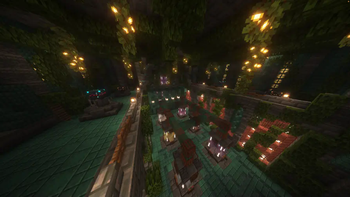
About this Modpack
Zephaire's Client Pack is tailored to Minecraft's version 1.21.8. The mods which make up this pack aims to enhance the player's experience in small ways without taking the experience away from the base game. Whereas there are many customizable features and the ease of adding onto the pack with shaders or texture packs of your own, there are also plenty of optimization features that should allow most, if not all machines to run this pack smoothly.
It should be noted that this pack is made for the Minecraft Server - Zephaire, however anyone may use and alter this pack at their own discretion and is able to be used with any vanilla server.
Express Yourself: Addons for player customization for your models, such as Figura and Customizable Player Models to allow 3D modelers express their creativity and allow them reanimate and redefine how your model looks and feels. Other mods like Cosmetica and Essentials have built in cosmetics for you to choose and show off as you wish! For those that wish to keep a more vanilla feel for themselves, there exists 3D Skin Layers to spice up your style.
Redefine Exploration: With mods such as Sounds, Presence Footsteps, and Reactive Music, these three mods alone make Minecraft feel more alive. No need to turn off your music anymore! Other mods such as Xareo's World Map will help you keep progress of your progression, where as small changes such as Falling Leaves and Dense Flowers, Cool Rain, and Drip Sounds makes exploring both the surface and caverns much more satisfying.
Performance Boosts: Many culling mods and optimizers that alter how Minecraft's rendering engine such as Better Beds, Fast Items, Entity Culling, and Particle Core all help with ensuring a smooth experience while playing on any server.
Gameplay Focused: Other quality of life mods such as Armor Trim Item Fix, AppleSkin, BetterF3 Axolotl and Bucket Fix are just to name a few mods that assist your every day experience. Other mods like Resourcify and Controlling exists as well, Resourcify allows you to pull from a wide database of both shaders and texture packs where as Controlling allows you to search up any keybinds and to show conflicts with ease.
Whether you are a player of our server here on Zephaire or just another user looking to get a client pack that can be used anywhere, we hope that you enjoy using this pack!
Available Versions
How to Set Up a Zephaire Server
Order Server
Choose at least 6 GB RAM (8 GB recommended for Zephaire). Based on player count: per 5 players.
Install Modpack in Dashboard
Open the modpack browser in the dashboard, search for "Zephaire" and click "Install". The fabric loader and Minecraft 1.21.8 are configured automatically.
Start Server & Play
Start the server – all mods are loaded automatically. Share the server IP with friends and play together!
Frequently Asked Questions
Zephaire server crashes or won't start – what to do?
Most common causes: insufficient RAM or wrong fabric loader. Check latest.log for "OutOfMemoryError" → increase RAM to at least 8 GB. For "Mixin" or "ClassNotFoundException" errors: modpack version and loader don't match. With Mado Hosting, loader and Minecraft version are auto-configured on modpack install – preventing most startup issues.
How much RAM does a Zephaire server really need?
Minimum 6 GB, recommended 8 GB for stable performance. per 5 players. Important: Minecraft modpacks need more RAM than vanilla – plan extra per additional player. With Mado Hosting, you can scale RAM up live at any time without data loss (from €12/month).
Can I add custom mods to Zephaire without conflicts?
Yes, but check compatibility: only use mods for the same loader (fabric) and same Minecraft version (1.21.8). Common issues: ID conflicts with recipe mods and incompatible coremod versions. The Mado dashboard mod browser only shows compatible mods and warns about known conflicts.
Zephaire server lagging – performance tips
1) Increase RAM to 8 GB+. 2) Reduce server view-distance to 8 (server.properties). 3) Pre-generate chunks with the "Chunky" plugin. 4) Use /spark profiler to check which mods consume the most tick time. With Mado Hosting, all servers run on NVMe SSDs with dedicated CPU cores – eliminating hardware as a bottleneck.
Similar Modpacks
![Cobblemon Official Modpack [Fabric]](https://cdn.modrinth.com/data/5FFgwNNP/e7f9ee2e9d361623847853fe2ddce42f519ee64f.png)
![COBBLEVERSE - Pokemon Adventure [Cobblemon]](https://cdn.modrinth.com/data/Jkb29YJU/581ecf54530972afb18a04660afd820f2f24f6c7.png)
![Better MC [FABRIC] - BMC2](https://cdn.modrinth.com/data/shFhR8Vx/a19c2bcb51d38f32f138d3607e91cb2b7b8e387f_96.webp)


![Better MC [FORGE] - BMC4](https://cdn.modrinth.com/data/4BV47HRn/7f5ef7cc61b2593609aabef3ed07a866a4f11b73_96.webp)
Rent Zephaire Server
Start your own server with automatic modpack installation.
Supported Versions
Start your Zephaire Server now
From €12.00/month with 8 GB RAM for the best performance.
Configure Server →