
6alphasix.jar
A mod that adds countless scary entities and dimensions.
Screenshots
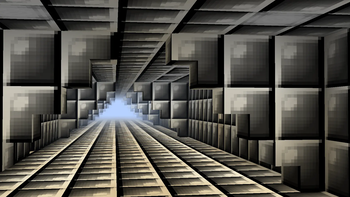
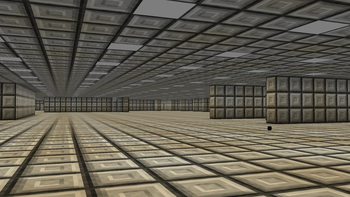
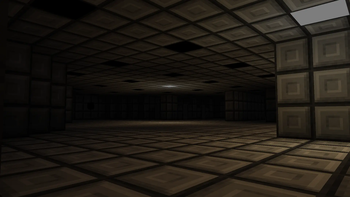
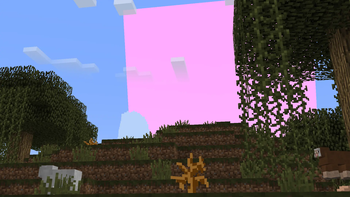
About this Mod

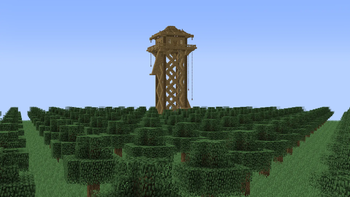
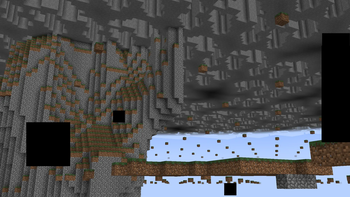
6alphasix.jar is a horror mod that adds Scary entities, events and dimensions. This mod will slowly corrupt your world. The mod tries to create a unsettling environment. With the old Minecraft fog, old caves, old pre 1.14 look and dimensions. The Feeling of being watched. As if something is watching from the fog.
6alphasix is a slow burn mod BUT it does start with a few events that only happen once at a certain time.
The corruption will slowly take over the world. The void entities will take over. This mod can not mess with your pc.
Things you need to know before playing
- This mod will grief your builds (don't add it to important worlds)
- This mod will place structures
- This mod can bring you to different dimensions
- This mod can kick you from the game (when killed by certain entities)
- This mod can show custom error popups on the screen
- This mod works fine with biome mods (Not terrain mods)
- Do not play with shaders that change the moon and sun texture
- Do not play on different world types like amplified, large biomes, single biome because the changed terrain generation will make giant caves to bedrock generate
- You need GECKOLIB for this mod
- To use the config you need CONFIGURED
Content in the mod
Dimensions:
- Limbo
- Zerovoid
- Flatlands
- Suburbs
- Deltaware
- err.house
- err.level.1
- err.level.2
- err.level.3
- err.level.4
- err.level.5
- Hallways
- Nullscapes
- Nowhere
- Stonelands
Entities:
- Anomaly
- Blurred
- Void (Fake Creeper)
- Zero
- Demise
- Disguise
- Fusion
- Dread
- Wrath
- Fate
- Glory
- Dread
- Fury
- Eye
- Fake player
- Fear
- Grace
- I'm Watching
- Infection
- Smiler
- Shade
- Watching.err
- Watching.err.1
- Watching.err.2
- Shooter
- Spheroid
- Wraithwire
- Watching Steve
- Star
Frequently asked questions
How do I use the config?
- Use the CONFIGURED mod.
How do I talk to Stellar?
- Use forge version 47.4.10 or use /ask
How do I go to the dimensions?
- Waiting or craft a dimension tp device (you get a paper with the recipe when you boot up the world for the first time).
How do I disable the warning screen?
- Config.
Available Versions
How to Install 6alphasix.jar on Your Server
Order Server
Order a Minecraft Java server with at least 4 GB RAM (6 GB recommended).
Set forge Loader
In the panel under "Egg", select the forge loader and matching Minecraft version (1.20.1).
Install Mod
Open the mod browser in the dashboard and search for "6alphasix.jar". Click "Install" – done! Alternatively, upload the .jar via SFTP to the /mods folder.
Compatibility
Mod Loaders
Minecraft Versions
1.20.1
Server-side
✓ RequiredRecommended RAM
6 GB(min. 4 GB)Frequently Asked Questions
6alphasix.jar server crashes on startup – what to do?
Most common cause: wrong forge version or insufficient RAM. Check the server log (latest.log) for "OutOfMemoryError" or "Mixin" errors. With Mado Hosting: ensure at least 4 GB RAM is allocated and the loader matches the mod version (1.20.1). You can switch loaders with one click in the panel.
Is 6alphasix.jar compatible with forge?
6alphasix.jar officially supports forge for Minecraft 1.20.1. The Mado dashboard automatically detects incompatible loader combinations.
Server lagging with 6alphasix.jar – how to optimize performance?
Recommended RAM: 6 GB (per 5 players). Use /spark profiler to check if 6alphasix.jar consumes the most tick time. Common fixes: reduce server view-distance to 8-10, install "performant" or "starlight" as supplementary mods on Forge. With Mado Hosting, your server runs on NVMe SSDs with dedicated CPU cores for minimal latency.
Similar Mods




Rent Modded Server
Install 6alphasix.jar with just one click on your server.