
7 Days to Mine
7 Days to mine is a large zombie apocalypse mod, based on the 7 Days to Die game by The Fun Pimps. Survive in a world full of ruins, abandoned cities, and zombies.
Screenshots
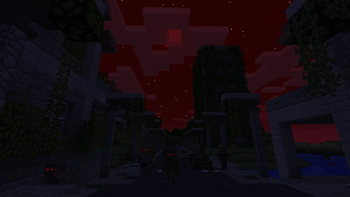
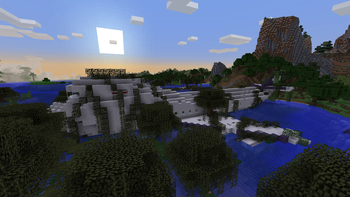
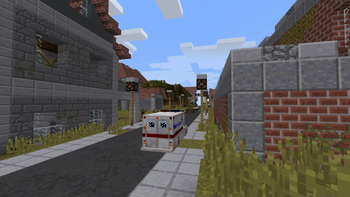
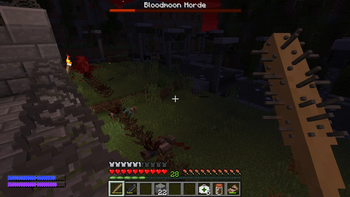
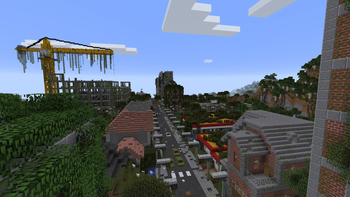
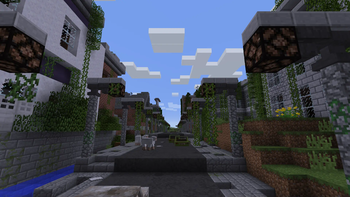
About this Mod

7 Days to Mine is a large zombie apocalypse mod, based on the 7 Days to Die game by The Fun Pimps. Survive in a world full of ruins, abandoned cities, and zombies. Build bases to protect you from the hordes, utilize old technology, fix vehicles, or die.
Compability
The mod uses a custom main menu, sky, cloud and player renderers, and GLSL shaders, which might cause issues with other mods doing the same things. If you happen to want to use any of such mods, it is recommended to turn these features of 7 Days to Mine off in the config file (.minecraft/config/sevendaystomine.cfg).
The custom first-person gun rendering does not work properly when the Replay Mod is used.
Otherwise, the mod should be Compatible™ with most mods. There is built-in compatibility with JEI (recipes for the custom "stations" as well some bits of information).
With shaders, you have about a 50/50 chance they work. The most common issue with them is the rendering of the in-game CCTV cameras. Keep in my, that almost all shaders require that you set "customSky" in the config file to false.
Using "Bukkit-Forge" hybrids (such as Magma, CatServer) causes certain player data (thirst, infection) to not be reset. Therefore it is recommended to either not use these, or to use the /hydrate and /cure commands when a player respawns.
Because of how performance-intensive the world generation can be, you might want to consider using some sort of a world pregenerator mod.
Special thanks to...
- princepat711 for many textures
- tild09 for many textures
- Krapsy for textures
- Crazy_Jky for Chinese localization
- Nep Games for Russian localization
- Nykrdaudr for a lot of testing and many ideas
- The Fun Pimps for making 7 Days to Die
- Pylo for making MCreator, that made the original mod possible
- everyone who participated in the pre-release testing or supported me on YouTube
Available Versions
How to Install 7 Days to Mine on Your Server
Order Server
Order a Minecraft Java server with at least 4 GB RAM (6 GB recommended).
Set forge Loader
In the panel under "Egg", select the forge loader and matching Minecraft version (1.12.2).
Install Mod
Open the mod browser in the dashboard and search for "7 Days to Mine". Click "Install" – done! Alternatively, upload the .jar via SFTP to the /mods folder.
Compatibility
Mod Loaders
Minecraft Versions
1.12.2
Server-side
✓ RequiredRecommended RAM
6 GB(min. 4 GB)Frequently Asked Questions
7 Days to Mine server crashes on startup – what to do?
Most common cause: wrong forge version or insufficient RAM. Check the server log (latest.log) for "OutOfMemoryError" or "Mixin" errors. With Mado Hosting: ensure at least 4 GB RAM is allocated and the loader matches the mod version (1.12.2). You can switch loaders with one click in the panel.
Is 7 Days to Mine compatible with forge?
7 Days to Mine officially supports forge for Minecraft 1.12.2. The Mado dashboard automatically detects incompatible loader combinations.
Server lagging with 7 Days to Mine – how to optimize performance?
Recommended RAM: 6 GB (per 5 players). Use /spark profiler to check if 7 Days to Mine consumes the most tick time. Common fixes: reduce server view-distance to 8-10, install "performant" or "starlight" as supplementary mods on Forge. With Mado Hosting, your server runs on NVMe SSDs with dedicated CPU cores for minimal latency.
Similar Mods




Rent Modded Server
Install 7 Days to Mine with just one click on your server.