
AdminShop
Note: as of version 2.0 onwards, this mod requires FTB Teams A powerful, fully customizable shop for modpack developers and server admins. Buy and sell items and fluids, fully automate buying and selling, create shared co-op accounts.
Screenshots
About this Mod
Visit our discord for frequent updates: https://discord.gg/hEaS5EVCH7
This mod is in early development: bugs and crashes may occur. If you encounter these, report them in the mod's GitHub https://github.com/AmmoniumX/AdminShop
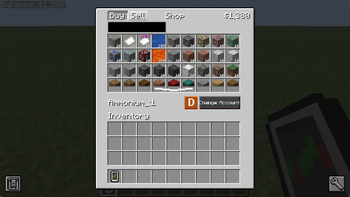
AdminShop is a powerful mod that allows both server administrator and modpack developers to add their fully customizable "shop" into Minecraft, where players can buy and sell items at fixed prices.
The features of AdminShop include:
- Ability to buy and sell fluids and items, with NBT support.
- Fully customizable list of buyable and sellable fluids/items through an editable spreadsheet file.
- Ability to lock specific buying and selling offers behind unlockable "trade permits".
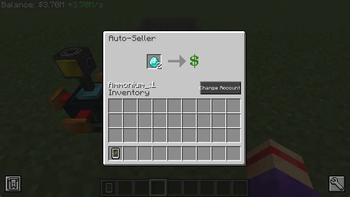
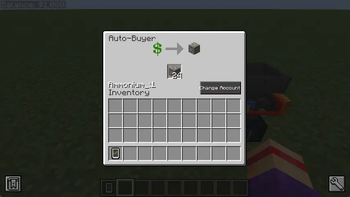
- Automate said buying and selling through auto-buyers and sellers.
- A custom "bank account" system, in which you can either play by yourself, or create shared accounts with other players, allowing Co-Op play in servers.
- Fully functional even while the player is offline, if the chunks are still loaded.
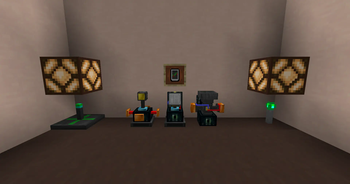
- Control automation with redstone emitting "balance detectors".
- Built-in Patchouli guide.
The mod was originally for 1.12 by Vnator, but it has been forked to newer versions and overhauled by Ammonium.
For more information, such as a setup guide for modpack developers and server admins, please visit https://github.com/AmmoniumX/AdminShop
Available Versions
How to Install AdminShop on Your Server
Order Server
Order a Minecraft Java server with at least 3 GB RAM (4 GB recommended).
Set forge Loader
In the panel under "Egg", select the forge loader and matching Minecraft version (1.20.6).
Install Mod
Open the mod browser in the dashboard and search for "AdminShop". Click "Install" – done! Alternatively, upload the .jar via SFTP to the /mods folder.
Compatibility
Mod Loaders
Minecraft Versions
1.20.6, 1.20.5, 1.20.4 (+5 more)
Server-side
✓ RequiredRecommended RAM
4 GB(min. 3 GB)Frequently Asked Questions
AdminShop server crashes on startup – what to do?
Most common cause: wrong forge version or insufficient RAM. Check the server log (latest.log) for "OutOfMemoryError" or "Mixin" errors. With Mado Hosting: ensure at least 3 GB RAM is allocated and the loader matches the mod version (1.20.6). You can switch loaders with one click in the panel.
Is AdminShop compatible with forge?
AdminShop officially supports forge for Minecraft 1.20.6, 1.20.5, 1.20.4. The Mado dashboard automatically detects incompatible loader combinations.
Server lagging with AdminShop – how to optimize performance?
Recommended RAM: 4 GB (per 8 players). Use /spark profiler to check if AdminShop consumes the most tick time. Common fixes: reduce server view-distance to 8-10, install "performant" or "starlight" as supplementary mods on Forge. With Mado Hosting, your server runs on NVMe SSDs with dedicated CPU cores for minimal latency.
Similar Mods




![CobbleDollars [Cobblemon Addon]](https://cdn.modrinth.com/data/s7N7AsqL/684040a264fc1d7f9b856ec5d2da39767398c7ad.png)
Rent Modded Server
Install AdminShop with just one click on your server.