
Advanced Alloys
A mod that adds new custom tools, weapons, and armor by allowing you to mix different metals. This mod makes both the early game and late game very different by allowing you to choose different tools & armor sets. (Also makes copper useful)
Screenshots
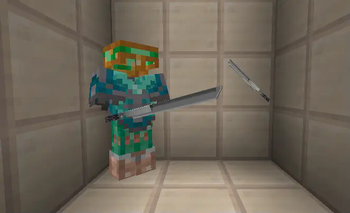
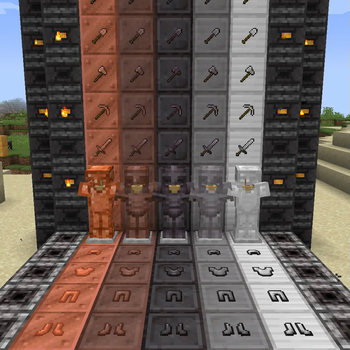
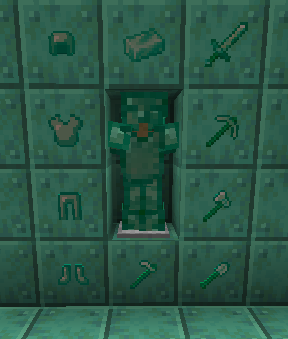
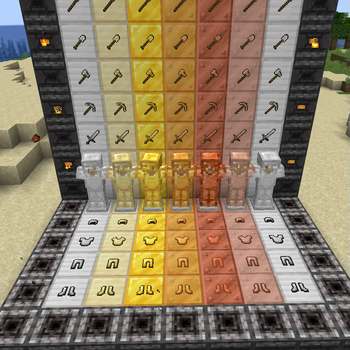
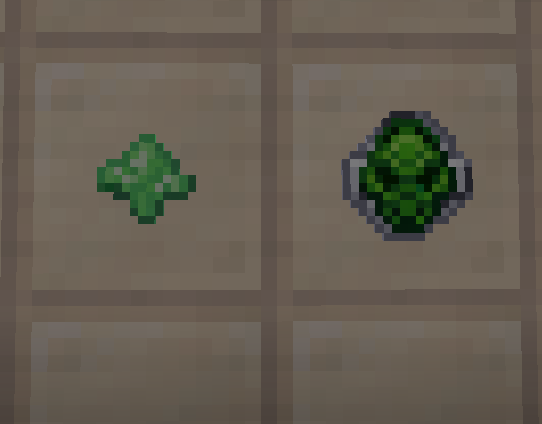
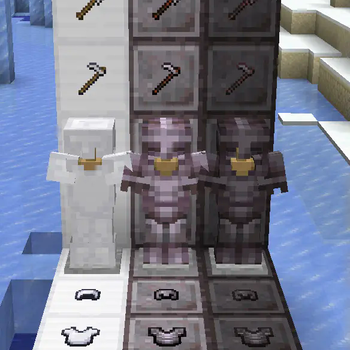
About this Mod
This mod works to revolutionize early & late game play by allowing you to upgrade from the boring stone and iron tools as well as netherite and diamond tools. To start that this mod adds copper tools and armor which are more durable than iron but are not as fast, deal less damage, and do not give as much protection. This mod also adds a brand new block - the alloy blaster.
The alloy blaster is crafted using four furnaces, 4 cobbled deepslate, and 1 diorite(finally gives diorite a use). The alloy blaster can combine the three different metals(copper, iron, and gold) to make ingots. These ingots can make tools, weapons, and armor(and also blocks for decoration) which have about the best stats of both metals and maybe even a little extra. The different mixes allow for more tool variety depending on whether durability, protection, mining speed, or damage is important to you.
1.0.2 and onwards:
Adds Copper & Iron Netherite variants which are either stronger/faster or more durable based on which one you choose.
Also adds oxidized copper tools & armor which, while powerful, has many interesting drawbacks(static electricity??).
1.1.0 and onwards:
Adds custom items like the Katana(try holding it in your ninth slot) and the Silicon Sulfate Detenator which have special abilities. I plan to add more cool custom weapons with abilities as I go on.
1.1.3 and onwards:
Added Piaxelos which are essentially combinations of the different types of tools. They are very expensive to craft but save a lot of inventory space.
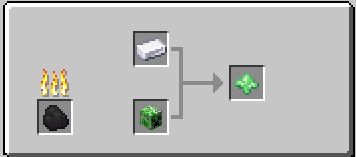
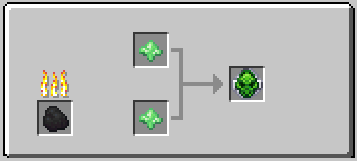
Since the Alloy Blaster doesn't support JEI yet I am putting the recipes here (The recipes work on REI so use that if you want easy access to recipes) (REI Recipes only work in single player for some reason)
Alloy Blaster Recipes
(The top one uses smooth quartz blocks in order to make silicon also i havent added an image for silicon netherite it but you can make )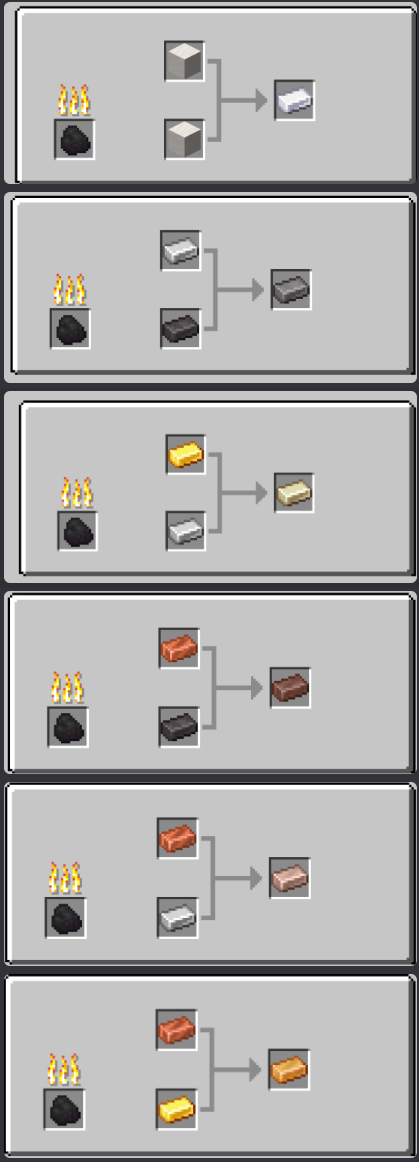
Available Versions
How to Install Advanced Alloys on Your Server
Order Server
Order a Minecraft Java server with at least 3 GB RAM (4 GB recommended).
Set fabric Loader
In the panel under "Egg", select the fabric loader and matching Minecraft version (1.20.1).
Install Mod
Open the mod browser in the dashboard and search for "Advanced Alloys". Click "Install" – done! Alternatively, upload the .jar via SFTP to the /mods folder.
Compatibility
Mod Loaders
Minecraft Versions
1.20.1, 1.20, 1.19.4 (+2 more)
Server-side
✓ RequiredRecommended RAM
4 GB(min. 3 GB)Frequently Asked Questions
Advanced Alloys server crashes on startup – what to do?
Most common cause: wrong fabric version or insufficient RAM. Check the server log (latest.log) for "OutOfMemoryError" or "Mixin" errors. With Mado Hosting: ensure at least 3 GB RAM is allocated and the loader matches the mod version (1.20.1). You can switch loaders with one click in the panel.
Is Advanced Alloys compatible with fabric and quilt?
Advanced Alloys officially supports fabric, quilt for Minecraft 1.20.1, 1.20, 1.19.4. The Mado dashboard automatically detects incompatible loader combinations.
Server lagging with Advanced Alloys – how to optimize performance?
Recommended RAM: 4 GB (per 8 players). Use /spark profiler to check if Advanced Alloys consumes the most tick time. Common fixes: reduce server view-distance to 8-10, install "performant" or "starlight" as supplementary mods on Forge. With Mado Hosting, your server runs on NVMe SSDs with dedicated CPU cores for minimal latency.
Similar Mods




![[TaCZ] Timeless and Classics Zero](https://cdn.modrinth.com/data/SzzJttH8/fd27766d2bb8390d284696b1dbd358f87e081439_96.webp)

Rent Modded Server
Install Advanced Alloys with just one click on your server.