
Advanced Macro Engine
A high-performance scripting and macro execution framework for Minecraft Java Edition datapacks. Provides fiber scheduling, modular APIs, and multi-version overlay support out of the box.
Screenshots
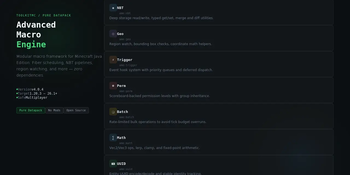
About this Mod
Advanced Macro Engine
Active version: https://modrinth.com/mod/datalib
macroEngine is a function framework for Minecraft Java Edition datapack developers. It provides a structured macro execution system, modular API modules, and multi-version compatibility — no mods required.
Features
| Feature | Description |
|---|---|
| Macro Execution | Call parametric functions with dynamic variable injection via macro:input storage |
| Modular API | Ready-to-use modules for math, strings, player data, scheduling, hooks, flags, lists, and timers |
| Multi-Version | Compatible with 1.20.3 through 26.1 via overlay-based version system |
| Multiplayer-Safe | No global state conflicts — designed for concurrent player use |
| Permissions | Built-in macro:perm module for role-based access control |
| Dialog System | Storage-driven UI dialogs via macro:dialog/open (1.21.6+) |
| Hook System | Bind and fire custom events across datapacks |
| Pure Datapack | No mods, plugins, or executables — only .mcfunction and .json |
Who Is This For?
macroEngine is built for datapack developers who need a reliable, reusable foundation instead of rewriting boilerplate from scratch. Suitable for admin tools, minigame systems, or complex player interaction logic.
Installation
Requires Minecraft Java Edition 1.20.3+
- Download the latest
.zipfrom Releases - Place the
.zipinto<world>/datapacks/ - Run
/reload - Run
/function ame_load:load/yes - Grant yourself admin tag:
/tag @s add macro.admin
Compatibility
| Minecraft Version | Pack Format | Status |
|---|---|---|
| 1.20.3 – 1.20.4 | 26 | Supported |
| 1.21.x | 48 – 94 | Supported |
| 26.1 | 101+ | Supported |
Documentation
Full API reference and module guides available on the GitHub Wiki.
Available Versions
How to Install Advanced Macro Engine on Your Server
Order Server
Order a Minecraft Java server with at least 3 GB RAM (4 GB recommended).
Set datapack Loader
In the panel under "Egg", select the datapack loader and matching Minecraft version (1.21.11).
Install Mod
Open the mod browser in the dashboard and search for "Advanced Macro Engine". Click "Install" – done! Alternatively, upload the .jar via SFTP to the /mods folder.
Compatibility
Mod Loaders
Minecraft Versions
1.21.11, 1.21.10, 1.21.9 (+59 more)
Server-side
✓ RequiredRecommended RAM
4 GB(min. 3 GB)Frequently Asked Questions
Advanced Macro Engine server crashes on startup – what to do?
Most common cause: wrong datapack version or insufficient RAM. Check the server log (latest.log) for "OutOfMemoryError" or "Mixin" errors. With Mado Hosting: ensure at least 3 GB RAM is allocated and the loader matches the mod version (1.21.11). You can switch loaders with one click in the panel.
Is Advanced Macro Engine compatible with datapack and fabric and forge and neoforge and quilt?
Advanced Macro Engine officially supports datapack, fabric, forge, neoforge, quilt for Minecraft 1.21.11, 1.21.10, 1.21.9. Note: Forge and Fabric mods are NOT cross-compatible – pick one loader and stick with it. The Mado dashboard automatically detects incompatible loader combinations.
Server lagging with Advanced Macro Engine – how to optimize performance?
Recommended RAM: 4 GB (per 8 players). Use /spark profiler to check if Advanced Macro Engine consumes the most tick time. Common fixes: reduce server view-distance to 8-10, install "performant" or "starlight" as supplementary mods on Forge. With Mado Hosting, your server runs on NVMe SSDs with dedicated CPU cores for minimal latency.
Similar Mods



Rent Modded Server
Install Advanced Macro Engine with just one click on your server.