
Advanced Ore Deposits
Adds Factorio like ore deposits randomly generated around the world
Screenshots
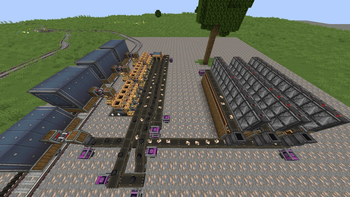
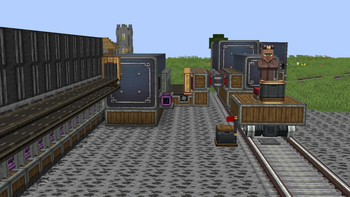
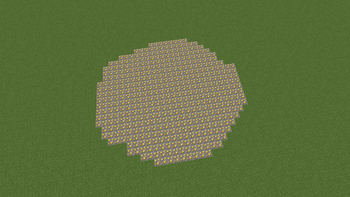
About this Mod
HIGHLY RECCOMEND USING CREATE MOD WITH THIS MOD
Advanced Ore Deposits adds rare Factorio style ore patches to the surface. Deposit blocks regenerate when mined until their stored reserve runs out, making them useful for long term Create automation. All the included ores are:
- Iron: Common
- Copper: Common
- Gold: Rare
- Diamond: Very Rare
- Coal: Common
- Andesite: Common
- Redstone: Uncommon
- Lapis Lazuli: Uncommon
- Nether Quartz: Uncommon
- Zinc: Common, only if Create is installed.
How it works:
Deposits drop ore chunks instead of full resources. Some chunks need smelting, and multiple chunks are needed to craft the final material.
Automation:
If mined by Create drills or other automation, ore chunks try to enter an inventory exactly 3 blocks above the deposit first, then 1 block below it. Place a chest, vault, funnel setup, or other item handler above the deposit to collect output. If the config option is enabled, automation will not consume the deposit unless the output can fit into an inventory.
World chunk loading:
When a deposit is mined, the mod can temporarily keep nearby chunks loaded for automation. This can be turned on or off in the config, and the chunk loading radius is configurable.
Includes Create goggles support for showing remaining deposit amount.
Lastly, the mods config gives you a variety of usefull options you want to change about the mod.
Available Versions
How to Install Advanced Ore Deposits on Your Server
Order Server
Order a Minecraft Java server with at least 4 GB RAM (6 GB recommended).
Set neoforge Loader
In the panel under "Egg", select the neoforge loader and matching Minecraft version (1.21.1).
Install Mod
Open the mod browser in the dashboard and search for "Advanced Ore Deposits". Click "Install" – done! Alternatively, upload the .jar via SFTP to the /mods folder.
Compatibility
Mod Loaders
Minecraft Versions
1.21.1
Server-side
✓ RequiredRecommended RAM
6 GB(min. 4 GB)Frequently Asked Questions
Advanced Ore Deposits server crashes on startup – what to do?
Most common cause: wrong neoforge version or insufficient RAM. Check the server log (latest.log) for "OutOfMemoryError" or "Mixin" errors. With Mado Hosting: ensure at least 4 GB RAM is allocated and the loader matches the mod version (1.21.1). You can switch loaders with one click in the panel.
Is Advanced Ore Deposits compatible with neoforge?
Advanced Ore Deposits officially supports neoforge for Minecraft 1.21.1. The Mado dashboard automatically detects incompatible loader combinations.
Server lagging with Advanced Ore Deposits – how to optimize performance?
Recommended RAM: 6 GB (per 5 players). Use /spark profiler to check if Advanced Ore Deposits consumes the most tick time. Common fixes: reduce server view-distance to 8-10, install "performant" or "starlight" as supplementary mods on Forge. With Mado Hosting, your server runs on NVMe SSDs with dedicated CPU cores for minimal latency.
Similar Mods




Rent Modded Server
Install Advanced Ore Deposits with just one click on your server.