
AE2 OMNI Cells
A Mod provider AE2 Omni Cells.
Screenshots
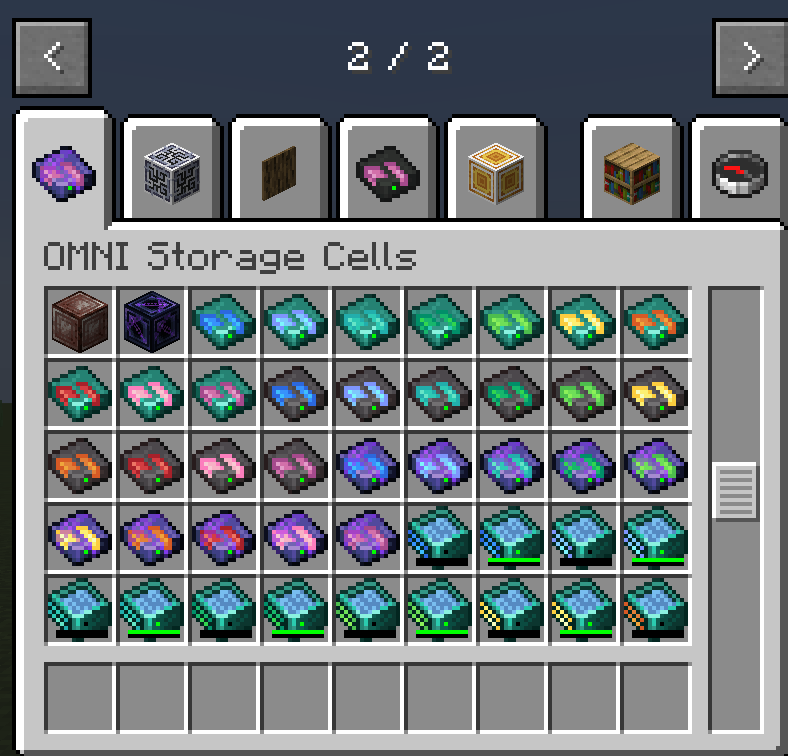
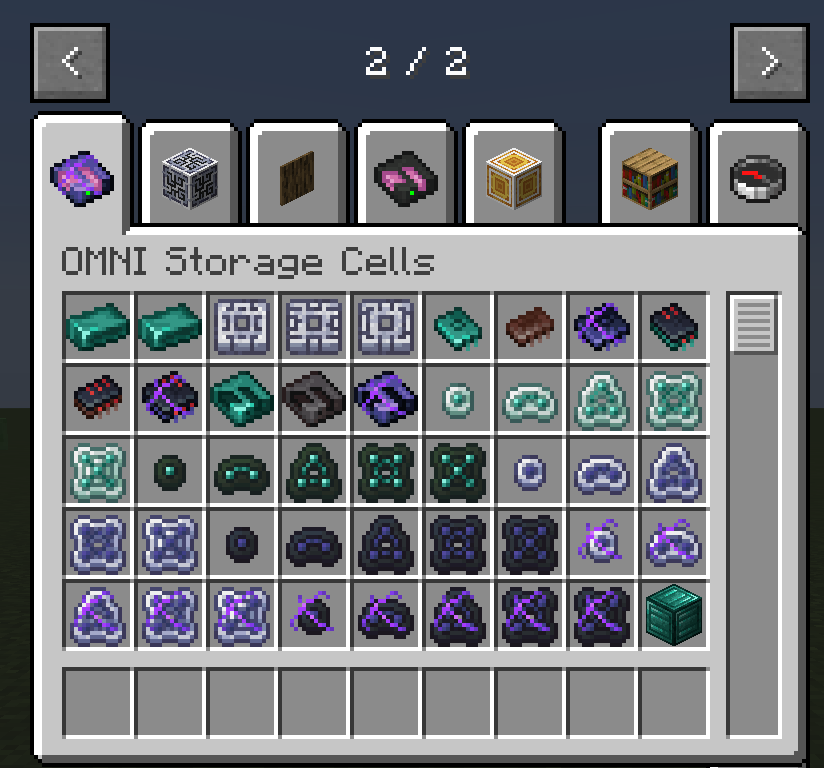
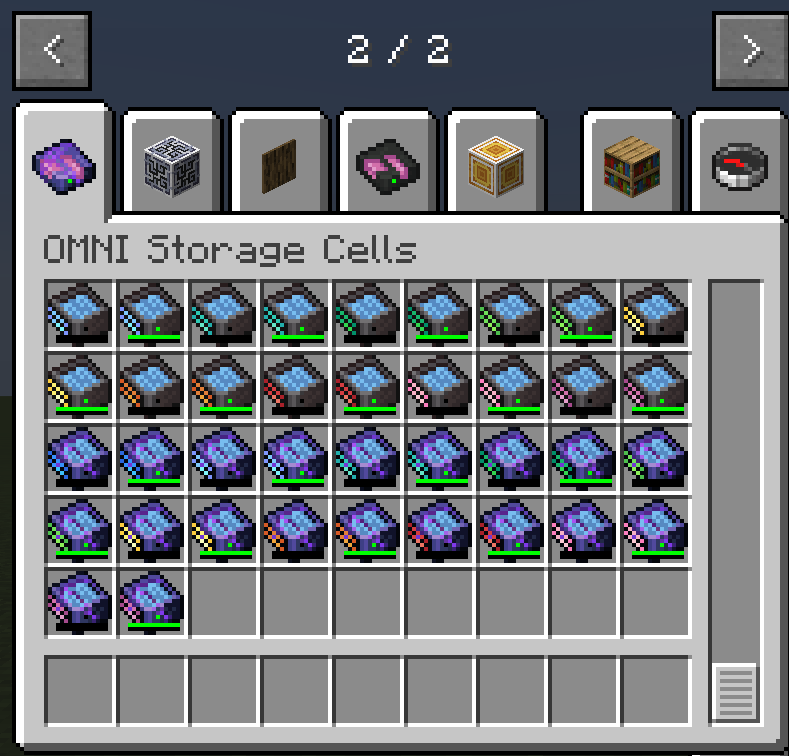
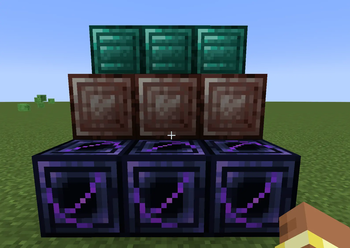
About this Mod

Overview
AE2 Omni Cells is an AE2 addon mod: a single storage cell can store multiple AE resource types at the same time (such as items, fluids, etc.; the exact set depends on what mods and AE2 integrations you have installed).
It covers capacity tiers from 1k → 256m, and provides three different series. They are mainly differentiated by the maximum number of distinct types that can coexist in the same cell: having more types does not consume extra bytes; only the type limit is clearly and explicitly restricted.
Features
- Storage Cells
Unified capacity tiers: 1k / 4k / 16k / 64k / 256k / 1m / 4m / 16m / 64m / 256m
Mixed storage in one cell: a single cell can store multiple AE resource types (depending on your installed AE2 integrations)
Three series (differ by the type limit)
- Omni: fixed 63 types
- Complex Omni: increases with capacity (roughly: 1k=12 → 256m=6400)
- Quantum: no type limit
Portable versions: every capacity tier in every series has a corresponding portable version
Independent data storage: the item itself only stores the UUID and minimal info needed for tooltips; the actual stored data is written to separate files
Type Fuzzy Card
This card is positioned similarly to AE2’s Fuzzy Card, but it only works on this mod’s storage cells.
Once you install it, the Cell Workbench switches from marking exact resources to marking resource types.
- Mark any item: the cell is set to Item-type
→ it can store items only, and cannot store fluids - Mark any fluid: the cell is set to Fluid-type
→ it can store fluids only, and cannot store items - Multiple resources can be marked at once: you can mark items, fluids, and other resource types together for finer filtering/limits
- Supports the Inverter Card: can be combined with an Inverter Card to achieve “blacklist/whitelist” behavior
- Crafting Storages
- Provides Crafting Storage blocks for all three series
- Each crafting storage provides both storage capacity and co-processors; the co-processor count for all crafting storages can be adjusted in the config file
- Spent Nuclear Components
- Provides a dedicated storage cell for Spent Nuclear Waste (and optionally other radioactive chemicals, depending on config)
- Dependency: requires Applied Mekanistics for these contents to be obtainable and function as intended
- With default settings, regular Omni Storage Cells will not accept spent nuclear waste; you must use this storage cell specifically for it
Other Information
- Data location: the cell item itself only stores the UUID and a small amount of client-side preview info; the actual data is stored in the world save at:
data/ae_universal_cell_data - Unreadable entries: entries that fail to load will not be automatically removed; the game will attempt to read them again every time you enter the world, to better handle changes in your mod environment
- In-game guide: more detailed documentation is available in-game via GuideME
- Built-in texture pack: includes a resource pack that lets you use the 1.20.1 texture style in 1.21.1 (and vice versa)
- Dark mode texture pack: see OMNI Cells Dark Mode
License
- Code: LGPL-3.0
- Textures & art assets: CC BY-NC-SA 3.0
Available Versions
How to Install AE2 OMNI Cells on Your Server
Order Server
Order a Minecraft Java server with at least 3 GB RAM (4 GB recommended).
Set forge Loader
In the panel under "Egg", select the forge loader and matching Minecraft version (26.1.2).
Install Mod
Open the mod browser in the dashboard and search for "AE2 OMNI Cells". Click "Install" – done! Alternatively, upload the .jar via SFTP to the /mods folder.
Compatibility
Mod Loaders
Minecraft Versions
26.1.2, 1.21.1, 1.20.1
Server-side
✓ RequiredRecommended RAM
4 GB(min. 3 GB)Frequently Asked Questions
AE2 OMNI Cells server crashes on startup – what to do?
Most common cause: wrong forge version or insufficient RAM. Check the server log (latest.log) for "OutOfMemoryError" or "Mixin" errors. With Mado Hosting: ensure at least 3 GB RAM is allocated and the loader matches the mod version (26.1.2). You can switch loaders with one click in the panel.
Is AE2 OMNI Cells compatible with forge and neoforge?
AE2 OMNI Cells officially supports forge, neoforge for Minecraft 26.1.2, 1.21.1, 1.20.1. The Mado dashboard automatically detects incompatible loader combinations.
Server lagging with AE2 OMNI Cells – how to optimize performance?
Recommended RAM: 4 GB (per 8 players). Use /spark profiler to check if AE2 OMNI Cells consumes the most tick time. Common fixes: reduce server view-distance to 8-10, install "performant" or "starlight" as supplementary mods on Forge. With Mado Hosting, your server runs on NVMe SSDs with dedicated CPU cores for minimal latency.
Similar Mods


Rent Modded Server
Install AE2 OMNI Cells with just one click on your server.