
aehelpers-more
Ported ae2helpers to 1.20.1, enhanced and expanded its functionality.
Screenshots


About this Mod
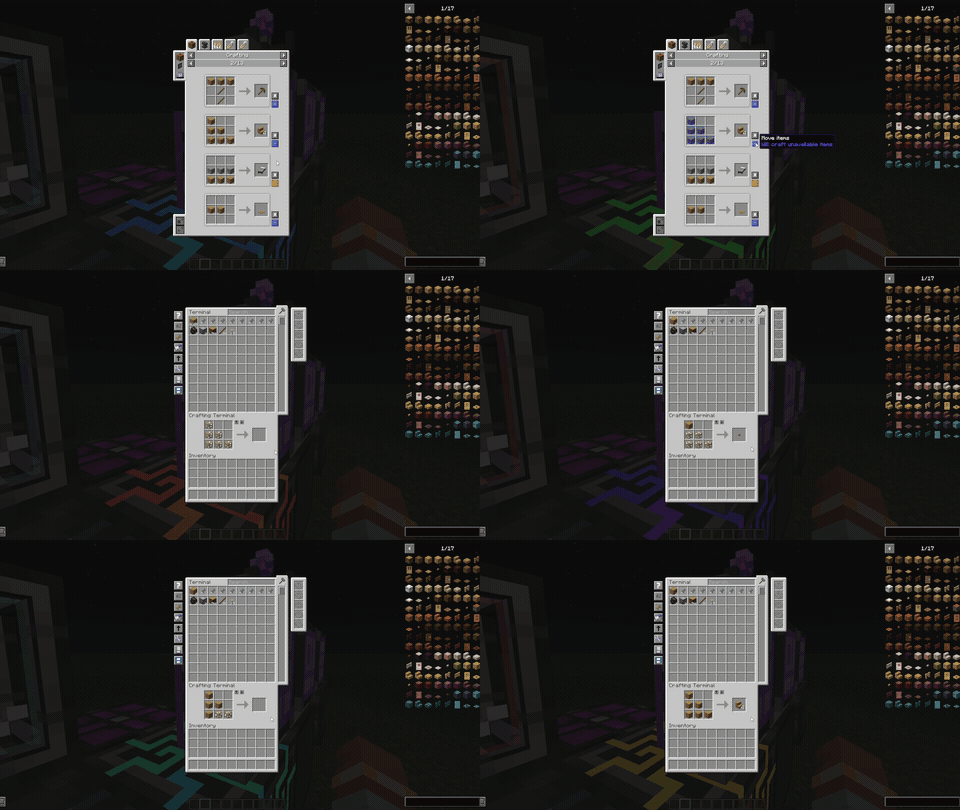
This mod is a port of ae2helpers to Minecraft 1.20.1, with enhanced and expanded functionality, and more updates to come in the future.
Features:
- Crafting Result Import Card
A specialized upgrade for the Pattern Provider.
Function: Allows the Pattern Provider to extract items, fluids, etc., from specific faces of a block.
Usage: Right-click to open the configuration interface and set the extraction side. Note that some machines may not output from certain faces or require specific configurations (e.g., furnaces only output from the bottom, so the card must be configured to Down). - Automatic Recipe Insertion
An improved Crafting Terminal workflow.
Function: When you request an autocrafting recipe in the terminal, the grid enters a "waiting" state, and the slot renders a ghost item. Once the CPU completes the crafting process, the item is automatically inserted into the grid. No more waiting to click on the recipe!
Usage: Click on the left side of the terminal to toggle this feature on or off. It's a global setting—enabling it in one interface will also enable it in others.
Enhancement: Now, if you open the CPU interface after requesting a recipe and then return, the "waiting" state will not reset (closing the interface will reset it).
Compatibility
This mod is compatible with several other mods, so you can use it with confidence.
More:
- If you find any bugs, feel free to submit an issue.
- If you have any good ideas, feel free to leave a comment in the comments section.
Available Versions
How to Install aehelpers-more on Your Server
Order Server
Order a Minecraft Java server with at least 3 GB RAM (4 GB recommended).
Set forge Loader
In the panel under "Egg", select the forge loader and matching Minecraft version (1.20.1).
Install Mod
Open the mod browser in the dashboard and search for "aehelpers-more". Click "Install" – done! Alternatively, upload the .jar via SFTP to the /mods folder.
Compatibility
Mod Loaders
Minecraft Versions
1.20.1
Server-side
✓ RequiredRecommended RAM
4 GB(min. 3 GB)Frequently Asked Questions
aehelpers-more server crashes on startup – what to do?
Most common cause: wrong forge version or insufficient RAM. Check the server log (latest.log) for "OutOfMemoryError" or "Mixin" errors. With Mado Hosting: ensure at least 3 GB RAM is allocated and the loader matches the mod version (1.20.1). You can switch loaders with one click in the panel.
Is aehelpers-more compatible with forge?
aehelpers-more officially supports forge for Minecraft 1.20.1. The Mado dashboard automatically detects incompatible loader combinations.
Server lagging with aehelpers-more – how to optimize performance?
Recommended RAM: 4 GB (per 8 players). Use /spark profiler to check if aehelpers-more consumes the most tick time. Common fixes: reduce server view-distance to 8-10, install "performant" or "starlight" as supplementary mods on Forge. With Mado Hosting, your server runs on NVMe SSDs with dedicated CPU cores for minimal latency.
Similar Mods





Rent Modded Server
Install aehelpers-more with just one click on your server.