
AFK Fishing
Automatically reels in and recasts your fishing rod when a catch is detected, perfect for AFK fishing.
Screenshots
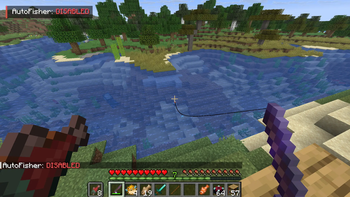
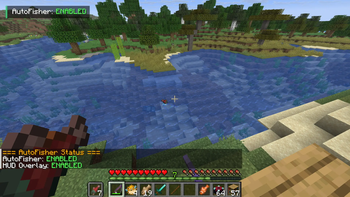
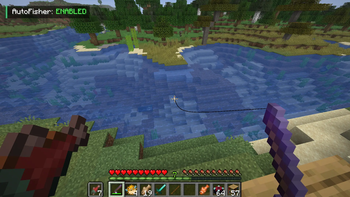
About this Mod
AFK Fishing
AFK Fishing is a lightweight, client-side Fabric mod that fully automates AFK fishing in Minecraft. Cast once and let the mod handle the rest — no interaction needed. Since it runs entirely on the client, it works seamlessly on multiplayer servers without any server-side installation.
Features
- Reliable Bite Detection — Uses game state variables (
DATA_BITING) instead of audio cues, ensuring instant and accurate detection every time — even with the game muted. - Automatic Recasting — Reels in and recasts automatically after each catch with a natural delay (15 ticks / ~750ms).
- Clean HUD Overlay — Displays a minimal status indicator showing whether AFK Fishing is
ENABLEDorDISABLED. Only visible while holding a fishing rod, so it never clutters your screen. - One-Key Toggle — Enable or disable the mod instantly with a fully customizable hotkey (default:
O). - Command Support — Full slash command and dot-command support for flexibility in any server environment.
How to Use
- Hold a Fishing Rod — the HUD indicator will appear near the top-left of your screen.
- Press
Oto toggle AFK Fishing on or off, or use/autofisher on·/autofisher offin chat. - Cast your rod once — the mod handles everything from there.
Commands
| Command | Description |
|---|---|
/autofisher on · .autofisher on |
Enables the auto-fisher |
/autofisher off · .autofisher off |
Disables the auto-fisher |
/autofisher status · .autofisher status |
Shows current status in chat |
/autofisher hud on/off · .autofisher hud on/off |
Toggles the HUD overlay |
Compatibility
| Platform | Fabric Loader |
| Side | Client-side only |
| Java | Java 21+ |
| Dependencies | Fabric API |
Client-side only — works on any server.
Available Versions
How to Install AFK Fishing on Your Server
Order Server
Order a Minecraft Java server with at least 3 GB RAM (4 GB recommended).
Set fabric Loader
In the panel under "Egg", select the fabric loader and matching Minecraft version (26.1.2).
Install Mod
Open the mod browser in the dashboard and search for "AFK Fishing". Click "Install" – done! Alternatively, upload the .jar via SFTP to the /mods folder.
Compatibility
Mod Loaders
Minecraft Versions
26.1.2, 26.1.1, 26.1 (+12 more)
Server-side
✗ UnsupportedRecommended RAM
4 GB(min. 3 GB)Frequently Asked Questions
AFK Fishing server crashes on startup – what to do?
Most common cause: wrong fabric version or insufficient RAM. Check the server log (latest.log) for "OutOfMemoryError" or "Mixin" errors. With Mado Hosting: ensure at least 3 GB RAM is allocated and the loader matches the mod version (26.1.2). You can switch loaders with one click in the panel.
Is AFK Fishing compatible with fabric?
AFK Fishing officially supports fabric for Minecraft 26.1.2, 26.1.1, 26.1. The Mado dashboard automatically detects incompatible loader combinations.
Server lagging with AFK Fishing – how to optimize performance?
Recommended RAM: 4 GB (per 8 players). Use /spark profiler to check if AFK Fishing consumes the most tick time. Common fixes: reduce server view-distance to 8-10, install "performant" or "starlight" as supplementary mods on Forge. With Mado Hosting, your server runs on NVMe SSDs with dedicated CPU cores for minimal latency.
Similar Mods



Rent Modded Server
Install AFK Fishing with just one click on your server.