
afklobby
Lobby For lazy People Who Go AFK
Screenshots
About this Mod
afklobby-Fabric
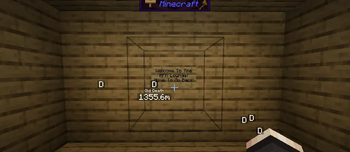
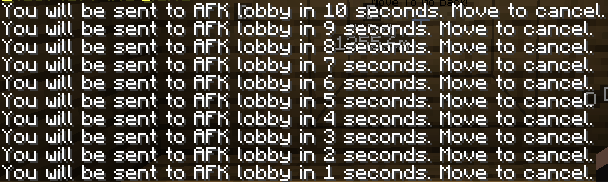
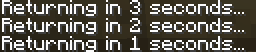
Adds the ability to set the location of an AFK lobby using coordinates. When a player does not move with their keyboard for the configured amount of time, they are taken to the lobby. When they move again, they are taken back to where they were.
Features
/afk setlobby x y z- Sets the AFK lobby location./afk status- Checks AFK status.- Persistent AFK time tracking with a leaderboard.
- Daily ceremony with sounds, particles, and fireworks.
- Winner crown for the player with the most AFK time.
- LuckPerms prefix integration.
- Live client HUD showing the AFK leaderboard.
/afktrackeradmin commands for managing AFK data.
Update Note
Veteran users can still set their own custom lobby just like before with /afk setlobby. New users — or anyone who wants a ready-made build — can use the included bundled structures: the "WAITING LOBBY" by Twistermns and the Concert Stage by HD Studios. You can find their original builds on Planet Minecraft. If either creator is reading this and would prefer their build not be included in the mod, please open an issue on GitHub and we will remove it.
Available Versions
How to Install afklobby on Your Server
Order Server
Order a Minecraft Java server with at least 3 GB RAM (4 GB recommended).
Set fabric Loader
In the panel under "Egg", select the fabric loader and matching Minecraft version (1.21.5).
Install Mod
Open the mod browser in the dashboard and search for "afklobby". Click "Install" – done! Alternatively, upload the .jar via SFTP to the /mods folder.
Compatibility
Mod Loaders
Minecraft Versions
1.21.5, 1.21.4, 1.21.1 (+4 more)
Server-side
✓ RequiredRecommended RAM
4 GB(min. 3 GB)Frequently Asked Questions
afklobby server crashes on startup – what to do?
Most common cause: wrong fabric version or insufficient RAM. Check the server log (latest.log) for "OutOfMemoryError" or "Mixin" errors. With Mado Hosting: ensure at least 3 GB RAM is allocated and the loader matches the mod version (1.21.5). You can switch loaders with one click in the panel.
Is afklobby compatible with fabric?
afklobby officially supports fabric for Minecraft 1.21.5, 1.21.4, 1.21.1. The Mado dashboard automatically detects incompatible loader combinations.
Server lagging with afklobby – how to optimize performance?
Recommended RAM: 4 GB (per 8 players). Use /spark profiler to check if afklobby consumes the most tick time. Common fixes: reduce server view-distance to 8-10, install "performant" or "starlight" as supplementary mods on Forge. With Mado Hosting, your server runs on NVMe SSDs with dedicated CPU cores for minimal latency.
Similar Mods






Rent Modded Server
Install afklobby with just one click on your server.