
After Life WoW
Make the death/soul form mechanics from WoW in minecraft
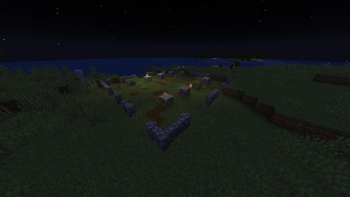
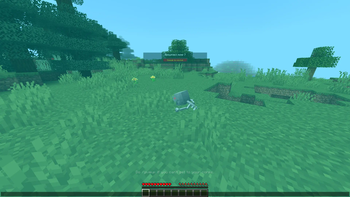
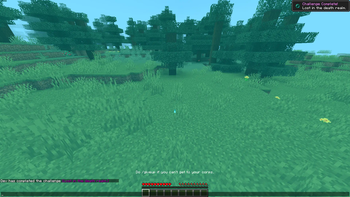
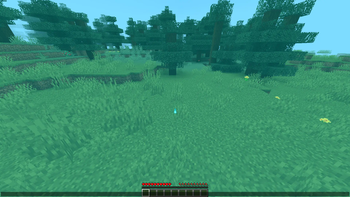
Screenshots

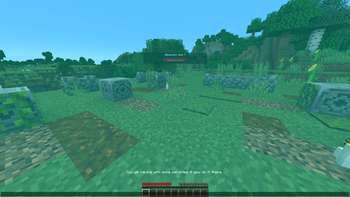
About this Mod
The goal of the mod:
Make the death/soul form mechanics from WoW in minecraft.
How it's working:
- When you die it make a dead body and you become a soul.
- Others can see your soul floatting on your way back to it.
- When near it you get a popup that tells you how to ressurect.
In ghost form:
- You can fly like in creative.
- You can pass through thin walls if you hold the spirit orb that is given in ghost form.
- Can't open any container (Everything that has a GUI).
- Can't hit any mobs.
- If you are stuck somewhere sneak a few second to get back to your last respawn point.
- You can revive in 3 ways :
- Get back to your dead body
- Press the give up key and you'll get back to your last respawn point (must be in the overworld) and get penalities for doing so.
- Get to a graveyard, resurrect and get penalities for doing so.
Few settings/commands:
- Added the gamerule corpsX, corpsY and corpsZ. You can ajust the placement of your dead body when you die if it's not at the right place.
- Added a give up keybind ("End" by default) if you decide not to get back to your corps.
- Added a keybind ("Delete" by default) to stop the background music in soul form.
- Added a gamerule xpOnDeath, false by default. Make the player keep his xp after death but lose it overtime until he revive.
- Added a gamerule xpDecaySetting, 10 by default. You can set the speed (in tick) on how fast you lose xp while you're dead.
- Added a gamerule spawnDeadBody, Skeleton body (Default 0), Orb (1), None (-1). Block that spawn on death.
- Added a gamerule giveUpEnable is a true or false and it makes the give up option ON or OFF (true by default).
- Added a gamerule giveUpEffectEnable is a true or false and it makes the give up option have penalties or not (true by default).
- Added a gamerule spiritItemDisable to toggle if you get the spirit item on death. (False by default)
Player config menu (HOME key):
- On/Off for the blue filter.
- On/Off for the music playing while in ghost form.
- Option for death sound. (Male, female or none.)
Potion config menu (INSERT key (Need OP level 4 to be able to open it)):
- Can have up to 3 different potion effect simultaneously
- Can configure how long they last and how strong they are.
- Can set when you'll be able to use a milk bucket.
- By default you'll have slowness, mining fatigue, weakness and ressurection sickness for 1 minute.
Structures:
- There is a graveyard stucture that appears every so often.
- There is 4 variant of graveyard.
- One for grass biomes, one for sand biomes, one for snow biomes and one red sand/terracotta biomes.
- You can revive there but like in WoW you will get temporary penalities for doing so. (same effect as the give up option)
Achievements:
- There are custom achievements.
Sound volume ajustement:
- The ghost form music volume can be ajusted in the ambient slider in the sound menu.
- The death sound volume can be ajusted in the player slider in the sound menu.
Gravestones like mods compatibility:
- Should work with all of them. I have tested few of the most downloaded one and they all worked.
Know incompatible mods and temporary fixes if there is one:
- Better Invisibility: Turn off the death music while in soul form.
- Secrets of Daregorn: Not supported.
Available Versions
How to Install After Life WoW on Your Server
Order Server
Order a Minecraft Java server with at least 3 GB RAM (4 GB recommended).
Set forge Loader
In the panel under "Egg", select the forge loader and matching Minecraft version (1.20.1).
Install Mod
Open the mod browser in the dashboard and search for "After Life WoW". Click "Install" – done! Alternatively, upload the .jar via SFTP to the /mods folder.
Compatibility
Mod Loaders
Minecraft Versions
1.20.1
Server-side
✓ RequiredRecommended RAM
4 GB(min. 3 GB)Frequently Asked Questions
After Life WoW server crashes on startup – what to do?
Most common cause: wrong forge version or insufficient RAM. Check the server log (latest.log) for "OutOfMemoryError" or "Mixin" errors. With Mado Hosting: ensure at least 3 GB RAM is allocated and the loader matches the mod version (1.20.1). You can switch loaders with one click in the panel.
Is After Life WoW compatible with forge?
After Life WoW officially supports forge for Minecraft 1.20.1. The Mado dashboard automatically detects incompatible loader combinations.
Server lagging with After Life WoW – how to optimize performance?
Recommended RAM: 4 GB (per 8 players). Use /spark profiler to check if After Life WoW consumes the most tick time. Common fixes: reduce server view-distance to 8-10, install "performant" or "starlight" as supplementary mods on Forge. With Mado Hosting, your server runs on NVMe SSDs with dedicated CPU cores for minimal latency.
Similar Mods




Rent Modded Server
Install After Life WoW with just one click on your server.