
Infinite Inventory
Never run out of inventory space again. Infinite Inventory is a mod that turns your inventory storage into a personal database-style infinite workflow with full-screen search, tab organization, fast extraction, and optional public storage.
Screenshots
About this Mod
Infinite Inventory





Never run out of inventory space again.
Infinite Inventory is a NeoForge mod for Minecraft 1.21.1 that transforms the cramped player backpack into a personal, infinitely-expandable, database-style storage system. Instead of juggling chests, shulker boxes, and scattered storage rooms, you carry your entire item collection in a single searchable terminal — organized by tabs, filterable by bilingual search, and backed by automatic safety systems.
Why Download This Mod?
If you have ever:
- Run out of hotbar and inventory slots while mining or building
- Spent more time sorting chests than actually playing
- Lost track of which chest contains which item
- Wanted to find an item instantly without memorizing storage layouts
Then Infinite Inventory replaces all of that overhead with one full-screen database interface. Search by name, pinyin, item ID, tag, or mod — and extract exactly what you need in seconds.
Core Features
- Infinite Personal Storage — One database, zero slot limits. Store as many unique item stacks as you want.
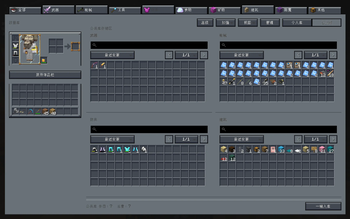
- Full-Screen Database UI — Multi-panel views: personal storage, public storage (server-wide shared pool), or mixed mode.
- Bilingual Smart Search — Understands Chinese display names, English aliases, item IDs, namespaces, and pinyin (full spelling + initials).
- JEI-Style Advanced Search Syntax — Filter by mod (
@), item tag (#), registry name (&), creative tab (%), with AND/OR/NOT logic. - Tab Organization — Create, rename, reorder, and assign custom icons to tabs. Move entire tab contents in one action.
- Stable Sorting — Sort by recent changes, recently added, name, count, namespace, or item ID.
- Star & Note System — Mark frequently-used items as starred, or attach custom notes to any item.
- Operation Log Viewer — Review history of deposits, extractions, and other database actions.
- Auto-Store Enhancement — Automatically send picked-up items into a designated target tab.
- Data Safety — Rolling auto-backups every 15 minutes, manual backup/restore commands, and unresolved-item preservation when mods are temporarily missing.
- Optional Accessories / Curios Integration — Wear the database terminal as a back-slot accessory for quick access via a configurable hotkey.
Environment
| Aspect | Value |
|---|---|
| Side | Client and Server (required on both for full functionality; server-side handles data persistence and public storage) |
| Minecraft | 1.21.1 |
| Mod Loader | NeoForge |
| Supported NeoForge | 21.1.222+ |
| Java | 21 |
| Optional Dependencies | Accessories 1.1.0-beta.53+1.21.1, Curios 9.5.1+1.21.1 |
Installation
- Install Minecraft 1.21.1.
- Install a compatible NeoForge build in the 21.1.x range.
- Place the
Infinite InventoryJAR into yourmods/folder. - (Optional) Install Accessories or Curios if you want wearable terminal access from the back slot.
Note: The mod must be present on both client and server for multiplayer. The server handles data persistence and public storage; the client renders the UI and handles search input.
Crafting
Craft the Database Terminal in survival mode:

D E D
R C R
D G D
| Symbol | Item |
|---|---|
| D | Diamond Block |
| E | Ender Pearl |
| R | Redstone Block |
| C | Chest |
| G | Gold Block |
Item ID: infiniteinventory:database_access_item
How to Use
Opening the Database
- Handheld: Right-click with the Database Terminal to open the full-screen interface.
- Equipped (Accessories / Curios): Bind a hotkey in Controls → Key Binds → "Infinite Inventory" → "Open Equipped Database" to open the UI instantly when the terminal is worn in the back slot.
Switching Views
Use the top toolbar to toggle between:
- Personal — your own private item database
- Public — server-wide shared storage (if enabled)
- Mixed — combined view of both
Depositing Items
- Left-click an item in your inventory to deposit 1
- Shift+click to deposit a full stack into a target tab
- Store All button — deposits your entire player inventory into the database
- Store Existing button — deposits only items that already have a matching entry in the database (useful for bulk restocking)
Deposit Conflict: If an item already exists in a different tab, a popup will let you choose whether to deposit to the original tab or move everything to the target tab.
Extracting Items
- Left-click a database entry to extract 1
- Shift+click to extract a full stack directly to your inventory
- Right-click for contextual options:
- Pick up a full stack to your cursor
- Pick up half a stack to your inventory
- Extract a custom amount (opens a number input overlay)
Searching
Type in the search bar to filter items. The search understands:
- Chinese item names and pinyin (full spelling + initials)
- English display names and aliases
- Exact item IDs and namespaces
Special search syntax:
| Prefix | Meaning | Example |
|---|---|---|
@ |
Filter by mod ID | @infiniteinventory |
# |
Filter by item tag | #minecraft:logs |
& |
Filter by registry name | &diamond |
% |
Filter by creative tab | %building blocks |
| |
OR operator | diamond | emerald |
- |
Exclude | -stone |
Spaces between terms act as AND.
Managing Tabs
- Create new tabs via the tab bar to categorize items
- Drag tabs to reorder them
- Right-click a tab to rename, change its icon, transfer its contents to another tab, or delete it
- Hide less-used tabs to keep the interface clean
- Batch transfer: Multi-select entries (click and drag or Shift+click), then right-click → "Move Selected to Another Category"
Stars & Notes
- Star frequently-used items for quick access
- Right-click → "Edit Note" to attach a custom note to any item
- Notes can be applied to a single item or to all selected items at once
Database Settings (Gear Icon)
The settings panel provides 5 navigation tabs:
- Adv. Search — Configure search behavior and default filters
- Boost — Toggle optional enhancements:
- Auto-store picked-up items — automatically deposit newly picked-up items into a designated target tab
- Show amount in tooltip — display the total stored count of an item in its tooltip
- Force save on critical mutation — immediately persist the database after important changes
- Views — Preview and switch between personal, public, and mixed views
- Manage — Create, delete, rename, reorder, and reorganize tabs in bulk
- Log — Review a chronological history of all deposits, extractions, transfers, and other database actions
Data Safety
Your data is stored in the overworld's SavedData system, not on the terminal item itself. This means:
- Terminal is replaceable — losing or breaking the terminal does not delete your database.
- Unresolved items preserved — if a mod is temporarily removed, its items are kept as unresolved entries and restored when the mod returns.
- Auto-backups — the database is backed up automatically every 15 minutes.
- Manual backup/restore — server operators can create snapshots and restore from them at any time.
Backup Commands
/infiniteinventory database backup now       # Create a manual backup
/infiniteinventory database backup list      # List available backups
/infiniteinventory database restore <name>   # Restore from a named backup
Reference Documentation
Links
- Source Code: https://github.com/A-G-guy/infinite-inventory
- Issue Tracker: https://github.com/A-G-guy/infinite-inventory/issues
- Modrinth: https://modrinth.com/mod/agguy-infinite-inventory
License
- Project license: Apache-2.0
- Third-party attributions: THIRD_PARTY_NOTICES.md
Available Versions
How to Install Infinite Inventory on Your Server
Order Server
Order a Minecraft Java server with at least 3 GB RAM (4 GB recommended).
Set neoforge Loader
In the panel under "Egg", select the neoforge loader and matching Minecraft version (1.21.1).
Install Mod
Open the mod browser in the dashboard and search for "Infinite Inventory". Click "Install" – done! Alternatively, upload the .jar via SFTP to the /mods folder.
Compatibility
Mod Loaders
Minecraft Versions
1.21.1
Server-side
✓ RequiredRecommended RAM
4 GB(min. 3 GB)Frequently Asked Questions
Infinite Inventory server crashes on startup – what to do?
Most common cause: wrong neoforge version or insufficient RAM. Check the server log (latest.log) for "OutOfMemoryError" or "Mixin" errors. With Mado Hosting: ensure at least 3 GB RAM is allocated and the loader matches the mod version (1.21.1). You can switch loaders with one click in the panel.
Is Infinite Inventory compatible with neoforge?
Infinite Inventory officially supports neoforge for Minecraft 1.21.1. The Mado dashboard automatically detects incompatible loader combinations.
Server lagging with Infinite Inventory – how to optimize performance?
Recommended RAM: 4 GB (per 8 players). Use /spark profiler to check if Infinite Inventory consumes the most tick time. Common fixes: reduce server view-distance to 8-10, install "performant" or "starlight" as supplementary mods on Forge. With Mado Hosting, your server runs on NVMe SSDs with dedicated CPU cores for minimal latency.
Similar Mods




![[TaCZ] Timeless and Classics Zero](https://cdn.modrinth.com/data/SzzJttH8/fd27766d2bb8390d284696b1dbd358f87e081439_96.webp)

Rent Modded Server
Install Infinite Inventory with just one click on your server.