
AgriCraft
Agricultural farming extended
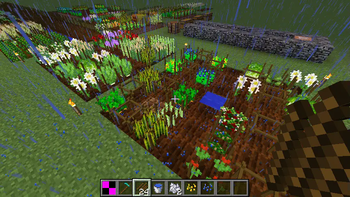
Screenshots
About this Mod
AGRICRAFT
AgriCraft is a mod which aims to bring crop breeding to Minecraft, this includes both improving your existing crops, or cross-breeding to mutate into new species of crops.
The mod has been entirely rewritten for 1.16.5, so for both the apprentice and the expert, it might be opportune to give this a quick read.
Genetics
AgriCraft follows mendellian genetics, this means that the genome of a plant consists of a series of genes, where each gene appears as a pair of alleles.
Usually, one allele is dominant over the other, the latter being called recessive.
For instance if we consider gene "A", with dominant allele A and recessive allele a, the following holds:
Gene Pair A-A: both dominant, A will be the apparant trait;
Gene Pair: A-a: A is dominant over a, so A will be the apparent trait;
Gene Pair: a-a: both recessive, so a will be the apparent trait.
AgriCraft contains multiple genes by default, examples of genes are the plant species, each of the stats, and attractiveness to certain animals (yes, be careful as a cow might be very curious about that tasty, tasty 10-10 wheat, however this might have certain advantages as well.
For instance for stats, a higher stat level is dominant, so a plant with Growth genes 8 - 3 will have an actual growth stat of 8.
When cross-breeding two plants, the child crop will inherit one of the two alleles from each parent, so for instance two 10 - 1 crops can have the following offspring:
10-10: inherit the 10 from both parents: 25% chance

10-1: inherit a 10 from the first and 1 from the second, or vice versa: 50% chance

1-1: inherit the 1 from both parents: 25% chance
Now when this happens, sometimes a mutation can trigger, this means a random change in one of the genes, for instance an existing plant species might mutate into a new one, or a stat might go up or down randomly. Mutations are key to improving your crops and unlocking new ones.
Stats:
AgriCraft contains 6 stats by default:
Growth: affects the growth rate of plants, meaning higher growth stat leads to plants reaching maturity quicker;
Gain: affects the number of fruits that the plant will produce;
Strength: affects where the plant can grow (see Growth Requirements);
Resistance: affects how resistant the plant is to weeds (see: Weeds);
Fertility: affects how likely a plant is to participate in cross-breeding to produce offspring;
Mutativity: increases the likelihood of a positive mutation when cross-breeding;
Weeds:
Ugh, weeds, noone likes weeds.
Well they are back, but not as you know them, instead of randomly killing plants, they will now sprout on existing plants and grow in parallel, competing for precious resources and thus delaying the growth of your crops.
It is recommended not to let them mature, as when weeds reach maturity, they tend to constrict and eventually kill their host plant as well as spread to neighbouring crops.
Growth Requirements:
Plants will now have very specific requirements related to the soil, season, fluids and light. Each soil has certain properties such as humidity, acidity and nutrients, and some crops like very humid soils, while others prefer soils which have very little nutrients. Furthermore, if you have a mod installed that adds seasons, AgriCraft crops will recognize these, and grow only during their favourite seasons.
It is also rumoured that some crops must be cultivated under water to grow.
Irrigation Systems
AgriCraft adds Irrigation Systems to water and speed up the growth of your crops, check out some of the screenshots below:
Compatibility:
AgriCraft aims to be as compatible with as many mods as possible, by default the following mods are supported:
Crops, Soils and Mutations:
Atmospheric
Autumnity
Botania
Buzzier Bees
Farmer's Delight
Immersive Engineering
Metal Bushes Mod
Pam's Harvestcraft 2
Quark
Simple Farming
Thermal Cultivation
XL Food Mod
Growing, Harvesting and Planting:
Better Weather: seasons
Blood Magic: harvest ritual
Botania: horn and drum of the wild
Botany Pots: planting of crops in pots
Create: harvesting
Cyclic: harvesting
Immersive Engineering: garden cloche
Industrial Foregoing: harvesting
JEI: Recipe browsing
Serene Seasons: seasons
The One Probe: on-HUD info
Configurability
Besides compatibility, AgriCraft aims to be as configurable as possible, with over a 100 config options and full json support for plants, soils, mutations and weeds, AgriCraft can be fully configured as you like it best.
Dedicated documentation for Mod and Modpack developers will be coming to the wiki soon.
Optifine :
I can not natively support Optifine as it is very invasive, closed source and a pain to set up in dev.
However, spare your lamentations as a third party patch exists: https://www.curseforge.com/minecraft/mc-mods/agricraft-optifine-compat
Json Configurability:
Documentation for the jsons can be found on the wiki: https://agridocs.readthedocs.io/en/master/
PackDevUtils (by WACriminal), a VScode extension, also features json schema validation for the AgriCraft jsons and can be found here: https://marketplace.visualstudio.com/items?itemName=PackDevUtils.packdevutils
Guides:
By ShneekeyTheLost on FTB forum: https://forum.feed-the-beast.com/threads/agricraft-for-mc-1-16-for-newbies-a-reference-for-the-rest-of-us.304977/
Available Versions
How to Install AgriCraft on Your Server
Order Server
Order a Minecraft Java server with at least 3 GB RAM (4 GB recommended).
Set fabric Loader
In the panel under "Egg", select the fabric loader and matching Minecraft version (1.20.4).
Install Mod
Open the mod browser in the dashboard and search for "AgriCraft". Click "Install" – done! Alternatively, upload the .jar via SFTP to the /mods folder.
Compatibility
Mod Loaders
Minecraft Versions
1.20.4, 1.20.1, 1.20 (+1 more)
Server-side
✓ RequiredRecommended RAM
4 GB(min. 3 GB)Frequently Asked Questions
AgriCraft server crashes on startup – what to do?
Most common cause: wrong fabric version or insufficient RAM. Check the server log (latest.log) for "OutOfMemoryError" or "Mixin" errors. With Mado Hosting: ensure at least 3 GB RAM is allocated and the loader matches the mod version (1.20.4). You can switch loaders with one click in the panel.
Is AgriCraft compatible with fabric and forge and neoforge?
AgriCraft officially supports fabric, forge, neoforge for Minecraft 1.20.4, 1.20.1, 1.20. Note: Forge and Fabric mods are NOT cross-compatible – pick one loader and stick with it. The Mado dashboard automatically detects incompatible loader combinations.
Server lagging with AgriCraft – how to optimize performance?
Recommended RAM: 4 GB (per 8 players). Use /spark profiler to check if AgriCraft consumes the most tick time. Common fixes: reduce server view-distance to 8-10, install "performant" or "starlight" as supplementary mods on Forge. With Mado Hosting, your server runs on NVMe SSDs with dedicated CPU cores for minimal latency.
Similar Mods



Rent Modded Server
Install AgriCraft with just one click on your server.