
AirstrikePointers
This mod adds a laser pointer to Minecraft that allows players to mark targets and guide projectiles
Screenshots

About this Mod
This mod adds a tool: the Airstrike Pointer, which allows players to create target designations in the world.
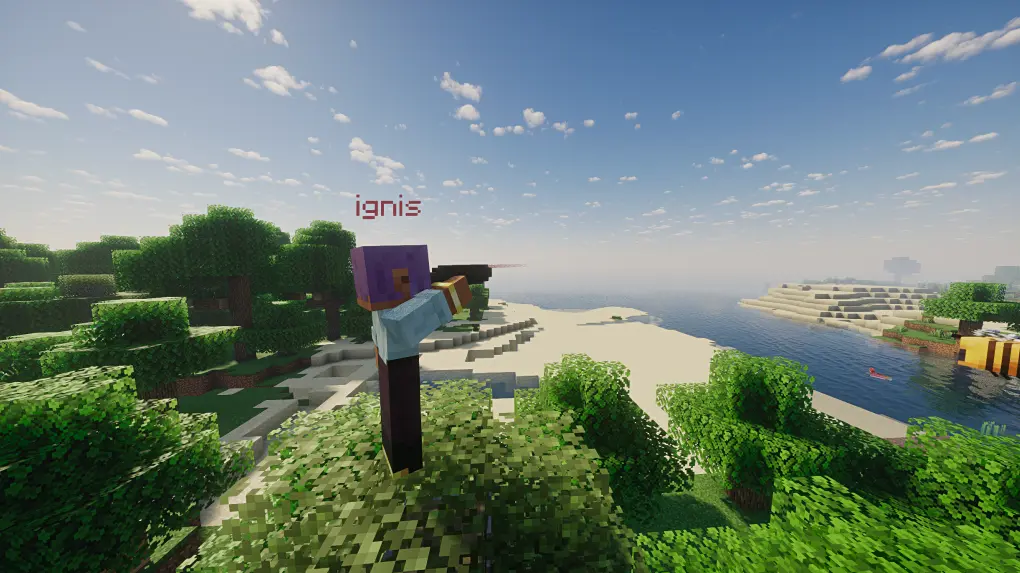
The pointer offers functionality similar to a telescope. Players can aim at blocks or entities to place visible markers to share with other players or to guide fire.
Usage
When using the laser pointer, hold Right Click to enter the pointer interface, and release to mark the target. Shift + Right Click switches between operation modes. Shift + Left Click clears all targets marked by you.
Marker Modes
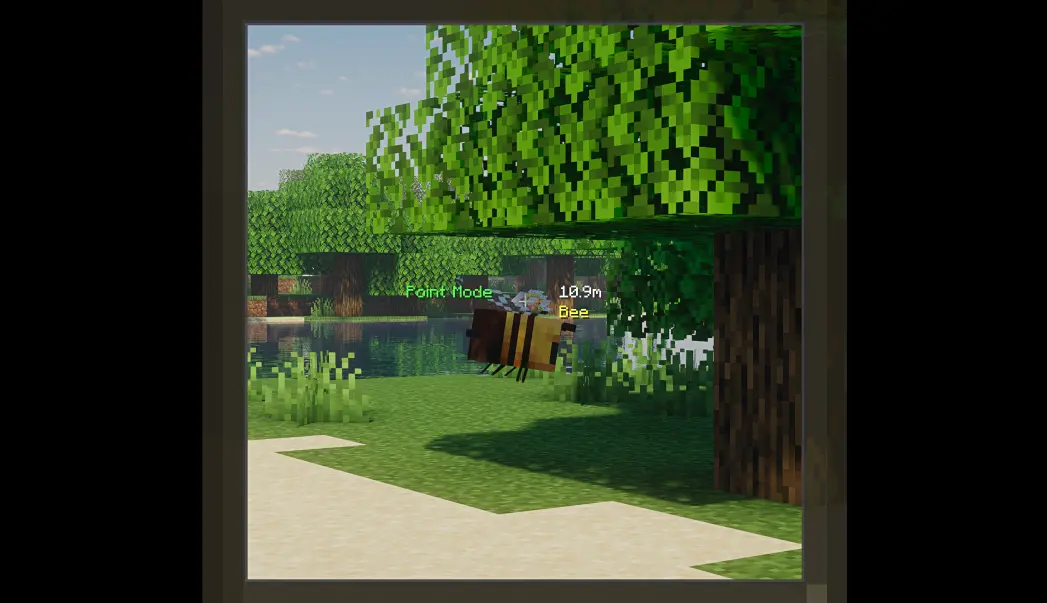
There are two modes for markers: Point Marker and Vector Marker.
Point Marker Mode
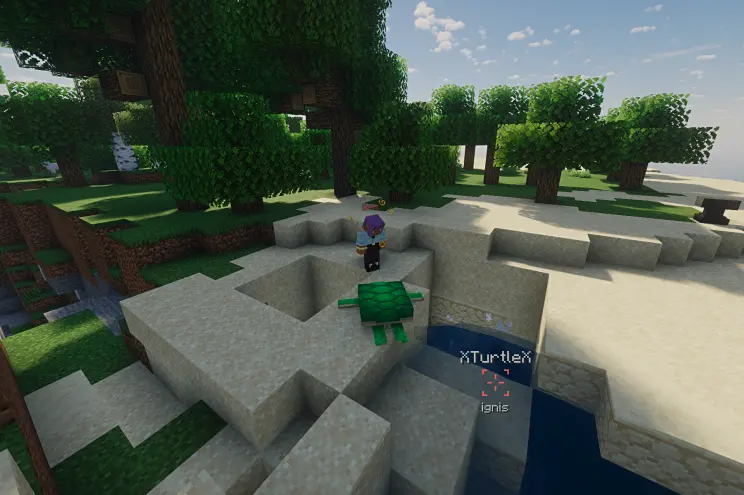
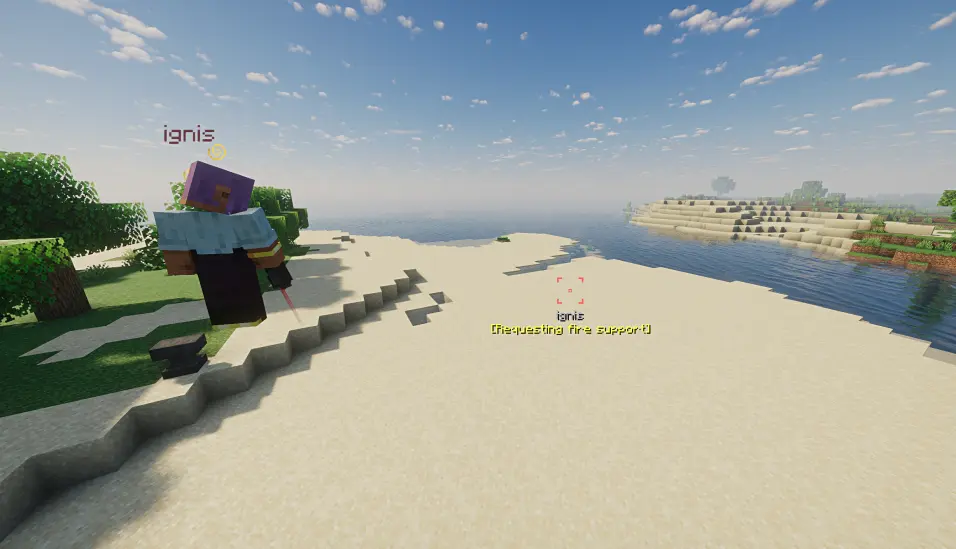
In Point Marker mode, the marker attaches to the targeted block or entity. The marker's name is displayed below, and the name of the targeted entity is displayed above (if attached to an entity).
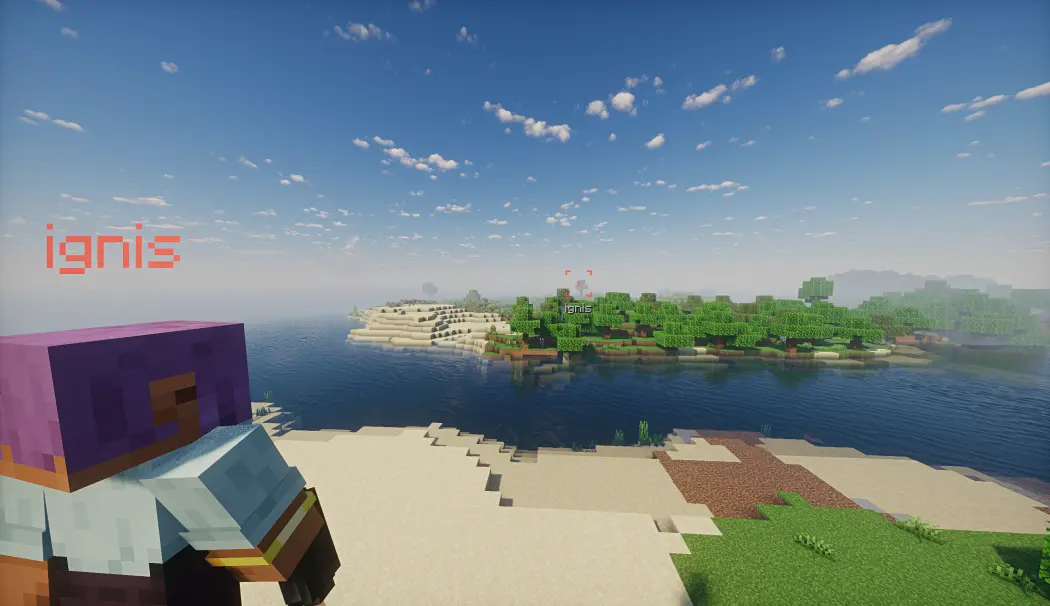
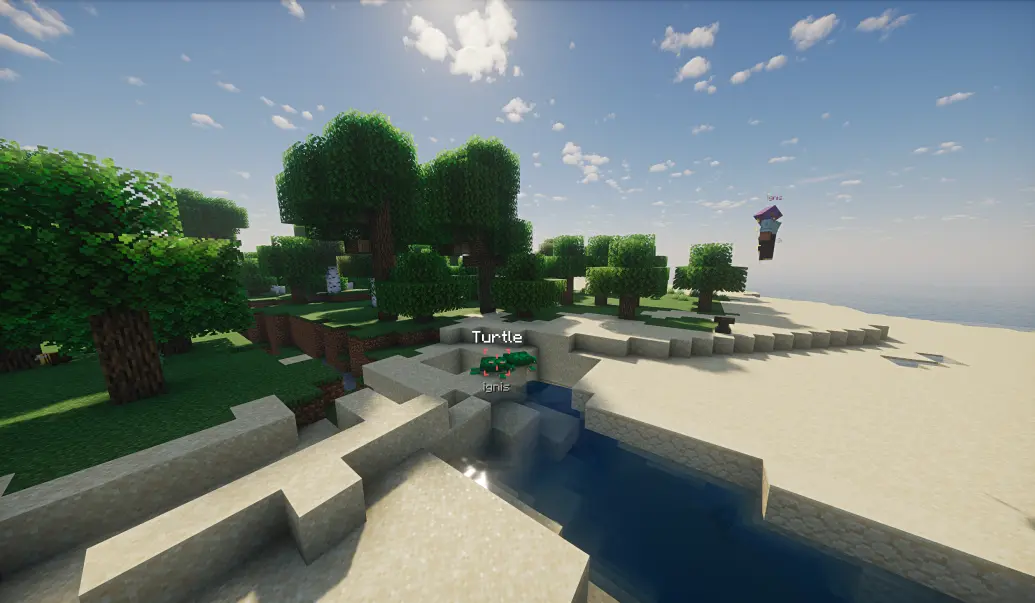
If guidance is enabled, the Point Marker will guide configured entities toward the marker by altering their velocity direction.
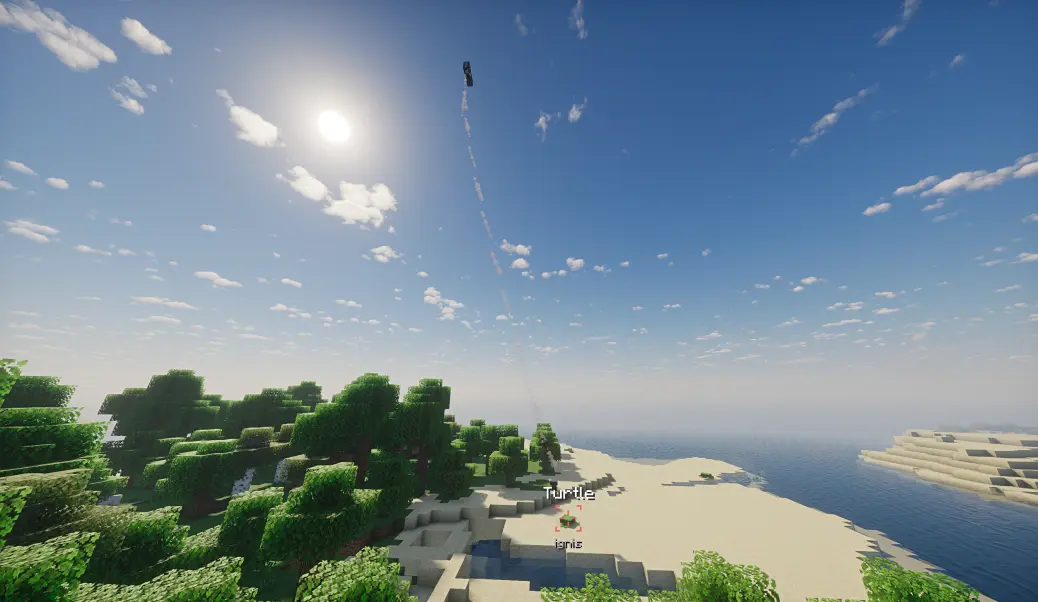
If the marked entity dies, despawns, or is unloaded, the entity name will display an additional "X" prefix/suffix, and guidance will cease.
Vector Marker Mode
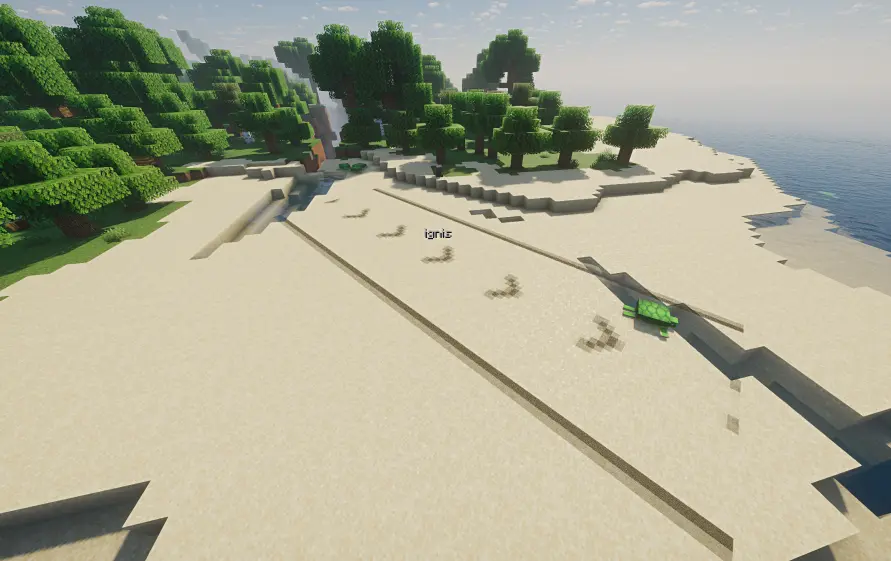
Vector Markers create prominent directional indicators by selecting a start point and an end point. They indicate the path from start to end, making them ideal for guiding airstrikes.
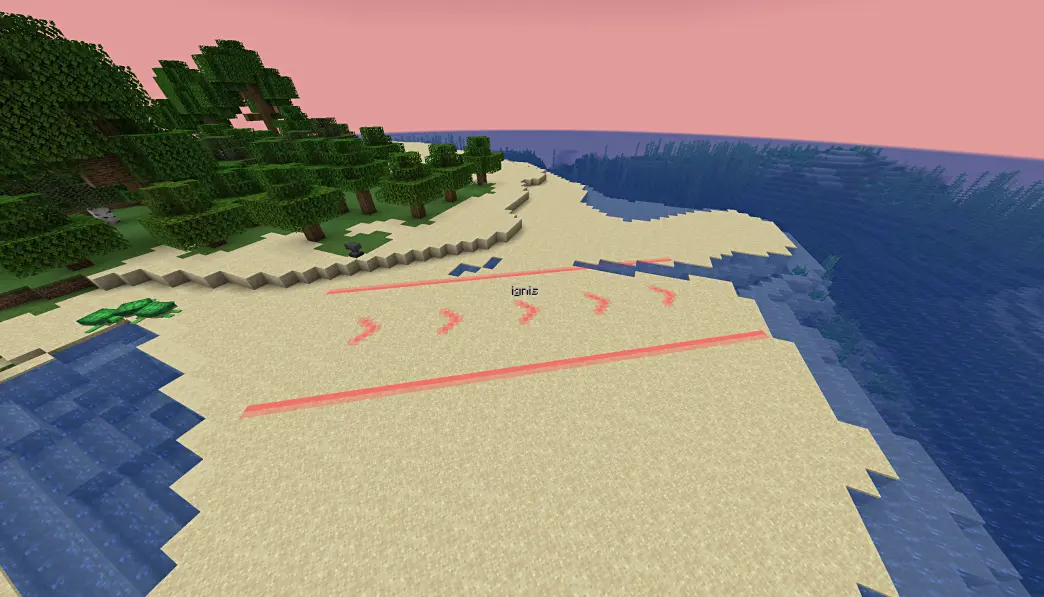
However, Vector Mode has slightly lower rendering compatibility and may have rendering issues in some situations (e.g., when shaders are enabled).
General Features
Both modes share some common characteristics:
- Team Colors: When a player is in a team, the marker automatically uses the team's color. Markers created by players not in a team use a color determined by their UUID.

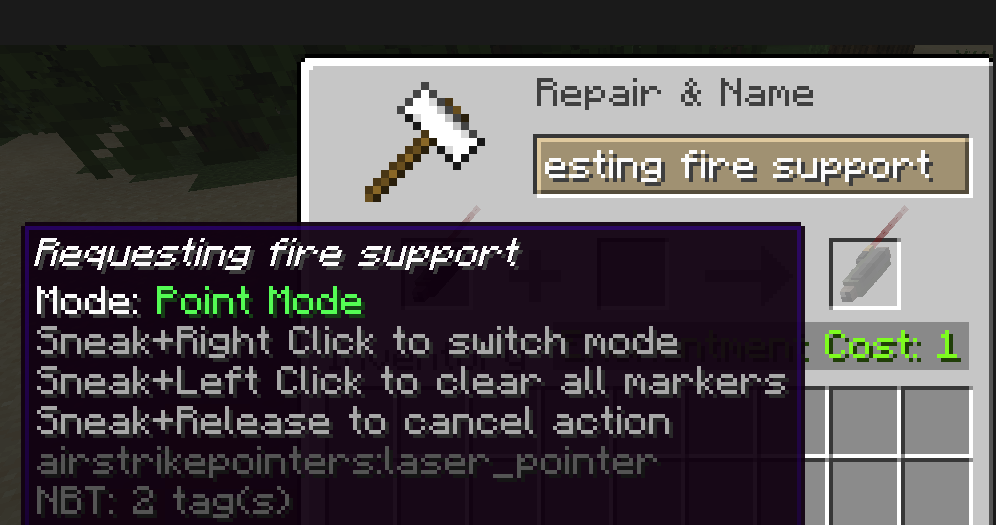
- Custom Naming: If the airstrike pointer is named, the created marker will additionally display the pointer's name. This can be used to convey extra information.
- Synchronization & Config: Markers are fully synchronized in multiplayer. Duration and usage cooldown times are configurable on the server side. Expired markers are automatically cleaned up.
- Client Settings: The client can configure whether to only show markers from their own team and the maximum distance for displaying markers.
- Hot-reload: Configuration supports
/reload.
Known Rendering Issues (Vector Markers)
Some known rendering issues with Vector Markers include:
- Certain shader packs may cause markers to be invisible or change color.
- Clouds can occlude marker rendering; if you frequently need to spot markers from above the clouds, it is recommended to disable clouds.
- Water surfaces may cause markers to change color.
- At specific distances, Distant Horizons LOD models may occlude markers.
Available Versions
How to Install AirstrikePointers on Your Server
Order Server
Order a Minecraft Java server with at least 3 GB RAM (4 GB recommended).
Set forge Loader
In the panel under "Egg", select the forge loader and matching Minecraft version (1.20.1).
Install Mod
Open the mod browser in the dashboard and search for "AirstrikePointers". Click "Install" – done! Alternatively, upload the .jar via SFTP to the /mods folder.
Compatibility
Mod Loaders
Minecraft Versions
1.20.1, 1.20
Server-side
✓ RequiredRecommended RAM
4 GB(min. 3 GB)Frequently Asked Questions
AirstrikePointers server crashes on startup – what to do?
Most common cause: wrong forge version or insufficient RAM. Check the server log (latest.log) for "OutOfMemoryError" or "Mixin" errors. With Mado Hosting: ensure at least 3 GB RAM is allocated and the loader matches the mod version (1.20.1). You can switch loaders with one click in the panel.
Is AirstrikePointers compatible with forge?
AirstrikePointers officially supports forge for Minecraft 1.20.1, 1.20. The Mado dashboard automatically detects incompatible loader combinations.
Server lagging with AirstrikePointers – how to optimize performance?
Recommended RAM: 4 GB (per 8 players). Use /spark profiler to check if AirstrikePointers consumes the most tick time. Common fixes: reduce server view-distance to 8-10, install "performant" or "starlight" as supplementary mods on Forge. With Mado Hosting, your server runs on NVMe SSDs with dedicated CPU cores for minimal latency.
Similar Mods




Rent Modded Server
Install AirstrikePointers with just one click on your server.