
Alchemika
An experimental magic datapack centered around alchemy. Ore processing, confectionery, chemical thrower, and more!
Screenshots
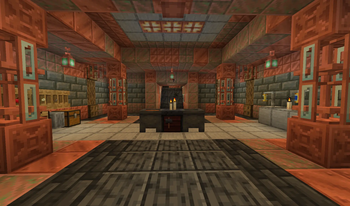
About this Mod

Alchemika is an extensive datapack centered around alchemical experimentation using the cauldron, taking inspiration from classical alchemy, chemistry, and mods like Thaumcraft, from the creator of Undermagic, Florcraft, and more.

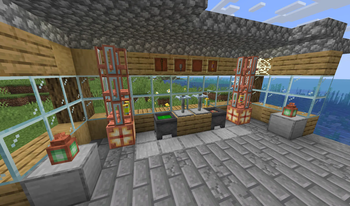
- Use your cauldron to manipulate 49 different substances; stir, heat, chill, scoop, and cast for all kinds of results
- Use acids to process raw metals at greater efficiency
- Experiment to find the best methods to make use of your formulas
- Create 16 new food items in the cauldron
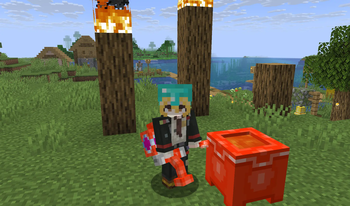
- Manufacture new materials to create gear such as the Chemical Thrower
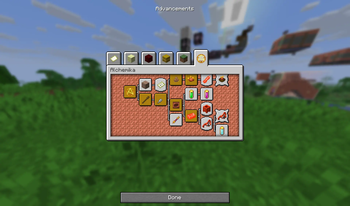
- Discover the notes of an Alchemist long passed to inform your experiments; complete in-game guidance via notes and advancements
- Unearth the Alchemist's forgotten laboratories; 2 new structures
- Phial racks and upgraded cauldrons to complete your laboratory
- Configurable and fully extensible via next-gen datapack tech
- Much more to come...

Join my Discord server for discussion and any support needs. I love to hear what you have to say!
This pack uses the Smithed Crafter library by rx, Nexus, and many others. You do not need a seperate download, it's included in the files. Thanks to them!
This pack wouldn't be possible without the unending support of CreeperMagnet_, rx, Nexus, Delta, the rest of the Smithed community, and all my friends who keep me going. A heartfelt thanks to all of them :)
Available Versions
How to Install Alchemika on Your Server
Order Server
Order a Minecraft Java server with at least 3 GB RAM (4 GB recommended).
Set datapack Loader
In the panel under "Egg", select the datapack loader and matching Minecraft version (1.21.11).
Install Mod
Open the mod browser in the dashboard and search for "Alchemika". Click "Install" – done! Alternatively, upload the .jar via SFTP to the /mods folder.
Compatibility
Mod Loaders
Minecraft Versions
1.21.11, 1.21.10, 1.21.9 (+1 more)
Server-side
✓ RequiredRecommended RAM
4 GB(min. 3 GB)Frequently Asked Questions
Alchemika server crashes on startup – what to do?
Most common cause: wrong datapack version or insufficient RAM. Check the server log (latest.log) for "OutOfMemoryError" or "Mixin" errors. With Mado Hosting: ensure at least 3 GB RAM is allocated and the loader matches the mod version (1.21.11). You can switch loaders with one click in the panel.
Is Alchemika compatible with datapack and fabric and forge and neoforge and quilt?
Alchemika officially supports datapack, fabric, forge, neoforge, quilt for Minecraft 1.21.11, 1.21.10, 1.21.9. Note: Forge and Fabric mods are NOT cross-compatible – pick one loader and stick with it. The Mado dashboard automatically detects incompatible loader combinations.
Server lagging with Alchemika – how to optimize performance?
Recommended RAM: 4 GB (per 8 players). Use /spark profiler to check if Alchemika consumes the most tick time. Common fixes: reduce server view-distance to 8-10, install "performant" or "starlight" as supplementary mods on Forge. With Mado Hosting, your server runs on NVMe SSDs with dedicated CPU cores for minimal latency.
Similar Mods




![[TaCZ] Timeless and Classics Zero](https://cdn.modrinth.com/data/SzzJttH8/fd27766d2bb8390d284696b1dbd358f87e081439_96.webp)

Rent Modded Server
Install Alchemika with just one click on your server.