
Alex's Caves
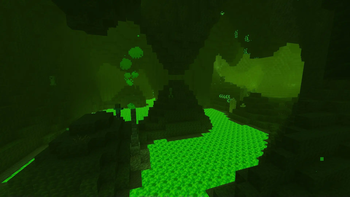
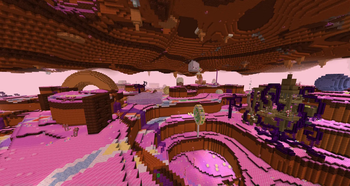
Explore six new rare cave biomes hidden under the surface of the Overworld...
Screenshots
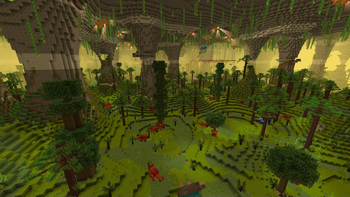
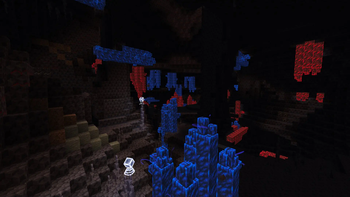
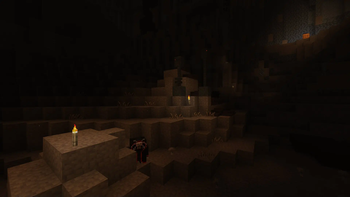
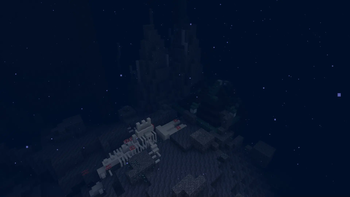
About this Mod

This mod requires Citadel
Alex’s Caves is a Forge mod for Minecraft 1.20.1 that adds 6 new cave biomes to the Overworld. Unlike most normal biomes, these cave biomes are exceedingly rare - yet they all contain a variety of unique blocks, items, mobs and mechanics that makes them considerable subterranean destinations. These six biomes are the Magnetic Caves, the Primordial Caves, the Toxic Caves, the Abyssal Chasm, the Forlorn Hollows and the Candy Cavity.
To find any of these cave biomes, you’ll need to discover an Underground Cabin anywhere in the overworld. From there, you will find loot barrels with cave tablets and a Cave Compendium - a guide book for Alex’s Caves that should provide you with all the knowledge needed to find and explore any biome added by the mod. For more information on getting started, see the ‘Getting Started’ section on the mod’s wiki.
Alex’s Caves is a very large mod with a great deal of effort put into the look and feel of each new biome. Each biome added may have its own ambient particles, fog, brightness, light color and more. Because of this, it is recommended to experience this mod without shaders, since many shaders can alter or worsen the unique appearance of several of the biomes. The mod also has built-in compatibility with Just Enough Items and Alex’s Mobs.
Any additional questions can be answered on the Discord server, and bugs can be reported on Github.
Credits:
Creators:
- Alexthe668: programmer and co-creator
- Noonyeyz: artist and co-creator
Sound Team:
- PrismaticPinky: sound design
- LudoCrypt: musician
- Gatetoh: musician and sound design
- Arby698: sound design
- RenRen: musician
- _Ninni: sound design
Documentation Team:
- HolidayRaptor: documentation
- PlummetStudios: documentation
Available Versions
How to Install Alex's Caves on Your Server
Order Server
Order a Minecraft Java server with at least 4 GB RAM (6 GB recommended).
Set forge Loader
In the panel under "Egg", select the forge loader and matching Minecraft version (1.20.1).
Install Mod
Open the mod browser in the dashboard and search for "Alex's Caves". Click "Install" – done! Alternatively, upload the .jar via SFTP to the /mods folder.
Compatibility
Mod Loaders
Minecraft Versions
1.20.1
Server-side
✓ RequiredRecommended RAM
6 GB(min. 4 GB)Frequently Asked Questions
Alex's Caves server crashes on startup – what to do?
Most common cause: wrong forge version or insufficient RAM. Check the server log (latest.log) for "OutOfMemoryError" or "Mixin" errors. With Mado Hosting: ensure at least 4 GB RAM is allocated and the loader matches the mod version (1.20.1). You can switch loaders with one click in the panel.
Is Alex's Caves compatible with forge and neoforge?
Alex's Caves officially supports forge, neoforge for Minecraft 1.20.1. The Mado dashboard automatically detects incompatible loader combinations.
Server lagging with Alex's Caves – how to optimize performance?
Recommended RAM: 6 GB (per 5 players). Use /spark profiler to check if Alex's Caves consumes the most tick time. Common fixes: reduce server view-distance to 8-10, install "performant" or "starlight" as supplementary mods on Forge. With Mado Hosting, your server runs on NVMe SSDs with dedicated CPU cores for minimal latency.
Similar Mods




Rent Modded Server
Install Alex's Caves with just one click on your server.