
Alex's Caves: Enriched
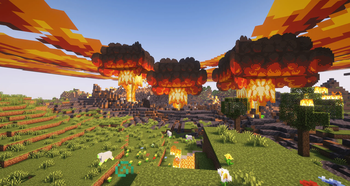
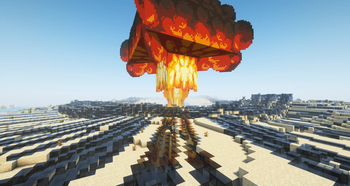
An addon for Alex's Caves that changes how you obtain and craft nuclear bombs, as well as improving the effects of nukes on the environment.
Screenshots

About this Mod
An addon for Alex's Caves that changes how you obtain and craft nuclear bombs, as well as improving the effects of nukes on the environment.
WARNING: It is recommended to turn OFF item drops from the nuke in Alex's Caves configs! Also setting the nuke radius in Alex's Caves to
6or higher is recommended—the explosions have been optimized for larger radii.
Dependencies: Citadel, Patchouli, Cloth Config, Kotlin For Forge, and Alex's Caves (of course)
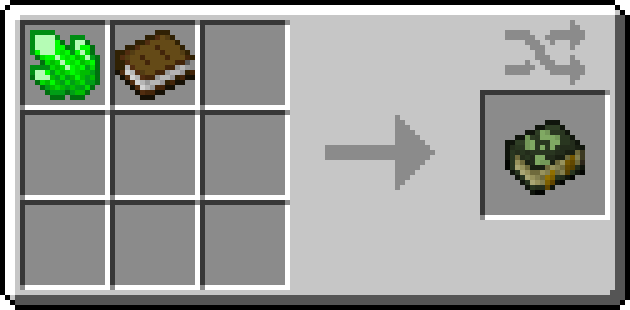
To get started, craft a guidebook using a book and alexscaves:uranium (Requires Patchouli). There is also EMI support for the new recipes and in-world block transmutations.
This mod adds:
Spoiler
- Enriched uranium, rod, block
- Overhauled nuclear explosion
- Uranium enrichment process
- Rocket launcher and rocket types
- Uranium arrow
- Uranium candy
- New types of nukes (Mini-nuke, Neutron bomb, Black hole bomb)
- Nuka Cola
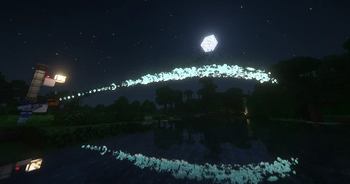
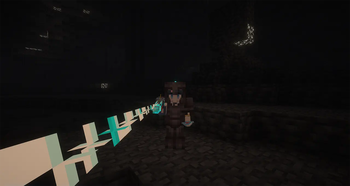
- Raygun MkII (And gamma variant)
- Flamethrower
- Railgun
How to enrich uranium:
Spoiler
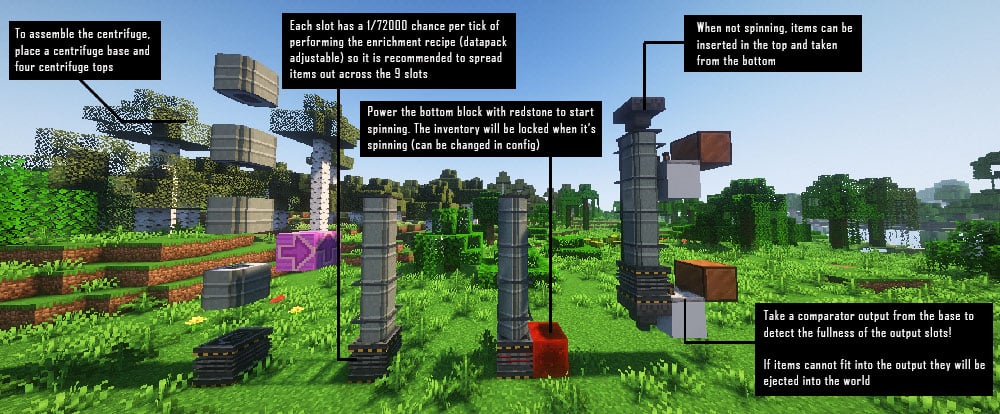
Smelt uranium blocks in an Alex's Caves nuclear furnace to get a Block of Salted Uranium. Then put that block in a Centrifuge and wait (will take a while).
Smelting uranium will leak radiation in the surrounding area so get your hazmat suit on to make sure the nuclear furnace doesnt overheat!
Server side performance settings:
Spoiler
Note explosions have been optimized compared to Alex's Caves. For weaker hardware, you can try the following settings, in order of greatest to least impact:
- Turn off "Create glowing irradiated air" in nuclear explosion config (glowing air may cause light updates and significantly increased memory usage)
- Reduce explosion radii for neutron bomb, black hole bomb, mini-nuke (nuke follows Alex's Caves)
- Set effect cloud duration to 0 in nuclear explosion config
You may use this in modpacks!
Credits:
- Bowserinator: code and some programmer art
- Xenonomous: art and models
- Auri: code
- AlexModGuy: original Alex's Caves mod
Available Versions
How to Install Alex's Caves: Enriched on Your Server
Order Server
Order a Minecraft Java server with at least 3 GB RAM (4 GB recommended).
Set forge Loader
In the panel under "Egg", select the forge loader and matching Minecraft version (1.20.1).
Install Mod
Open the mod browser in the dashboard and search for "Alex's Caves: Enriched". Click "Install" – done! Alternatively, upload the .jar via SFTP to the /mods folder.
Compatibility
Mod Loaders
Minecraft Versions
1.20.1
Server-side
✓ RequiredRecommended RAM
4 GB(min. 3 GB)Frequently Asked Questions
Alex's Caves: Enriched server crashes on startup – what to do?
Most common cause: wrong forge version or insufficient RAM. Check the server log (latest.log) for "OutOfMemoryError" or "Mixin" errors. With Mado Hosting: ensure at least 3 GB RAM is allocated and the loader matches the mod version (1.20.1). You can switch loaders with one click in the panel.
Is Alex's Caves: Enriched compatible with forge?
Alex's Caves: Enriched officially supports forge for Minecraft 1.20.1. The Mado dashboard automatically detects incompatible loader combinations.
Server lagging with Alex's Caves: Enriched – how to optimize performance?
Recommended RAM: 4 GB (per 8 players). Use /spark profiler to check if Alex's Caves: Enriched consumes the most tick time. Common fixes: reduce server view-distance to 8-10, install "performant" or "starlight" as supplementary mods on Forge. With Mado Hosting, your server runs on NVMe SSDs with dedicated CPU cores for minimal latency.
Similar Mods




![[TaCZ] Timeless and Classics Zero](https://cdn.modrinth.com/data/SzzJttH8/fd27766d2bb8390d284696b1dbd358f87e081439_96.webp)

Rent Modded Server
Install Alex's Caves: Enriched with just one click on your server.