
Alfheim
Visit Alfheim - The World of Elves!
Screenshots
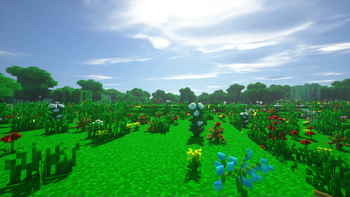
About this Mod

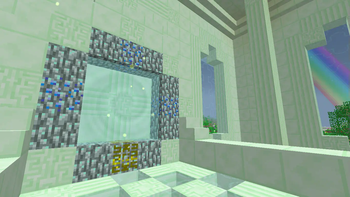
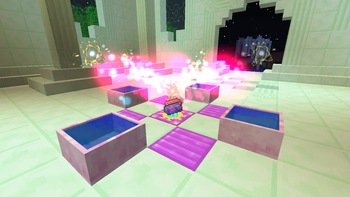
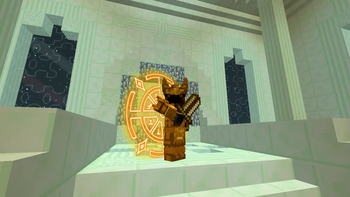
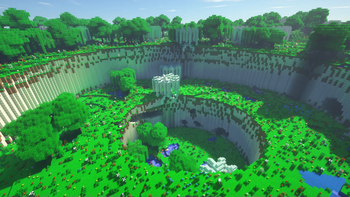
Alfheim is an add-on to Botania, allowing you to build a portal to Alfheim - one of the nine worlds of Scandinavian mythology, populated by light alvs, otherwise known as elves. There you can find all the materials that otherwise can only be obtained through a special trading gate. Explore the world, learn the story of Alfheim and discover the secret elven technology of mana-infusion. Everything you need to know about this add-on you can find in your Lexicon – in-game manual from Botania. Also, you can become an elf! Your new target is to survive in Alfheim, build up a portal and get back to Overworld! Here you can fly on pretty looking wings of one of nine available races! Your magic skills will help you to survive in this dimension. Team up with other players using built-in party system, defeat the mighty Flügel and challenge the inevitable – the mythological end of the world, Ragnarök!
> Minecraft Forum post if you need it for some reason
F.A.Q.:
Q: When there will be a port to
A: No other versions will be supported.
Q: I'm having some crash saying something about shaders | obj model, how to fix it?
A: Disable shaders (Botania configs) | Enable minimal graphical settings (Alfheim configs)
Q: I don't want to: see spells | start in Alfheim, how can I disable this?
A: In configs, or using /alfheim mode command with MMO | ESM argument, respectively.
Q: What is Alfheim Modular and do I need to download it?
A: Automatically downloadable sub-addon for time-limited events. Alfheim works just fine w/o it. And from version 41 onwards, Modular is part of the Alfheim .jar file.
Additional info:
— All permissions are stated in license, and yes, there is a link, sometimes it's just black…
— You can fork Alfheim, change, fix, or even port it and then send PRs. In most cases, I'll accept them.
Available Versions
How to Install Alfheim on Your Server
Order Server
Order a Minecraft Java server with at least 3 GB RAM (4 GB recommended).
Set forge Loader
In the panel under "Egg", select the forge loader and matching Minecraft version (1.7.10).
Install Mod
Open the mod browser in the dashboard and search for "Alfheim". Click "Install" – done! Alternatively, upload the .jar via SFTP to the /mods folder.
Compatibility
Mod Loaders
Minecraft Versions
1.7.10
Server-side
✓ RequiredRecommended RAM
4 GB(min. 3 GB)Frequently Asked Questions
Alfheim server crashes on startup – what to do?
Most common cause: wrong forge version or insufficient RAM. Check the server log (latest.log) for "OutOfMemoryError" or "Mixin" errors. With Mado Hosting: ensure at least 3 GB RAM is allocated and the loader matches the mod version (1.7.10). You can switch loaders with one click in the panel.
Is Alfheim compatible with forge?
Alfheim officially supports forge for Minecraft 1.7.10. The Mado dashboard automatically detects incompatible loader combinations.
Server lagging with Alfheim – how to optimize performance?
Recommended RAM: 4 GB (per 8 players). Use /spark profiler to check if Alfheim consumes the most tick time. Common fixes: reduce server view-distance to 8-10, install "performant" or "starlight" as supplementary mods on Forge. With Mado Hosting, your server runs on NVMe SSDs with dedicated CPU cores for minimal latency.
Similar Mods




Rent Modded Server
Install Alfheim with just one click on your server.