
Screenshots


About this Mod
Discord-
https://discord.gg/rZJFwnwnKh
Getting to the Alien Planet
Important recipes-
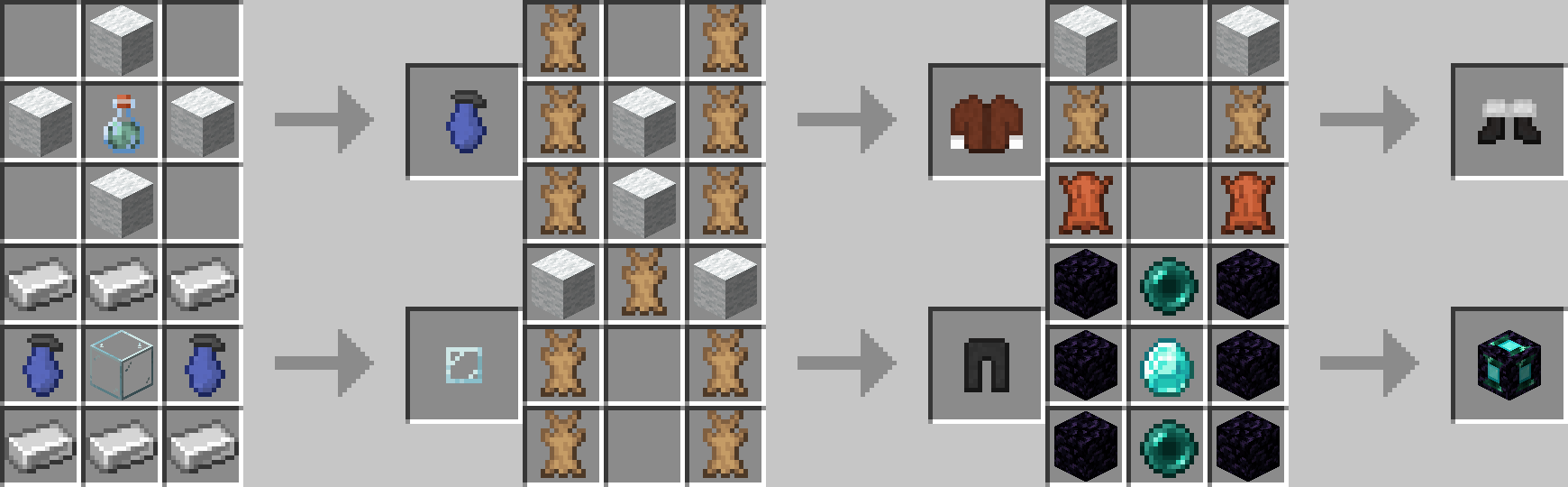
You must locate this dungeon in the underground and find this room-
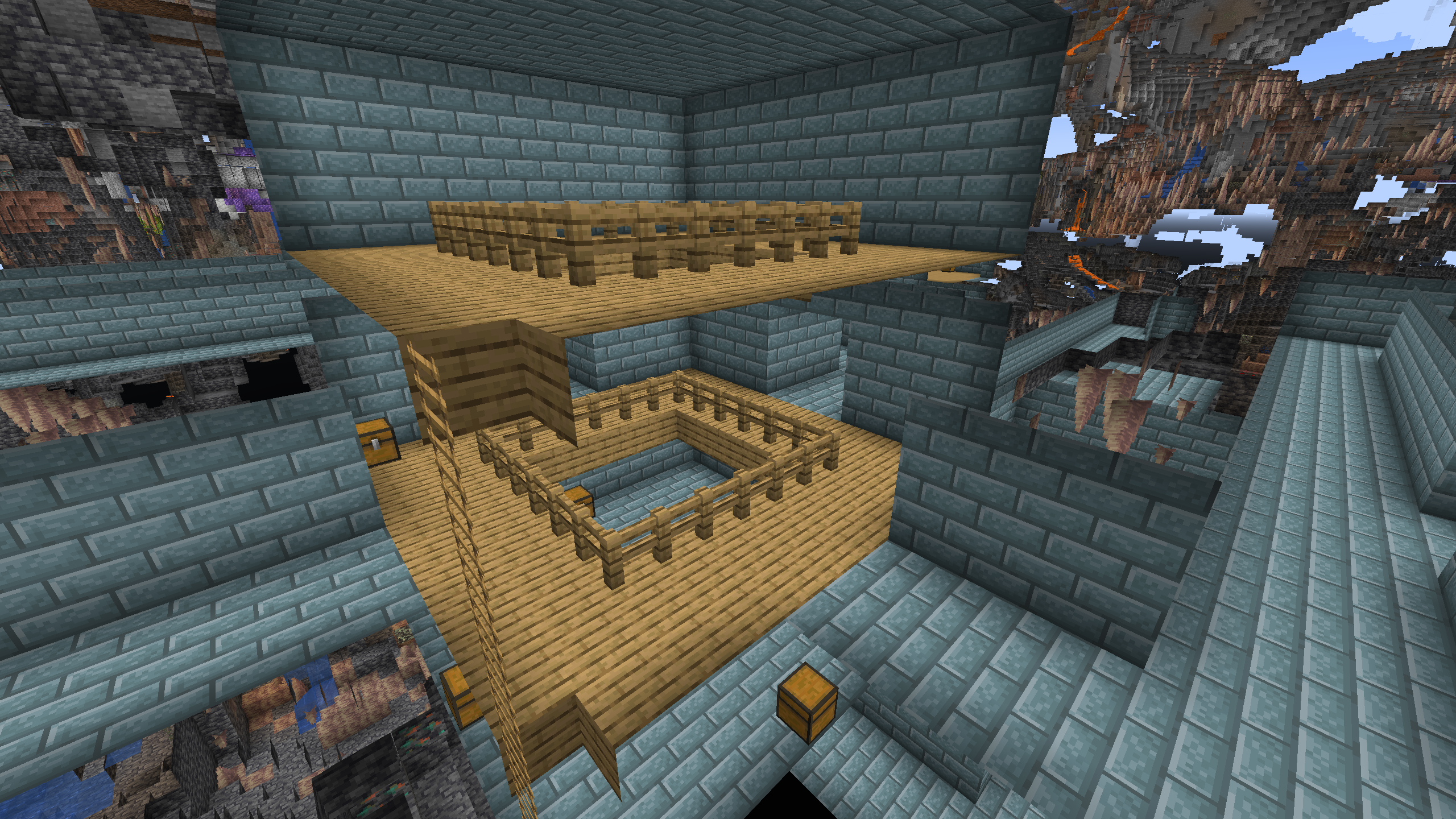
The chests at the bottom of it will usually contain the Blue Planetary Key item which is needed to get to the Alien Planet.
After that, put down the Dimensional Teleporter Block, Put the key inside, and then click on it to be teleported to the Alien Planet.
Surviving the Alien Planet
On the Alien Planet, you must be wearing the Survival Gear, Fur Coat, Fur Pants, and the Snow Boots or else you will not be able to survive.
The Alien Planet has very different lighting and skies from the overworld.
There is also a companion planet which will often eclipse the Sun making monsters able to spawn.
Due to the coloration of the Alien Planet's Sun the lighting on the Alien Planet is substantionally redder and darker than that of the Overworld. (this is most visible at moody lighting)
Comparison of Normal VS. Alien Lighting-
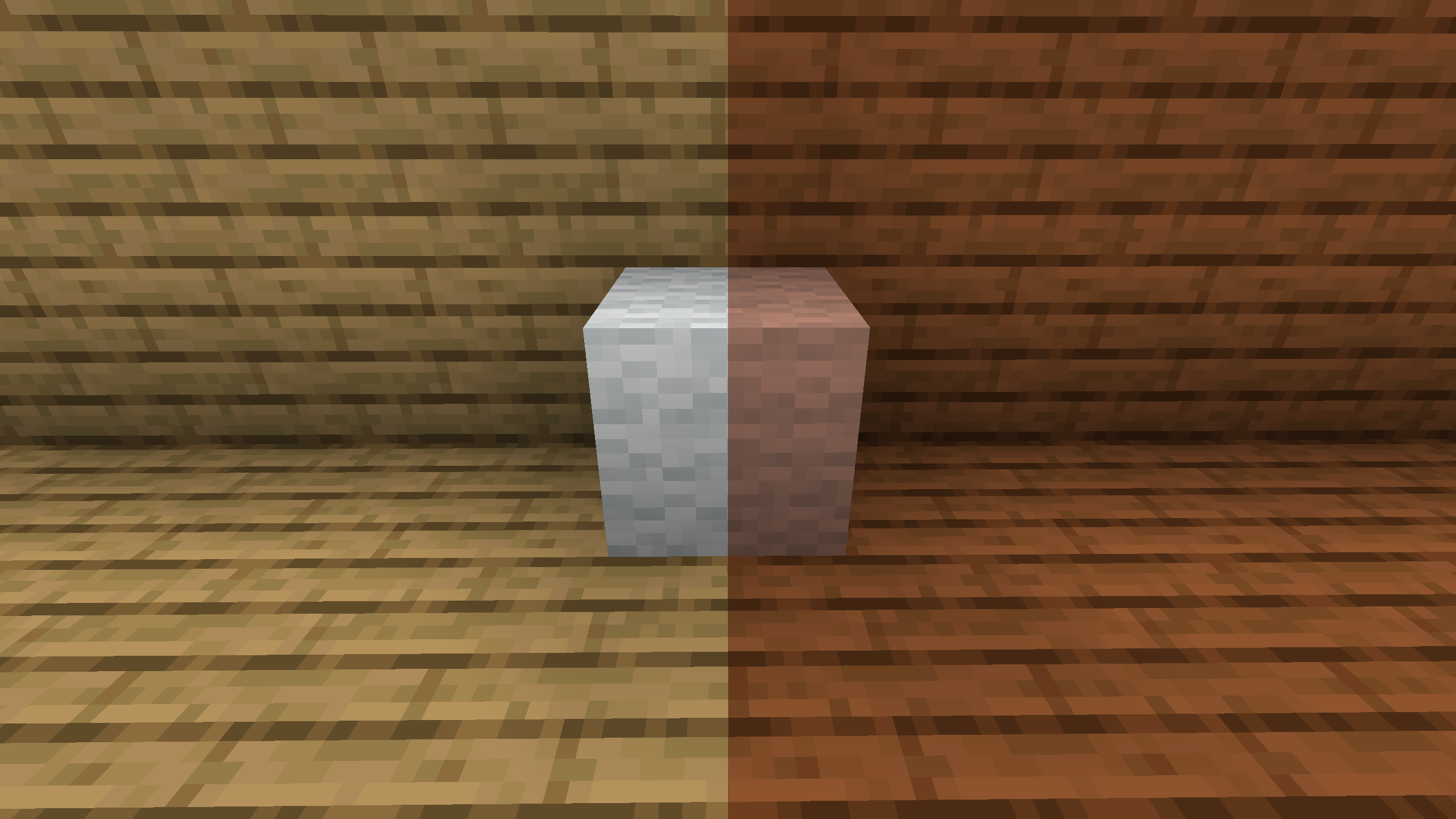
The Alien Planet also features lower gravity than the Overworld, allowing you to jump 1 1/2 times as high as normal.
Available Versions
How to Install AlienMod on Your Server
Order Server
Order a Minecraft Java server with at least 3 GB RAM (4 GB recommended).
Set forge Loader
In the panel under "Egg", select the forge loader and matching Minecraft version (1.20.1).
Install Mod
Open the mod browser in the dashboard and search for "AlienMod". Click "Install" – done! Alternatively, upload the .jar via SFTP to the /mods folder.
Compatibility
Mod Loaders
Minecraft Versions
1.20.1
Server-side
✓ RequiredRecommended RAM
4 GB(min. 3 GB)Frequently Asked Questions
AlienMod server crashes on startup – what to do?
Most common cause: wrong forge version or insufficient RAM. Check the server log (latest.log) for "OutOfMemoryError" or "Mixin" errors. With Mado Hosting: ensure at least 3 GB RAM is allocated and the loader matches the mod version (1.20.1). You can switch loaders with one click in the panel.
Is AlienMod compatible with forge?
AlienMod officially supports forge for Minecraft 1.20.1. The Mado dashboard automatically detects incompatible loader combinations.
Server lagging with AlienMod – how to optimize performance?
Recommended RAM: 4 GB (per 8 players). Use /spark profiler to check if AlienMod consumes the most tick time. Common fixes: reduce server view-distance to 8-10, install "performant" or "starlight" as supplementary mods on Forge. With Mado Hosting, your server runs on NVMe SSDs with dedicated CPU cores for minimal latency.
Rent Modded Server
Install AlienMod with just one click on your server.