
Alloygery
New ores, metals, and alloys to change tool and armor progression while keeping a vanilla feel.
Screenshots
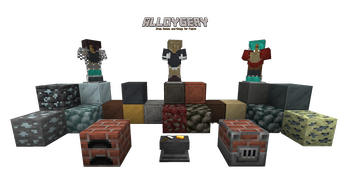
About this Mod

adding new metals and alloys to change up tools and armor while preserving a vanilla feel
Alloygery adds a new way to make alloys from metal and ores.
The Alloy Kiln
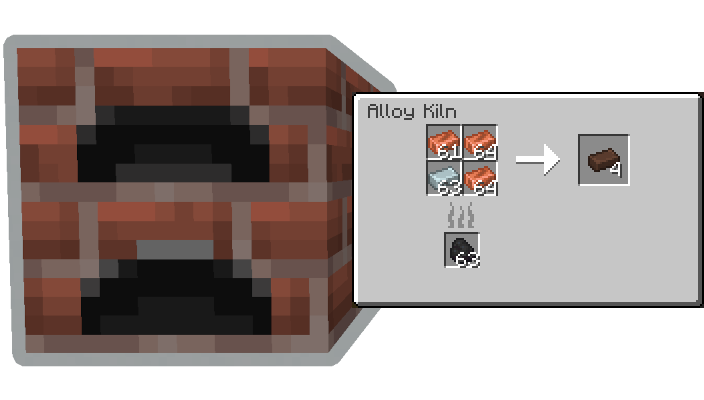
and the Blast Alloy Kiln

Alloygery introduces a new way to craft tools out of parts made at the Smithing Anvil.
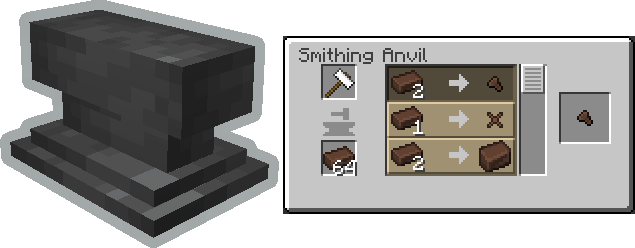
Tool Update Details
Tools are crafted from a combination of a tool head (like a pickaxe head), a binding, and a handle. Where each part contributes to the overall stats of the tool. Try mix and matching materials to get the best results.
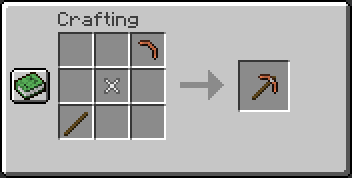
Once you have a tool, take it over to the smithing table to apply an upgrade.
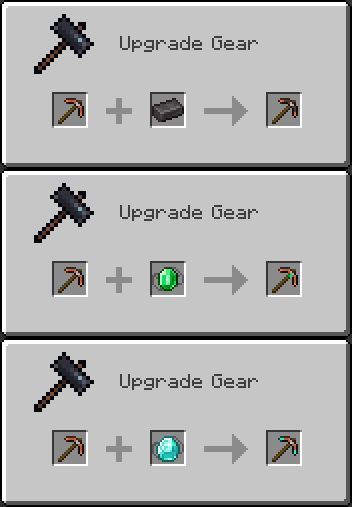
Upgrades are removable by using a smithing hammer.
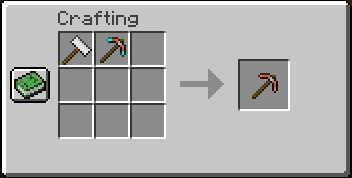
By default, diamond and netherite gear are uncraftable. If you happen to come across some gear via loot or trading, you can still make use of it by salvaging the tool head.
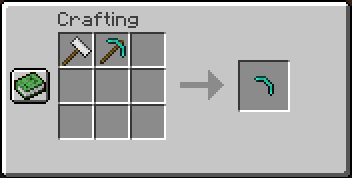
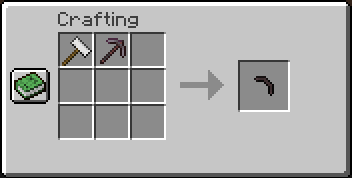
Similarly, regular gear can also be dismantled this way.
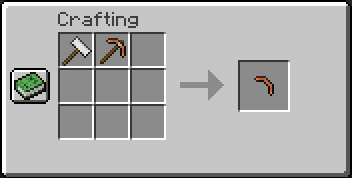
In a similar way to tool crafting, Alloygery also changes the way armor is made.
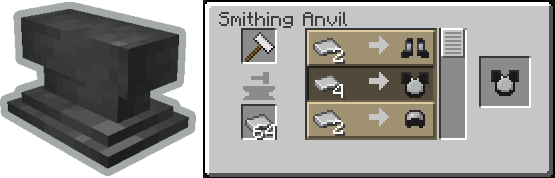
Armor Update Details
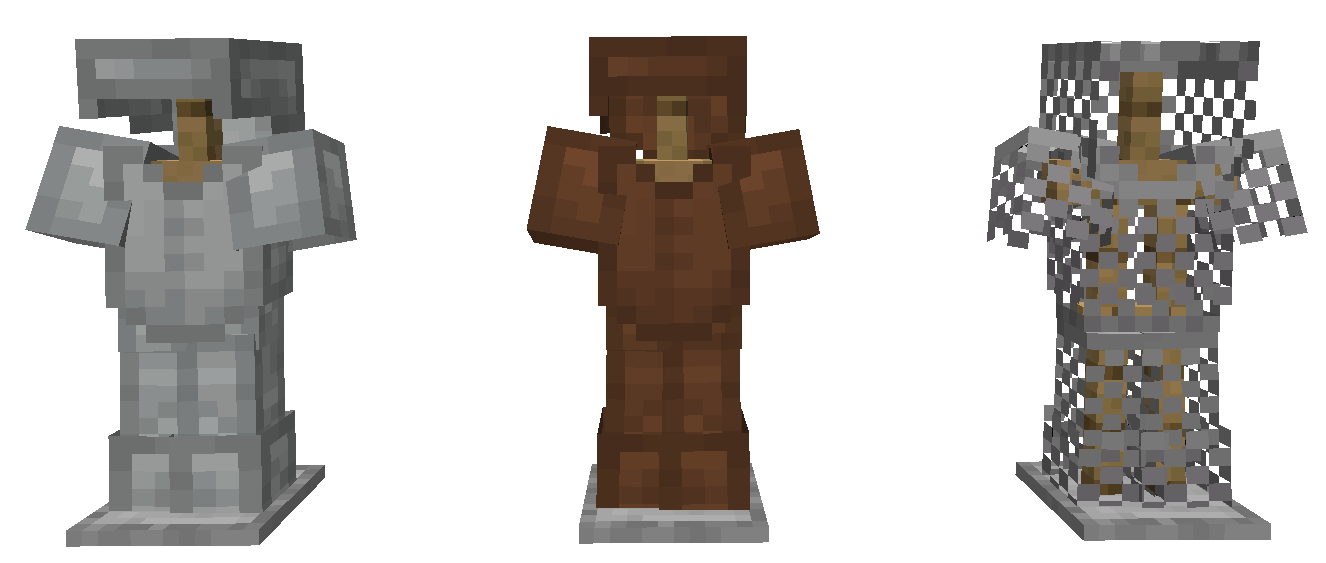
Armor starts with a base layer. There are three base layers: Wool, Leather, and Chain.
You can craft armor plating to upgrade your armor with at the Smithing Anvil
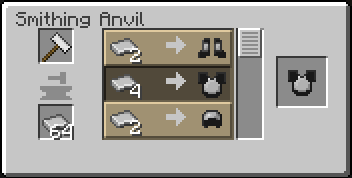
Then apply those upgrades to your base armor at the Smithing Table
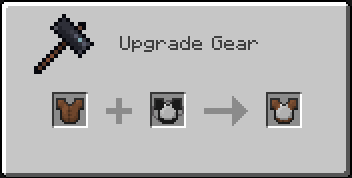
Plating can be removed at the Crafting Table by using a Crafting Hammer
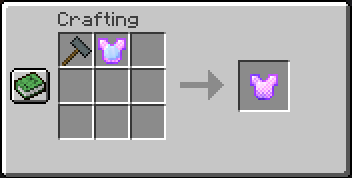
By default, diamond and netherite armor is not craftable. You can make armor plates from any that you find as loot though.
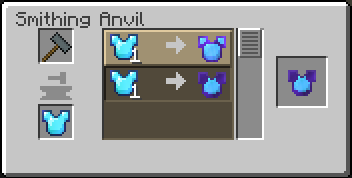
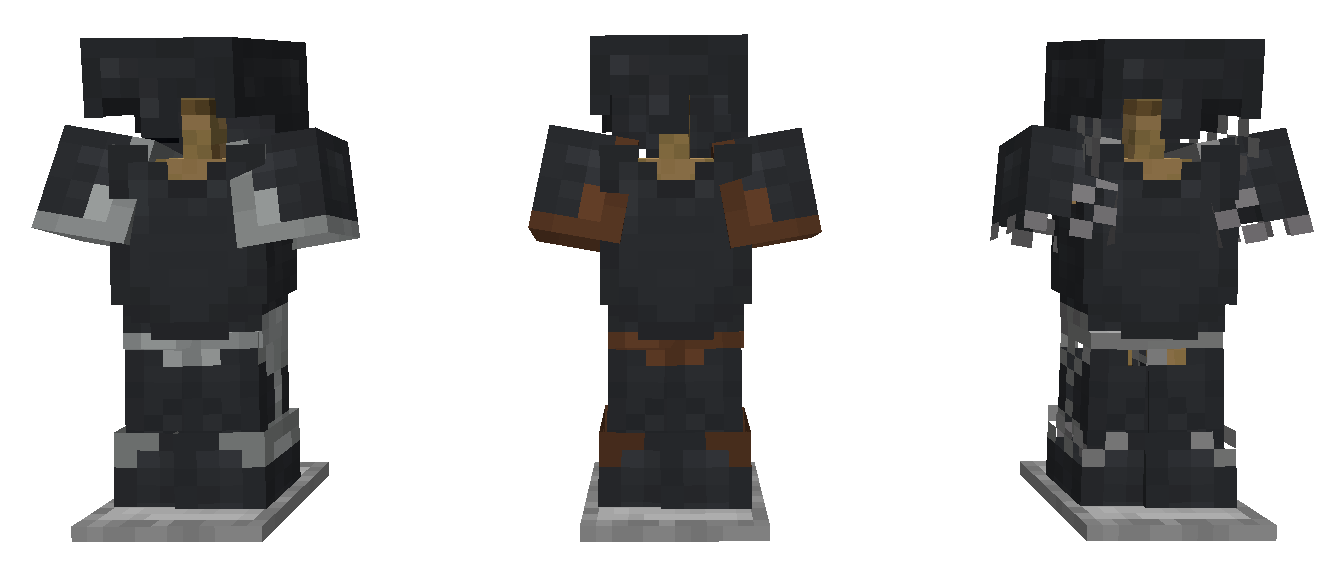
There are two types of armor plating added by Alloygery. Plate, and Heavy Plate.
Depiction of Steel Plate applied to each base armor type.
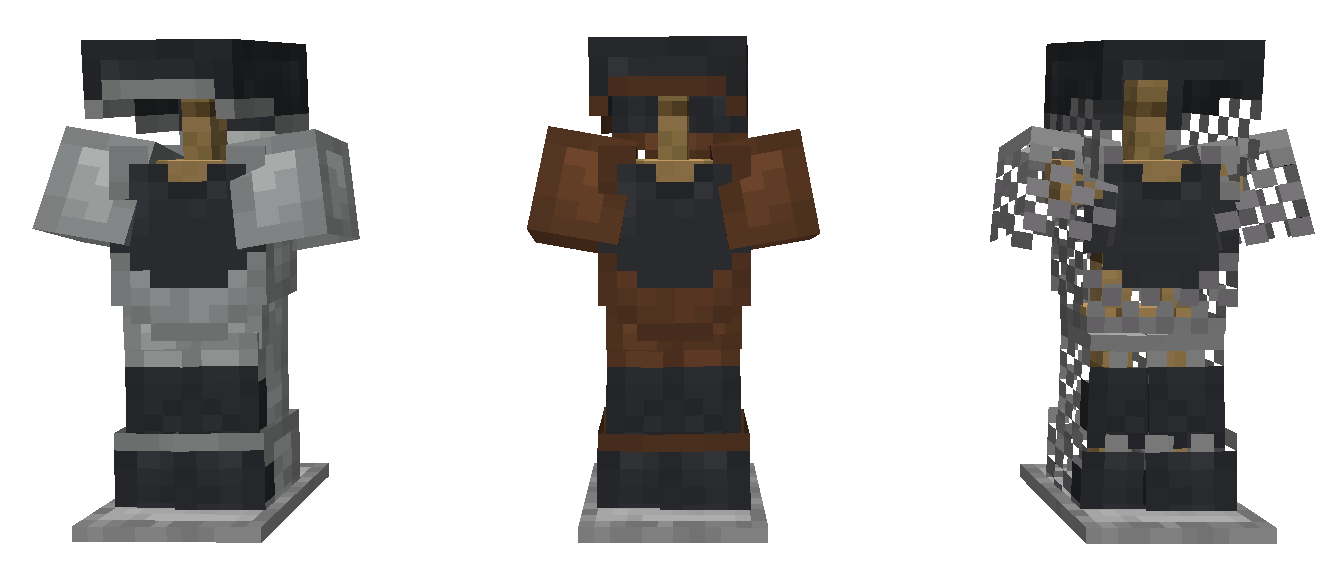
Depiction of Steel Heavy Plate applied to each base armor type.
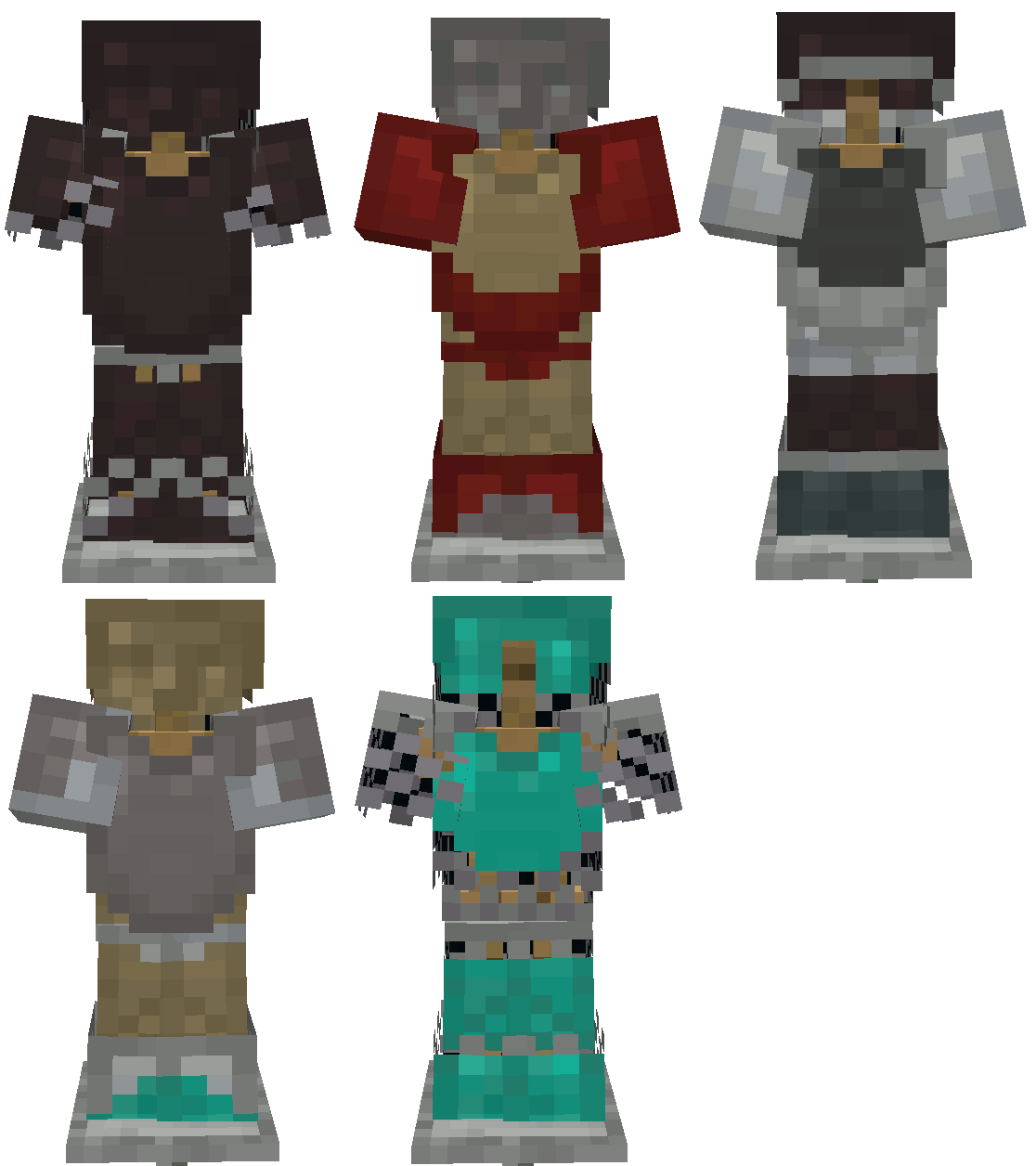
With the ability to dye leather and wool base layers, the possible combinations are extensive.
If you have some ideas, or want to talk about Alloygery, consider joining the discord.

Available Versions
How to Install Alloygery on Your Server
Order Server
Order a Minecraft Java server with at least 3 GB RAM (4 GB recommended).
Set fabric Loader
In the panel under "Egg", select the fabric loader and matching Minecraft version (1.19.2).
Install Mod
Open the mod browser in the dashboard and search for "Alloygery". Click "Install" – done! Alternatively, upload the .jar via SFTP to the /mods folder.
Compatibility
Mod Loaders
Minecraft Versions
1.19.2, 1.18.2
Server-side
✓ RequiredRecommended RAM
4 GB(min. 3 GB)Frequently Asked Questions
Alloygery server crashes on startup – what to do?
Most common cause: wrong fabric version or insufficient RAM. Check the server log (latest.log) for "OutOfMemoryError" or "Mixin" errors. With Mado Hosting: ensure at least 3 GB RAM is allocated and the loader matches the mod version (1.19.2). You can switch loaders with one click in the panel.
Is Alloygery compatible with fabric?
Alloygery officially supports fabric for Minecraft 1.19.2, 1.18.2. The Mado dashboard automatically detects incompatible loader combinations.
Server lagging with Alloygery – how to optimize performance?
Recommended RAM: 4 GB (per 8 players). Use /spark profiler to check if Alloygery consumes the most tick time. Common fixes: reduce server view-distance to 8-10, install "performant" or "starlight" as supplementary mods on Forge. With Mado Hosting, your server runs on NVMe SSDs with dedicated CPU cores for minimal latency.
Similar Mods



![[TaCZ] Timeless and Classics Zero](https://cdn.modrinth.com/data/SzzJttH8/fd27766d2bb8390d284696b1dbd358f87e081439_96.webp)


Rent Modded Server
Install Alloygery with just one click on your server.