Alpha Multiplayer Unlocked
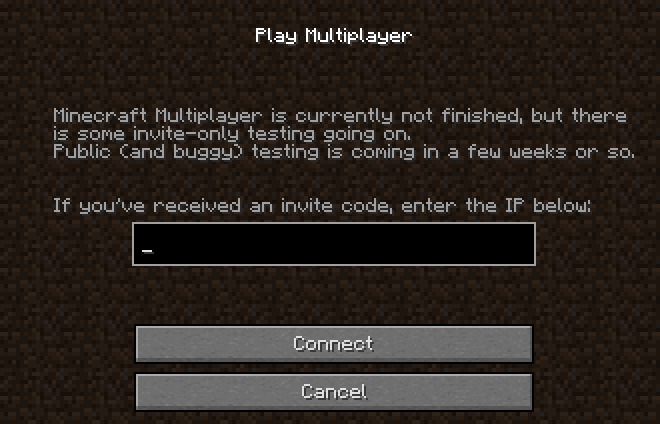
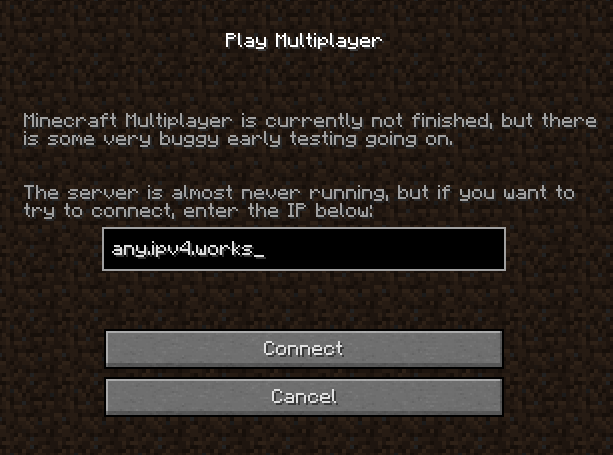
Restores functional multiplayer for Minecraft Alpha 1.0.5 through 1.0.14. This mod re-enables the multiplayer menu and bypasses the legacy invite-only "secret code" system, allowing direct connection to servers supporting the protocol of these versions.
Screenshots
About this Mod
Overview
This mod restores and fixes the hidden multiplayer functionality for Minecraft Alpha versions 1.0.5 through 1.0.14. During this era of development, multiplayer was often disabled or locked behind "invite codes." This patch re-enables the Multiplayer button and allows you to connect to any server using a standard IP address.
Features
- Multiplayer Unlocked: Re-enables the Multiplayer button on the main menu.
- Invite Bypass: Removes the requirement for a secret invite code; simply type your IP and connect.
- IP Saving: Your last entered server address is now saved to your options file for easier access.
Installation
Prism Launcher (Recommended)
- Select your Alpha instance and click Edit.
- Navigate to the Version tab on the instance menu.
- Click Add to Minecraft.jar on the right sidebar.
- Select the
.zipfile you downloaded for your specific version.
Manual
- Locate your version's
.jarfile. - Open the
.jarwith 7-Zip or WinRAR. - Drag and drop the
.classfiles from this mod into the JAR.
Requirements
To actually play, you must connect to a server running compatible Alpha server software.
Available Versions
How to Install Alpha Multiplayer Unlocked on Your Server
Order Server
Order a Minecraft Java server with at least 3 GB RAM (4 GB recommended).
Set java-agent Loader
In the panel under "Egg", select the java-agent loader and matching Minecraft version (a1.0.14).
Install Mod
Open the mod browser in the dashboard and search for "Alpha Multiplayer Unlocked". Click "Install" – done! Alternatively, upload the .jar via SFTP to the /mods folder.
Compatibility
Mod Loaders
Minecraft Versions
a1.0.14, a1.0.11, a1.0.5_01
Server-side
✗ UnsupportedRecommended RAM
4 GB(min. 3 GB)Frequently Asked Questions
Alpha Multiplayer Unlocked server crashes on startup – what to do?
Most common cause: wrong java-agent version or insufficient RAM. Check the server log (latest.log) for "OutOfMemoryError" or "Mixin" errors. With Mado Hosting: ensure at least 3 GB RAM is allocated and the loader matches the mod version (a1.0.14). You can switch loaders with one click in the panel.
Is Alpha Multiplayer Unlocked compatible with java-agent?
Alpha Multiplayer Unlocked officially supports java-agent for Minecraft a1.0.14, a1.0.11, a1.0.5_01. The Mado dashboard automatically detects incompatible loader combinations.
Server lagging with Alpha Multiplayer Unlocked – how to optimize performance?
Recommended RAM: 4 GB (per 8 players). Use /spark profiler to check if Alpha Multiplayer Unlocked consumes the most tick time. Common fixes: reduce server view-distance to 8-10, install "performant" or "starlight" as supplementary mods on Forge. With Mado Hosting, your server runs on NVMe SSDs with dedicated CPU cores for minimal latency.
Similar Mods






Rent Modded Server
Install Alpha Multiplayer Unlocked with just one click on your server.