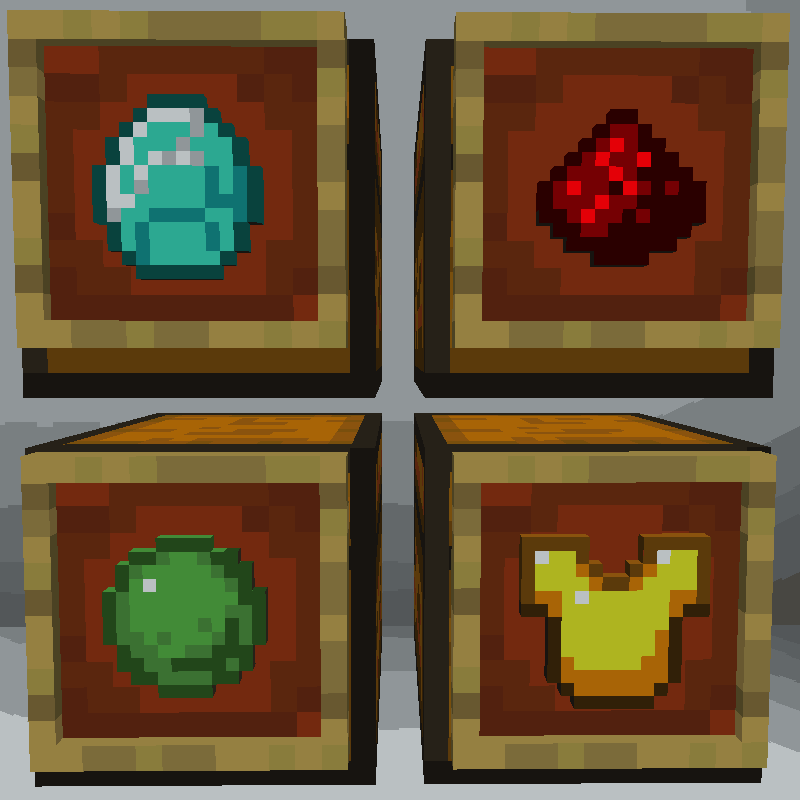
Amazing Chest
Chest that filters matching items
About this Mod
Tired of building complicated, inflexible item sorters? Do you want an easy way to keep your workshop organized so you can focus on other parts of the game?
Amazing Chest is for you! It adds a new 'Sorting Chest' block to your world that will will automatically pull matching items into itself from any connected hopper chain.
To set up item sorting, just put items in a Sorting Chest that you want to get sorted into it. Any matching items (and only those items) will be routed to them through the hopper chain. It works a lot like a Tango Tek sorting system (but without actually having to build one).
Features
- Super easy item sorting setup
- Reorganize the sorter at any time by just moving items to different chests
- Sort both stackable and unstackable items
- Sort lots of different items into the same chest
- Works with the Fabric modloader
- Can work without being installed in the client (thanks to the awesome Polymer framework)
Recipe
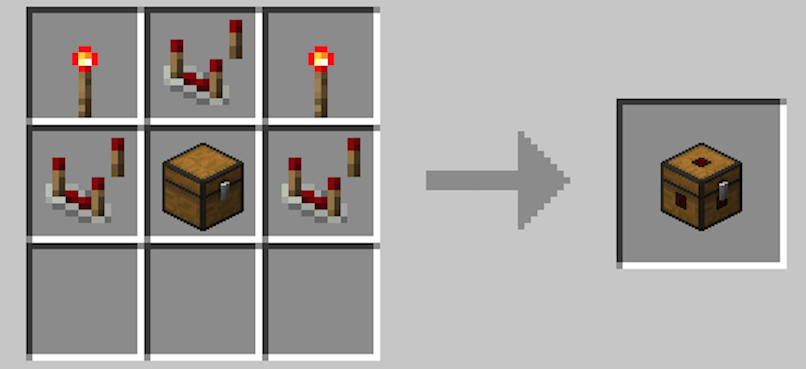
Block

How do I use a Sorting Chest?
- Create a chain of hoppers like shown.
- Put items in the chests that you want to show up in those chests.
- Make sure there's a regular 'overflow' chest somewhere on the chain to accept items that don't match any of the Sorting Chests.
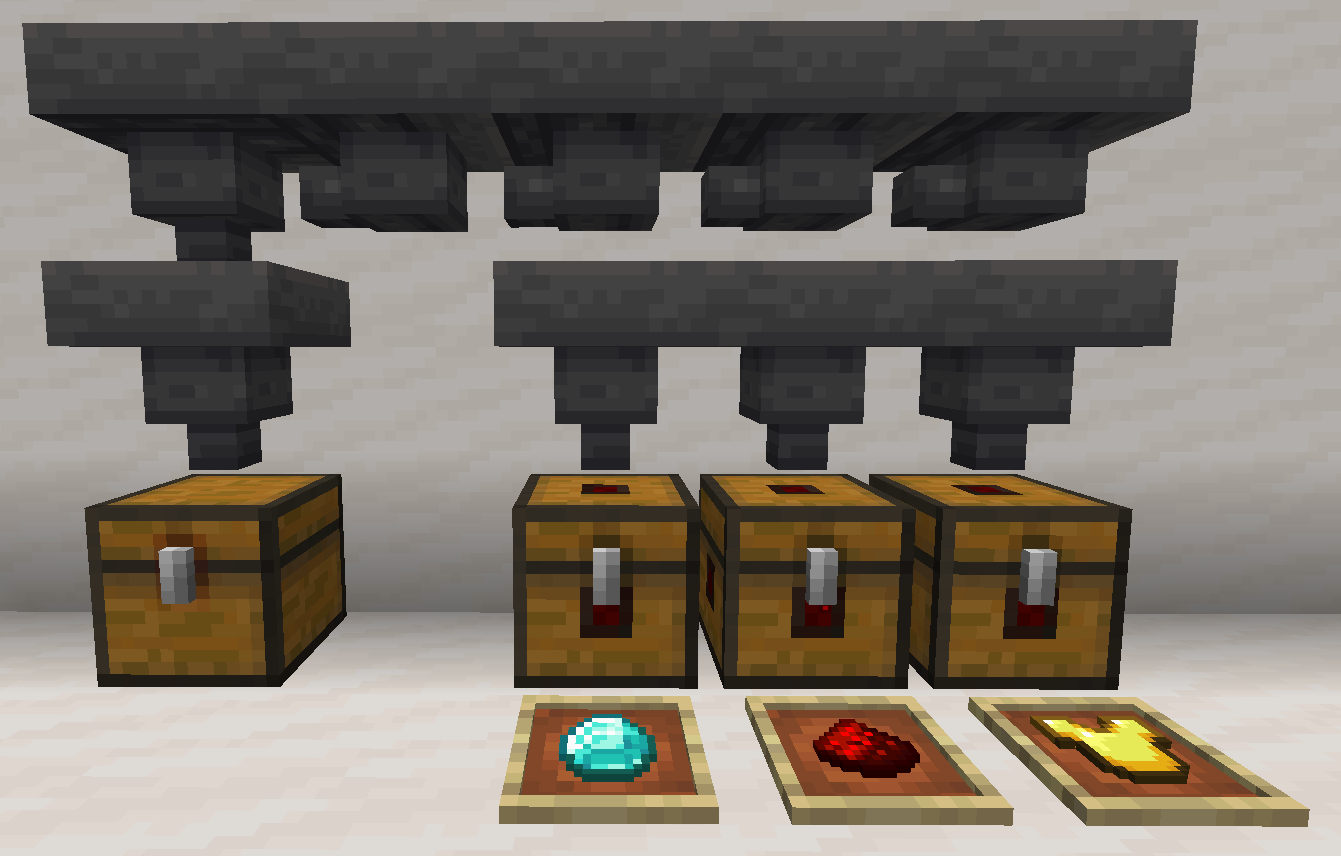
Watch a Video of the Sorting Chest in Action!
https://www.youtube.com/watch?v=UP053pEtP6Y
How does it work exactly?
- When a Sorting Chest is connected to a hopper chain, any items in the chain that match items in the Sorting Chest will automatically be routed into it.
- A Sorting Chest will never allow a hopper to push items into it that don't match an item it already contains.
- Also, if a hopper pulls items out of a Sorting Chest, it will never pull the last item of a given type. This ensures that the Sorting Chest will continue to sort items the items you put into it.
- They always keep the last item of a type that is held in the hopper.
Lithium Users Read This!
If you also use Lithium, Amazing Chest won't work unless you set mixin.block.hopper=false in your lithium.properties file. This will disable Lithium's hopper-related optimizations that are incompatible with Amazing Chest. (Courtesy of valkonmc)
Notes
- I will not be doing a Forge port of Amazing Chest. (sorry)
Legal
Amazing Chest is published under the MIT License.
You're free to include it in your modpack provided you attribute it to pcal43.
Available Versions
How to Install Amazing Chest on Your Server
Order Server
Order a Minecraft Java server with at least 3 GB RAM (4 GB recommended).
Set fabric Loader
In the panel under "Egg", select the fabric loader and matching Minecraft version (1.19.2).
Install Mod
Open the mod browser in the dashboard and search for "Amazing Chest". Click "Install" – done! Alternatively, upload the .jar via SFTP to the /mods folder.
Compatibility
Mod Loaders
Minecraft Versions
1.19.2, 1.19, 1.18.2 (+1 more)
Server-side
✓ RequiredRecommended RAM
4 GB(min. 3 GB)Frequently Asked Questions
Amazing Chest server crashes on startup – what to do?
Most common cause: wrong fabric version or insufficient RAM. Check the server log (latest.log) for "OutOfMemoryError" or "Mixin" errors. With Mado Hosting: ensure at least 3 GB RAM is allocated and the loader matches the mod version (1.19.2). You can switch loaders with one click in the panel.
Is Amazing Chest compatible with fabric?
Amazing Chest officially supports fabric for Minecraft 1.19.2, 1.19, 1.18.2. The Mado dashboard automatically detects incompatible loader combinations.
Server lagging with Amazing Chest – how to optimize performance?
Recommended RAM: 4 GB (per 8 players). Use /spark profiler to check if Amazing Chest consumes the most tick time. Common fixes: reduce server view-distance to 8-10, install "performant" or "starlight" as supplementary mods on Forge. With Mado Hosting, your server runs on NVMe SSDs with dedicated CPU cores for minimal latency.
Similar Mods


Rent Modded Server
Install Amazing Chest with just one click on your server.