
Ambient Discs
Adding Minecraft's ambient soundtracks in Music Disc form
Screenshots
About this Mod



Welcome to Ambient Discs
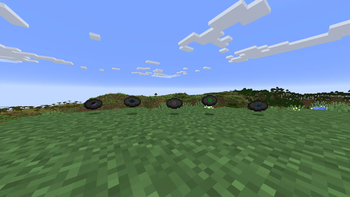
Ambient Discs is a simple mod that takes the vanilla Minecraft soundtrack and adds music discs for all that don't. This way, you can listen to any piece of the Minecraft soundtrack at any time you please.
How do I Get the Discs?
For the most part, discs are be obtained the "good old fashioned way" via skeletons killing creepers. However, some are instead found in chests or dropped by mobs. A list of these can be found below.
Click to expand the table
| Music Disc | Location | Chance |
|---|---|---|
 A Familiar Room A Familiar Room |
Jungle Temple | 10% |
 Alpha Alpha |
Ender Dragon | 100% |
 An Ordinary Day An Ordinary Day |
Ancient City | 8.4% |
 Axolotl Axolotl |
Shipwreck Treasure | 33% |
Will this Mod have Composer's Other Tracks?
No, only tracks included in the vanilla game will get a disc. This is mainly for licensing reasons, but also because then it'd end up with hundreds of music discs which is frankly too many.
Can I Use This for...?
Yes you can use this mod in your modpack, or tweak and remix it in your own way if you'd like. Do bear in mind though it is licensed under CC-BY-SA-4.0, so take that into consideration if you do plan on using it
Available Versions
How to Install Ambient Discs on Your Server
Order Server
Order a Minecraft Java server with at least 3 GB RAM (4 GB recommended).
Set fabric Loader
In the panel under "Egg", select the fabric loader and matching Minecraft version (1.21.1).
Install Mod
Open the mod browser in the dashboard and search for "Ambient Discs". Click "Install" – done! Alternatively, upload the .jar via SFTP to the /mods folder.
Compatibility
Mod Loaders
Minecraft Versions
1.21.1, 1.21
Server-side
✓ RequiredRecommended RAM
4 GB(min. 3 GB)Frequently Asked Questions
Ambient Discs server crashes on startup – what to do?
Most common cause: wrong fabric version or insufficient RAM. Check the server log (latest.log) for "OutOfMemoryError" or "Mixin" errors. With Mado Hosting: ensure at least 3 GB RAM is allocated and the loader matches the mod version (1.21.1). You can switch loaders with one click in the panel.
Is Ambient Discs compatible with fabric?
Ambient Discs officially supports fabric for Minecraft 1.21.1, 1.21. The Mado dashboard automatically detects incompatible loader combinations.
Server lagging with Ambient Discs – how to optimize performance?
Recommended RAM: 4 GB (per 8 players). Use /spark profiler to check if Ambient Discs consumes the most tick time. Common fixes: reduce server view-distance to 8-10, install "performant" or "starlight" as supplementary mods on Forge. With Mado Hosting, your server runs on NVMe SSDs with dedicated CPU cores for minimal latency.
Similar Mods






Rent Modded Server
Install Ambient Discs with just one click on your server.
Details
- License
- Creative Commons Attribution Share Alike 4.0 International
- Server-side
- Required