
Amethyst Upgrade (Tools)
This mod is made to expand the functionality of amethysts. And also for variety and simplification of the minecraft game.
Screenshots
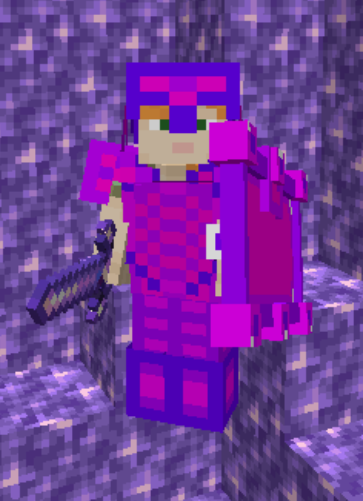
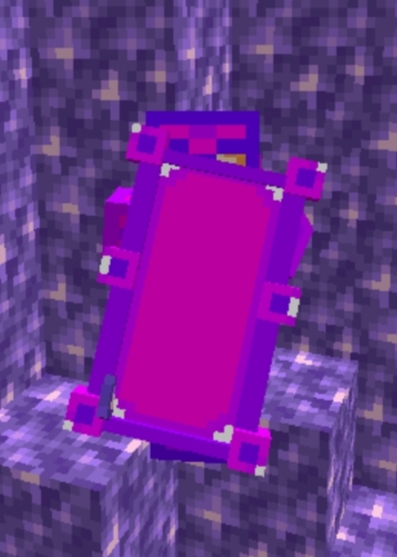
About this Mod
This mod expands the possibilities of Amethysts. All achievements and crafts are made quite clear and there is support for Russian and English languages. The mod will also be updated, but not as often. The mod features a shield, tools, and armor. Tools in the mod and armor resembles in strength efficiency etc. golden tools and armor. But the tools and armor themselves are made quite beautifully and are pleasing to the eye and differ slightly from the golden ones in characteristics.Crafting of items comes from Amethysts, which are also the main items for crafting.(Once you download the mod, know that to start using items from the mod, you need to find amethyst deposits to craft items from amethysts, etc.)
Verssion for Russia:
Данный мод расширяет возможности Аметистов. Все достижения и крафты сделаны вполне понятно и есть поддержка Русского и Английского языков. Мод также будет обновляться но не так часто. В моде присутствует щит, инструменты и броня. Инструменты в моде и броня похожи по прочности, эффективности и т.д. Но сами инструменты и доспехи сделаны довольно красиво и радуют глаз, а по характеристикам немного отличаются от золотых.
(Знайте как только вы скачаете мод то для начало вам нужно будет найти залежу аметистов чтобы начать крафтить предметы из мода и т.д.)
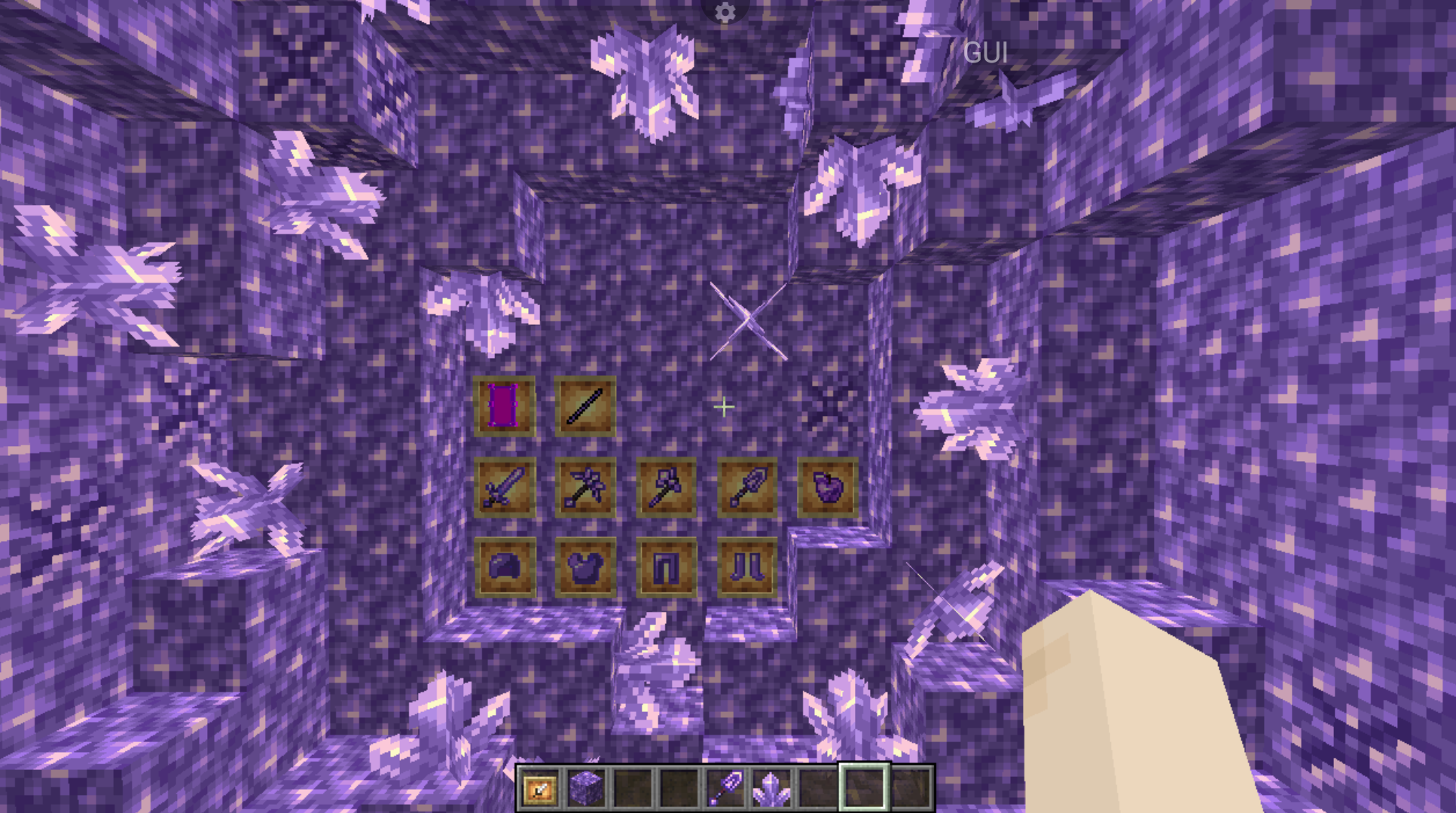
(To add a mod to Minecraft, open the folder .minecraft and move the mod to the mods folder.)|(Чтобы добавить мод в Minecraft, откройте папку .minecraft и переместите мод в папку mods.)
Available Versions
How to Install Amethyst Upgrade (Tools) on Your Server
Order Server
Order a Minecraft Java server with at least 3 GB RAM (4 GB recommended).
Set fabric Loader
In the panel under "Egg", select the fabric loader and matching Minecraft version (1.21.8).
Install Mod
Open the mod browser in the dashboard and search for "Amethyst Upgrade (Tools)". Click "Install" – done! Alternatively, upload the .jar via SFTP to the /mods folder.
Compatibility
Mod Loaders
Minecraft Versions
1.21.8, 1.21.5, 1.21.4 (+8 more)
Server-side
✓ RequiredRecommended RAM
4 GB(min. 3 GB)Frequently Asked Questions
Amethyst Upgrade (Tools) server crashes on startup – what to do?
Most common cause: wrong fabric version or insufficient RAM. Check the server log (latest.log) for "OutOfMemoryError" or "Mixin" errors. With Mado Hosting: ensure at least 3 GB RAM is allocated and the loader matches the mod version (1.21.8). You can switch loaders with one click in the panel.
Is Amethyst Upgrade (Tools) compatible with fabric and forge and neoforge?
Amethyst Upgrade (Tools) officially supports fabric, forge, neoforge for Minecraft 1.21.8, 1.21.5, 1.21.4. Note: Forge and Fabric mods are NOT cross-compatible – pick one loader and stick with it. The Mado dashboard automatically detects incompatible loader combinations.
Server lagging with Amethyst Upgrade (Tools) – how to optimize performance?
Recommended RAM: 4 GB (per 8 players). Use /spark profiler to check if Amethyst Upgrade (Tools) consumes the most tick time. Common fixes: reduce server view-distance to 8-10, install "performant" or "starlight" as supplementary mods on Forge. With Mado Hosting, your server runs on NVMe SSDs with dedicated CPU cores for minimal latency.
Similar Mods




![[TaCZ] Timeless and Classics Zero](https://cdn.modrinth.com/data/SzzJttH8/fd27766d2bb8390d284696b1dbd358f87e081439_96.webp)

Rent Modded Server
Install Amethyst Upgrade (Tools) with just one click on your server.