
Amplified Dimension
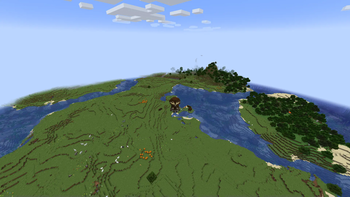
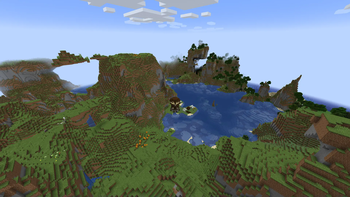
Adds a new amplified dimension that does its best to mirror the overworld!
Screenshots
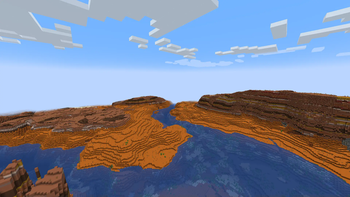
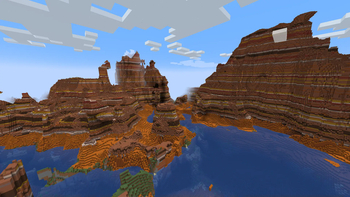
About this Mod
Basics
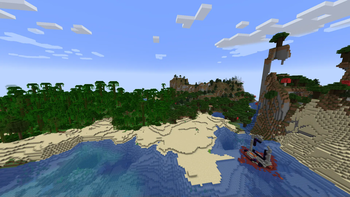
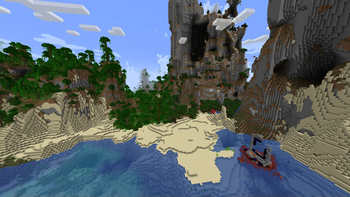
Adds a dimension that mirrors the overworld, but it uses the amplified terrain generator!
This dimension is as close as can be to the overworld in terms of biome placement, structure placement, and feature placement.
Terrablender biomes seem to work in the amplified dimension.
Important Notes
This datapack/mod does not provide a way to enter the dimension! I recommend using the Datapack Portals Mod to make a datapack that allows you to construct a portal that leads to the dimension. The Dimension's namespace is "amplidim:overworld" in case you want to use the execute command to teleport into it.
It does rain in the dimension, but for the /weather command to work, you have to execute it in the default overworld. The weather is synced between both dimensions, as well as time.
Other Recommendations
Any datapack that makes the overworld taller. It will apply to the amplified dimension too and allow you to build on the taller mountains, which stretch very close to build limit!
Tested on 1.20.1 but also might work on other versions.
Usage In Modpacks
You're more than welcome to put this in a modpack, just credit me if the modpack is public!
Note to Modpack Authors: since this dimension isn't exactly the overworld, some mods might need extra configuring to recognize it as a valid overworld dimension for some of their features!
Available Versions
How to Install Amplified Dimension on Your Server
Order Server
Order a Minecraft Java server with at least 4 GB RAM (6 GB recommended).
Set datapack Loader
In the panel under "Egg", select the datapack loader and matching Minecraft version (1.20.1).
Install Mod
Open the mod browser in the dashboard and search for "Amplified Dimension". Click "Install" – done! Alternatively, upload the .jar via SFTP to the /mods folder.
Compatibility
Mod Loaders
Minecraft Versions
1.20.1
Server-side
✓ RequiredRecommended RAM
6 GB(min. 4 GB)Frequently Asked Questions
Amplified Dimension server crashes on startup – what to do?
Most common cause: wrong datapack version or insufficient RAM. Check the server log (latest.log) for "OutOfMemoryError" or "Mixin" errors. With Mado Hosting: ensure at least 4 GB RAM is allocated and the loader matches the mod version (1.20.1). You can switch loaders with one click in the panel.
Is Amplified Dimension compatible with datapack and fabric and forge and quilt?
Amplified Dimension officially supports datapack, fabric, forge, quilt for Minecraft 1.20.1. Note: Forge and Fabric mods are NOT cross-compatible – pick one loader and stick with it. The Mado dashboard automatically detects incompatible loader combinations.
Server lagging with Amplified Dimension – how to optimize performance?
Recommended RAM: 6 GB (per 5 players). Use /spark profiler to check if Amplified Dimension consumes the most tick time. Common fixes: reduce server view-distance to 8-10, install "performant" or "starlight" as supplementary mods on Forge. With Mado Hosting, your server runs on NVMe SSDs with dedicated CPU cores for minimal latency.
Similar Mods




Rent Modded Server
Install Amplified Dimension with just one click on your server.