
Animated Chat Mod
Client-side NeoForge mod. Adds animated text to chat. Works on vanilla servers, no plugin required.
Screenshots
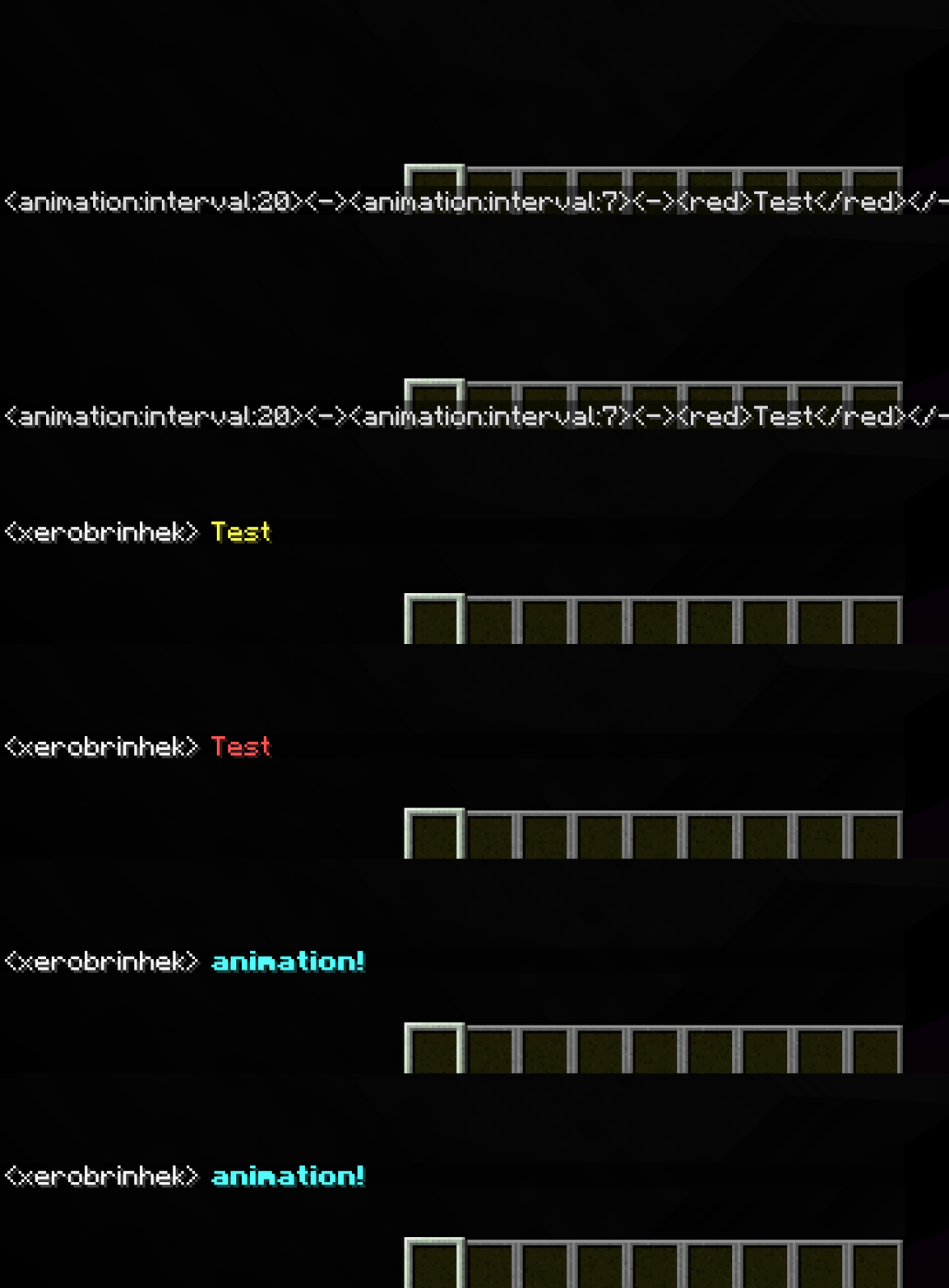
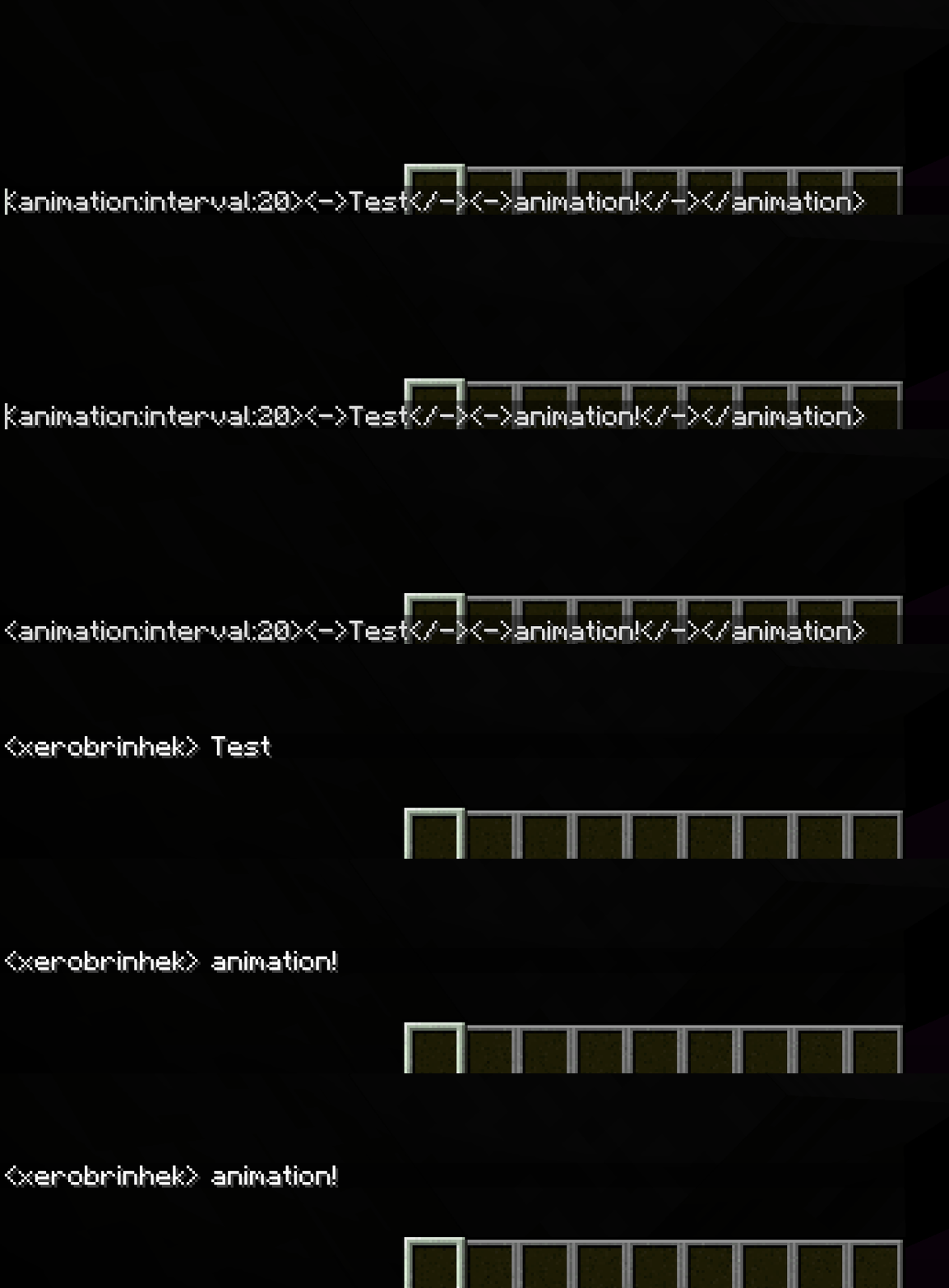
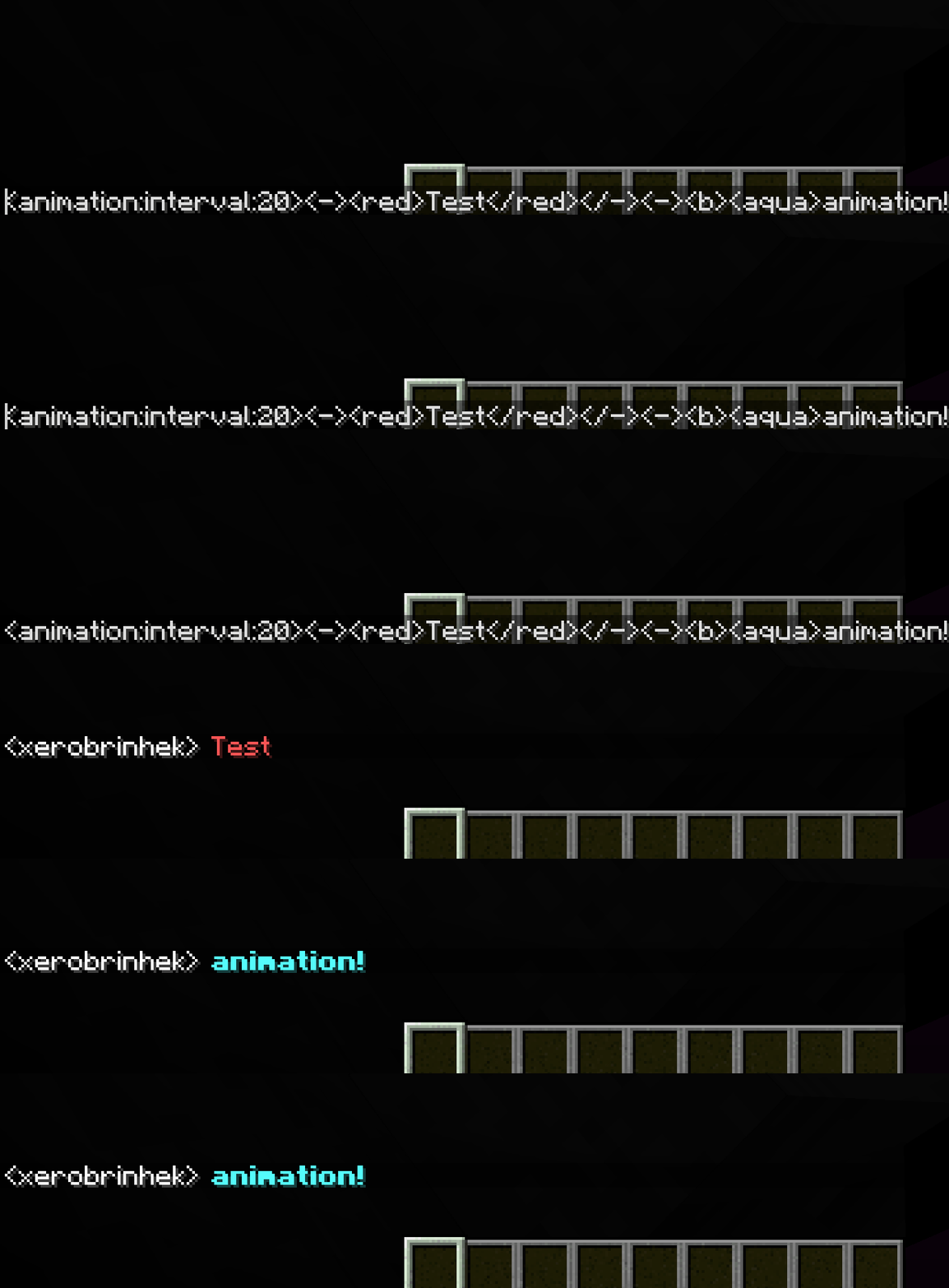
About this Mod
AnimatedChatMod





🎨 See your chat come alive with smooth, configurable animations!
EN
What is this
✨ Adds animated text effects to Minecraft chat (client-side).
⚙️ Works on vanilla servers — no plugins required.
If you find a bug or want a feature, please join our Discord and let us know there.
Animation format
<animation:interval:2><->Frame</-><-><red>Text</red></-></animation>
Interval
Interval is in ticks.
1 tick = 50 ms.
Config
File:
config/animatedchat-client.toml
Main options:
- enable-animations — enable animations
- history-size — chat history size
- max-chat-length — max input length
Notes
- Client-side only
- Animations depend on received chat text
- Some servers may modify messages
🌍 Our Project (NOT WORKING!)
🔥 Join our SERVER! A huge city with metro, trains and mods is waiting for you!
🔗 All info on the website: https://lustfully-dandy-tarantula.cloudpub.ru
On the website:
- Launcher for server
- City & metro description
- Screenshots
- News
⭐ We are waiting for you!
⭐ If you like this mod, consider following for updates and join our discord server!
RU
Что это
✨ Добавляет анимированный текст в чат майнкрафт (клиентский мод).
⚙️ Работает даже на ванильный серверах, плагинов не требуется.
Если вы нашли баг или хотите предложить фичу — пожалуйста, напишите об этом в нашем Discord.
Формат анимации
<animation:interval:2><->Кадр</-><-><red>Текст</red></-></animation>
Интервал
Интервал указывается в тиках.
1 тик = 50 мс.
Настройки
Файл:
config/animatedchat-client.toml
Основные параметры:
- enable-animations — включить анимации
- history-size — размер истории сообщений
- max-chat-length — максимальная длина ввода
🌍 Наш проект (ЗАКРЫТ, НЕ РАБОАТЕТ!)
🔥 Заходи на наш СЕРВЕР! Огромный город с метро, поездами и модами ждёт тебя!
🔗 Вся информация на сайте: https://lustfully-dandy-tarantula.cloudpub.ru
На сайте:
- Лаунчер для сервера
- Описание города и метро
- Скриншоты
- Новости
⭐ Ждём именно тебя!
⭐ Если мод понравился — подпишитесь, чтобы не пропустить обновления и вступайте в наш дискорд сервер, чтобы быть в курсе всех событий!
Available Versions
How to Install Animated Chat Mod on Your Server
Order Server
Order a Minecraft Java server with at least 3 GB RAM (4 GB recommended).
Set forge Loader
In the panel under "Egg", select the forge loader and matching Minecraft version (1.21.1).
Install Mod
Open the mod browser in the dashboard and search for "Animated Chat Mod". Click "Install" – done! Alternatively, upload the .jar via SFTP to the /mods folder.
Compatibility
Mod Loaders
Minecraft Versions
1.21.1, 1.20.6, 1.20.5 (+4 more)
Server-side
✗ UnsupportedRecommended RAM
4 GB(min. 3 GB)Frequently Asked Questions
Animated Chat Mod server crashes on startup – what to do?
Most common cause: wrong forge version or insufficient RAM. Check the server log (latest.log) for "OutOfMemoryError" or "Mixin" errors. With Mado Hosting: ensure at least 3 GB RAM is allocated and the loader matches the mod version (1.21.1). You can switch loaders with one click in the panel.
Is Animated Chat Mod compatible with forge and neoforge?
Animated Chat Mod officially supports forge, neoforge for Minecraft 1.21.1, 1.20.6, 1.20.5. The Mado dashboard automatically detects incompatible loader combinations.
Server lagging with Animated Chat Mod – how to optimize performance?
Recommended RAM: 4 GB (per 8 players). Use /spark profiler to check if Animated Chat Mod consumes the most tick time. Common fixes: reduce server view-distance to 8-10, install "performant" or "starlight" as supplementary mods on Forge. With Mado Hosting, your server runs on NVMe SSDs with dedicated CPU cores for minimal latency.
Similar Mods






Rent Modded Server
Install Animated Chat Mod with just one click on your server.