
Animation vs Player
Adds Alan Becker's Animation vs Minecraft into the game! Currently in BETA phase so only limited features!
Screenshots

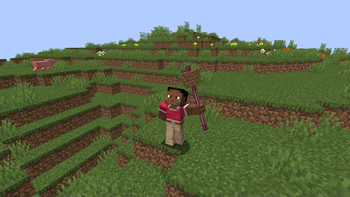
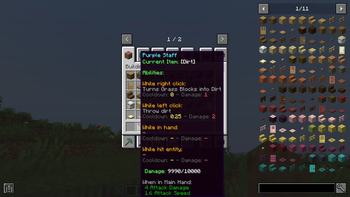
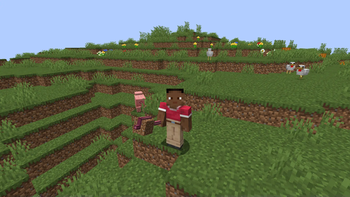
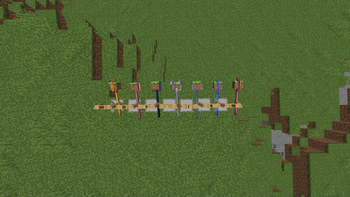

About this Mod
This mod is a brand new take on Alan Becker's 'Animation vs Minecraft' series!
This mod is currently in BETA phase, so most features aren't yet implemented. More features and survival gameplay coming soon!
FAQ:
- How do I put a block in the staff?: Hold the staff in your off hand with the block in your main hand and then right click.
OTHER MODS:
Required:
- Geckolib
- Player Animator
Recommended:
- JEI
CURRENT FEATURES:
Music Discs:
- Jazzy Note Blocks
- Green's Jam
- Note Block Battle
- Rhapsody in Blue
- Flight of the Bumblebee
- Rush E
Staffs:
- Purple Staff
- Blue Staff
- Light Blue Staff
- Grey Staff
- Black Staff
- Pink Staff
- Lucky Staff
Staff Blocks:
- Grass Block
- Stone
- Dirt
- Cobblestone
- Sand
- Oak Log
- Oak Planks
- Iron Block
- Cake
- Crafting Table (WIP)
- Diamond Block (WIP
- Dispenser (WIP)
- Egg
- Gold Block
- Grindstone (WIP)
- Lighting Rod
- Magma Block
- Netherite Block (WIP)
- Redstone Block (Very WIP, but essentially works)
- White Wool
Currently useless stuff:
- Different Minecraft App Icons
- Document
- File Folder
- Image
- Black Hole
- PC blocks
- Alan's PC dimension (empty)
Gamerules:
- Cooldown Percentage: Multiplies Staff Cooldowns by the given percentage.
- Unregistered Staff Items: Allows putting items that don't function in the staff into the staff.
THIS MOD IS NOT AFFILIATED OR APPROVED BY ALAN BECKER
Original Videos (CHECK THEM OUT IF YOU HAVEN'T ALREADY): https://www.youtube.com/@alanbecker
Available Versions
How to Install Animation vs Player on Your Server
Order Server
Order a Minecraft Java server with at least 3 GB RAM (4 GB recommended).
Set forge Loader
In the panel under "Egg", select the forge loader and matching Minecraft version (1.20.1).
Install Mod
Open the mod browser in the dashboard and search for "Animation vs Player". Click "Install" – done! Alternatively, upload the .jar via SFTP to the /mods folder.
Compatibility
Mod Loaders
Minecraft Versions
1.20.1
Server-side
✓ RequiredRecommended RAM
4 GB(min. 3 GB)Frequently Asked Questions
Animation vs Player server crashes on startup – what to do?
Most common cause: wrong forge version or insufficient RAM. Check the server log (latest.log) for "OutOfMemoryError" or "Mixin" errors. With Mado Hosting: ensure at least 3 GB RAM is allocated and the loader matches the mod version (1.20.1). You can switch loaders with one click in the panel.
Is Animation vs Player compatible with forge?
Animation vs Player officially supports forge for Minecraft 1.20.1. The Mado dashboard automatically detects incompatible loader combinations.
Server lagging with Animation vs Player – how to optimize performance?
Recommended RAM: 4 GB (per 8 players). Use /spark profiler to check if Animation vs Player consumes the most tick time. Common fixes: reduce server view-distance to 8-10, install "performant" or "starlight" as supplementary mods on Forge. With Mado Hosting, your server runs on NVMe SSDs with dedicated CPU cores for minimal latency.
Rent Modded Server
Install Animation vs Player with just one click on your server.
Details
- License
- Creative Commons Attribution Share Alike 4.0 International
- Server-side
- Required