
APCraft
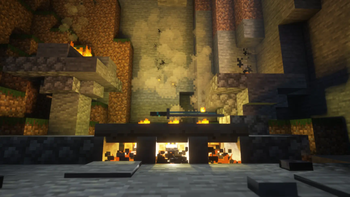
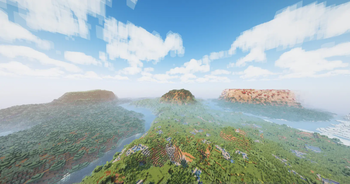
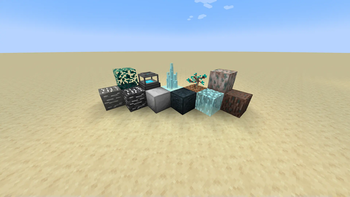
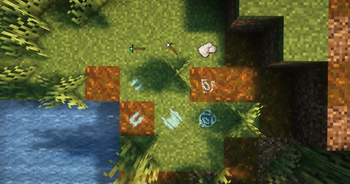
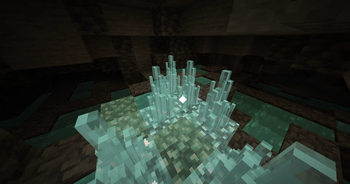
APCraft is an ever-evolving mod that extends Minecraft's gameplay loop. The mod adds unique features such as new blocks, tools, biomes, and more.
Screenshots
About this Mod
NOTICE: NEW DISCORD SERVER
APCraft
APCraft is a Minecraft mod originally designed to accompany the SMP of the same name, but will be made public for all to enjoy. Starting with APC2.0, this mod will be updated roughly a week after private play on the SMP.
The Ultimate Gameplay Extension
APCraft is intended primarily as a gameplay loop extender for SMPs. It adds numerous blocks, items, and environments all intended to further extend and diversify the gameplay in your world.
Some of the features you can presently find in the mod are...
- Brand new ores
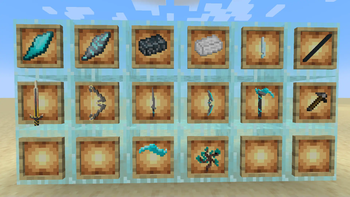
- Powerful new tools and weapons
- A brand new multitool tooltype
- Over half a dozen new biomes
- Forging and a dynamic composite tool system
A Totally New Experience
APCraft has over a dozen planned features that will fundamentally change how the game of Minecraft is played.
Some of the features planned for the future include...
- An advanced and unique technology system
- A robust Nation system for SMPs
- A robust magic ability system
- Skill trees
- An advanced economy and trade system
- Fun and engaging bosses and biomes with lore
- A revamp of the combat system of Minecraft
- And much more!
Built for play with friends
Because APCraft is being created to be used on an SMP, APCraft will always be most fun with friends! Load up a server to maximize the capabilities of the APCraft mod!
Ever-evolving
APCraft is planned to have four major versions, each growing with complexity in features. They will be listed as such:
- APC1.0 - Establishes the basics of the core gameplay loop, adding new technology and the APCNations system
- APC2.0 - Primarily an expansion of the world and lore of APC. This version will add several biomes, mobs, and block entities as well as a trade and economy system.
- APC3.0 - Introduction of highly advanced systems such as abilities
- APC0 - Addition of dynamic instanced content, more bosses, etc.
Notes and Disclaimers
This mod is intended to be a public release of a largely private mod. This means that updates will have a delay period from private to public release. This is both in order to maintain an element of excitement for SMP content as well as to get some hands-on testing before a public release. For the sake of those in the SMP as well as the integrity of the public mod's use, please do not try to gain early access to updates.
Presently, the mod is very lightweight and should have a lot of compatibility with other mods. As this mod's complexity rises, compatibility rates with other mods will almost indefinitely drop sharply. If you intend to make a modpack with APCraft in it, I would recommend centering the pack around APCraft's gameplay loop to avoid conflicts of interest with other mods.
Available Versions
How to Install APCraft on Your Server
Order Server
Order a Minecraft Java server with at least 4 GB RAM (6 GB recommended).
Set fabric Loader
In the panel under "Egg", select the fabric loader and matching Minecraft version (1.19.2).
Install Mod
Open the mod browser in the dashboard and search for "APCraft". Click "Install" – done! Alternatively, upload the .jar via SFTP to the /mods folder.
Compatibility
Mod Loaders
Minecraft Versions
1.19.2
Server-side
~ OptionalRecommended RAM
6 GB(min. 4 GB)Frequently Asked Questions
APCraft server crashes on startup – what to do?
Most common cause: wrong fabric version or insufficient RAM. Check the server log (latest.log) for "OutOfMemoryError" or "Mixin" errors. With Mado Hosting: ensure at least 4 GB RAM is allocated and the loader matches the mod version (1.19.2). You can switch loaders with one click in the panel.
Is APCraft compatible with fabric?
APCraft officially supports fabric for Minecraft 1.19.2. The Mado dashboard automatically detects incompatible loader combinations.
Server lagging with APCraft – how to optimize performance?
Recommended RAM: 6 GB (per 5 players). Use /spark profiler to check if APCraft consumes the most tick time. Common fixes: reduce server view-distance to 8-10, install "performant" or "starlight" as supplementary mods on Forge. With Mado Hosting, your server runs on NVMe SSDs with dedicated CPU cores for minimal latency.
Similar Mods




Rent Modded Server
Install APCraft with just one click on your server.