
APEX utilitys
an utility/qol for casual players and pvp masters
Screenshots

About this Mod

APEX is an mod that is here to fuse it all!
this mod as the features that you will need to make your experience better!
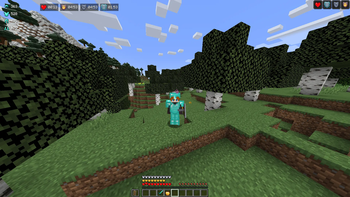
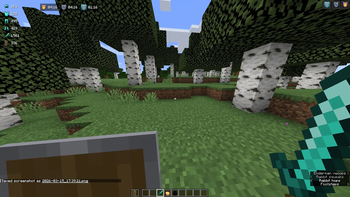
Dynamic Armor HUD: View your equipped gear and exact durability numbers on your screen. No more guessing when your chestplate is about to break.
Intuitive Edit Mode (F6): Don’t like where the HUD is? Press F6 to free your mouse and drag the armor display anywhere on your screen. Press again to lock and save.
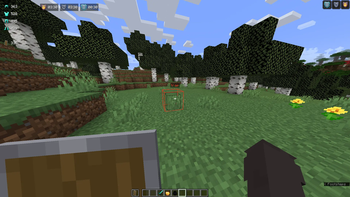
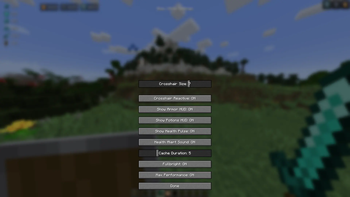
Precision Potion Timers: Replaces the vague vanilla icons with an accurate MM:SS countdown, allowing you to time your aggressive plays perfectly.
Low Health Pulse: A non-intrusive red vignette pulses when you drop below 4 hearts, giving you a biological cue to heal without distracting you from the fight.
Performance First: Optimized with custom Mixins to ensure the mod only runs logic when necessary. It’s lightweight, fast, and compatible with other performance mods like Sodium.
and much more!
Available Versions
How to Install APEX utilitys on Your Server
Order Server
Order a Minecraft Java server with at least 3 GB RAM (4 GB recommended).
Set fabric Loader
In the panel under "Egg", select the fabric loader and matching Minecraft version (1.21.1).
Install Mod
Open the mod browser in the dashboard and search for "APEX utilitys". Click "Install" – done! Alternatively, upload the .jar via SFTP to the /mods folder.
Compatibility
Mod Loaders
Minecraft Versions
1.21.1
Server-side
✗ UnsupportedRecommended RAM
4 GB(min. 3 GB)Frequently Asked Questions
APEX utilitys server crashes on startup – what to do?
Most common cause: wrong fabric version or insufficient RAM. Check the server log (latest.log) for "OutOfMemoryError" or "Mixin" errors. With Mado Hosting: ensure at least 3 GB RAM is allocated and the loader matches the mod version (1.21.1). You can switch loaders with one click in the panel.
Is APEX utilitys compatible with fabric?
APEX utilitys officially supports fabric for Minecraft 1.21.1. The Mado dashboard automatically detects incompatible loader combinations.
Server lagging with APEX utilitys – how to optimize performance?
Recommended RAM: 4 GB (per 8 players). Use /spark profiler to check if APEX utilitys consumes the most tick time. Common fixes: reduce server view-distance to 8-10, install "performant" or "starlight" as supplementary mods on Forge. With Mado Hosting, your server runs on NVMe SSDs with dedicated CPU cores for minimal latency.
Similar Mods




Rent Modded Server
Install APEX utilitys with just one click on your server.