
Apostate
Place Bounties, Make Contracts, and More!
Screenshots
About this Mod
Welcome to "Apostate"!
Apostate is a small mod adding various features for Apostasy SMP Season Two.
Bounties
To place a Bounty on another player, you have to aquire Parchment [Currently obtained through breaking Sugar Cane]. You can craft Parchment into either a Bounty Poster or a Contract.
Once you have a basic Bounty Poster, put it in an anvil and rename the poster to the desired players name [Capital Sensitive].
After that, Shift click the bounty to set it in stone!
NOTE: You can right click a bounty while its in your inventory to shift between "Wanted Dead", "Wanted Alive", and "Wanted Dead or Alive".
If you make a "Wanted Alive" bounty, only the player who set that bounty is able to mark it as complete. "Wanted Dead" bounties auto complete.
Completing Bounties
- Completing "Wanted Dead" Bounties: To complete a Bounty of a player whos wanted dead, you must kill the desired player while having the poster in your inventory. Once thats done, itll be marked as complete.
- Completing "Wanted Alive" Bounties: You can bring the poster to the person who set the bounty, and they can shift click it to mark it as completed.
- Completing "Wanted Dead or Alive" Bounties: You can do either of the above to have this type of bounty completed.
- NOTE: Only the person who set the bounty can mark it as complete for "Wanted Alive" and the alive option for "Wanted Dead or Alive"!!
Contracts
- Can be signed by two people, a bearer and signer. Upon being completed, will become a fully signed contract for lore.
[Contract Recipe is soon to change!]
Interactions
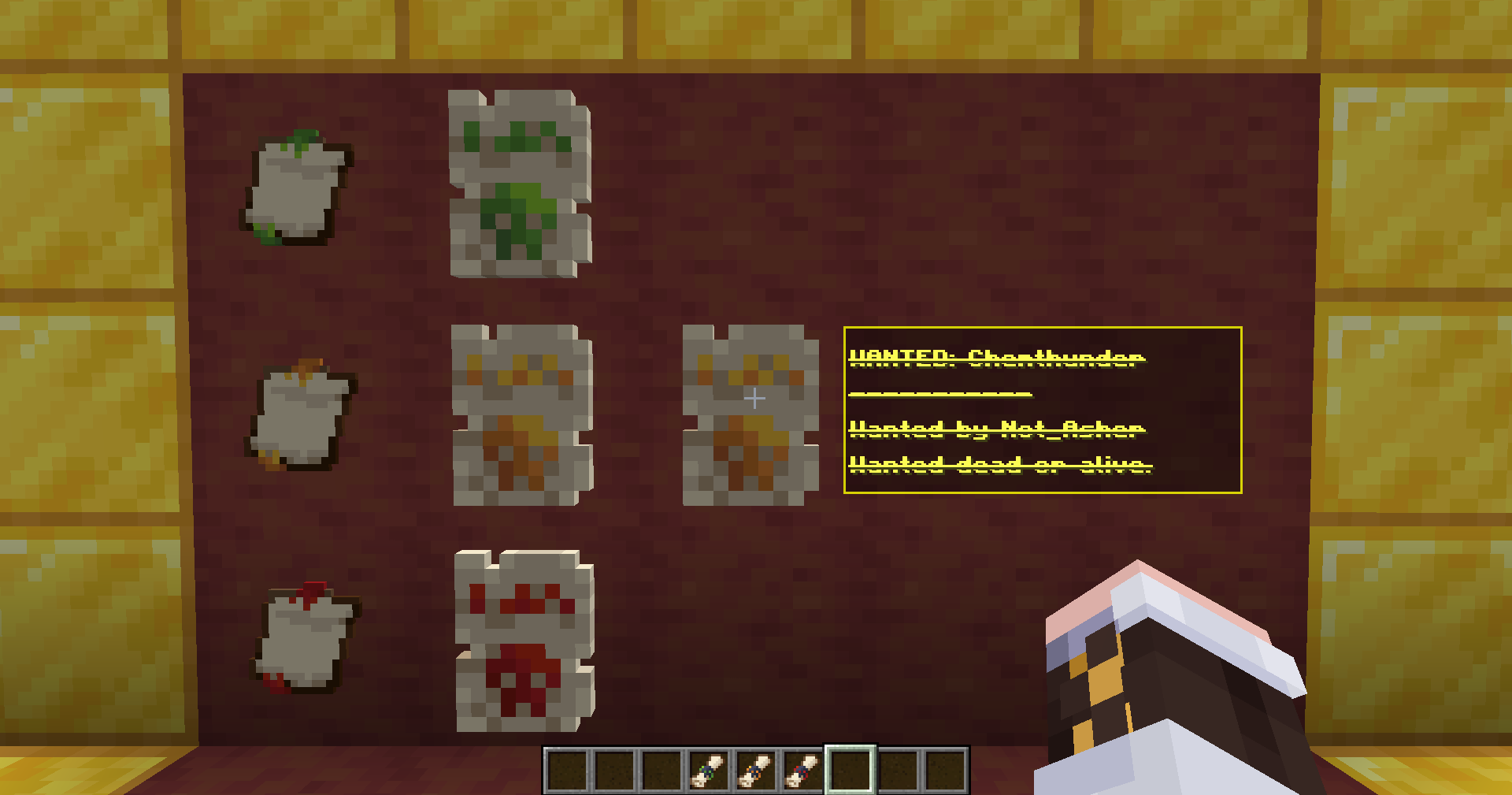
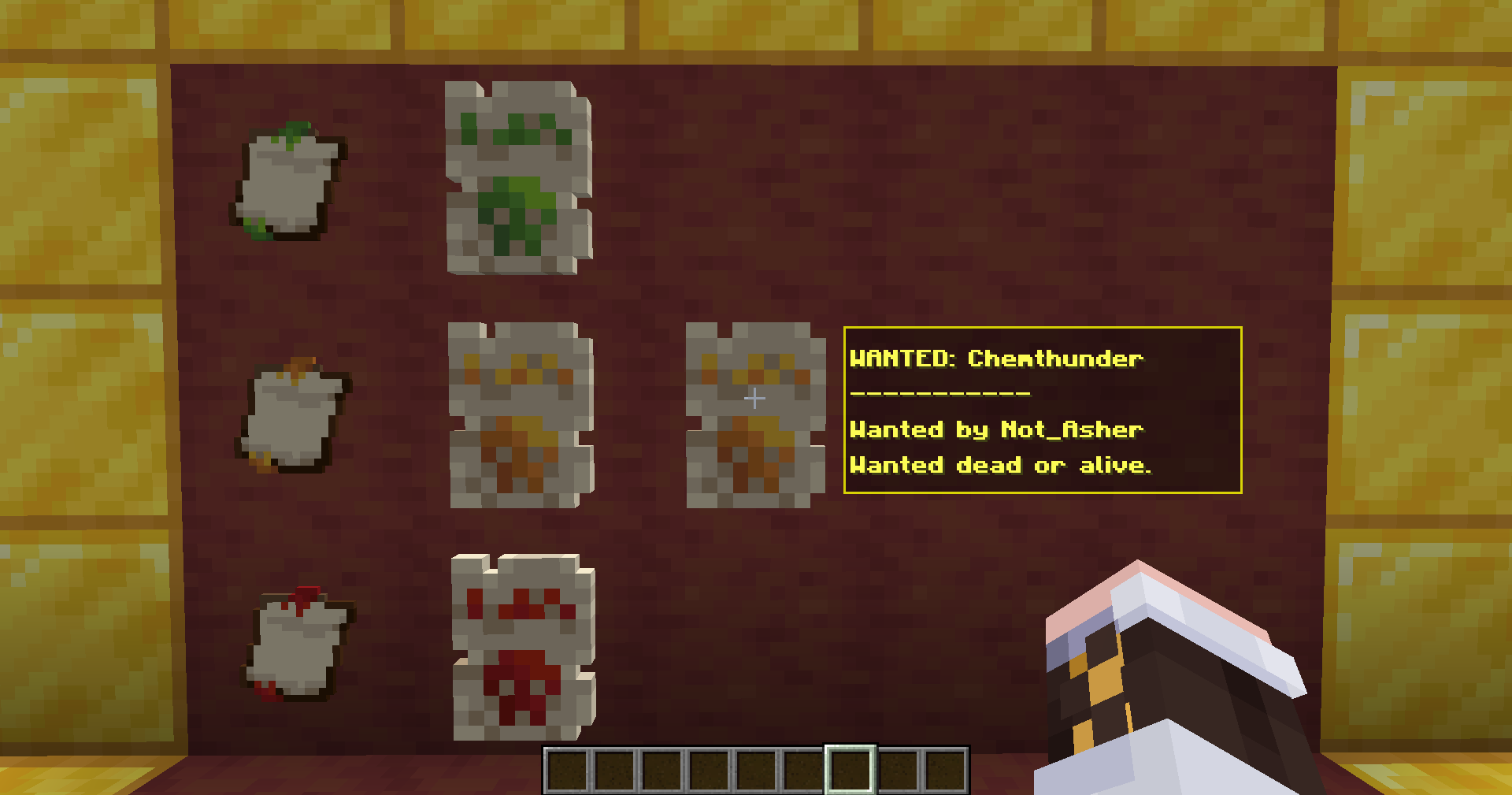
- By placing a "Bounty" inside an item frame, it will display differently! Instead it will show a visual of the type of bounty, and looking at it will show a tooltip of the details!
Credits!
Developer - Chemthunder
Assets & Concepts - Not_Asher
Available Versions
How to Install Apostate on Your Server
Order Server
Order a Minecraft Java server with at least 3 GB RAM (4 GB recommended).
Set fabric Loader
In the panel under "Egg", select the fabric loader and matching Minecraft version (1.21.11).
Install Mod
Open the mod browser in the dashboard and search for "Apostate". Click "Install" – done! Alternatively, upload the .jar via SFTP to the /mods folder.
Compatibility
Mod Loaders
Minecraft Versions
1.21.11
Server-side
✓ RequiredRecommended RAM
4 GB(min. 3 GB)Frequently Asked Questions
Apostate server crashes on startup – what to do?
Most common cause: wrong fabric version or insufficient RAM. Check the server log (latest.log) for "OutOfMemoryError" or "Mixin" errors. With Mado Hosting: ensure at least 3 GB RAM is allocated and the loader matches the mod version (1.21.11). You can switch loaders with one click in the panel.
Is Apostate compatible with fabric?
Apostate officially supports fabric for Minecraft 1.21.11. The Mado dashboard automatically detects incompatible loader combinations.
Server lagging with Apostate – how to optimize performance?
Recommended RAM: 4 GB (per 8 players). Use /spark profiler to check if Apostate consumes the most tick time. Common fixes: reduce server view-distance to 8-10, install "performant" or "starlight" as supplementary mods on Forge. With Mado Hosting, your server runs on NVMe SSDs with dedicated CPU cores for minimal latency.
Similar Mods




Rent Modded Server
Install Apostate with just one click on your server.