AppliedE
Direct ProjectE EMC integration with Applied Energistics 2.
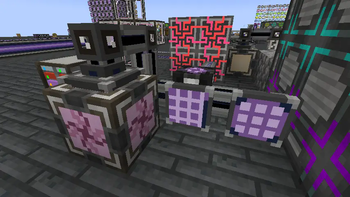
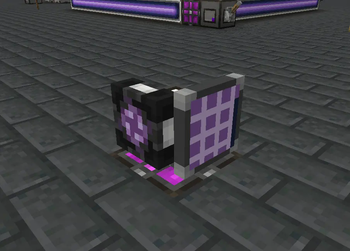
Screenshots
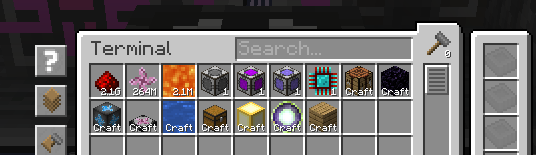
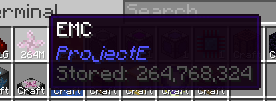
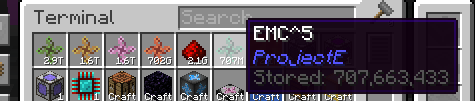
About this Mod
AppliedE
A Minecraft mod made as an add-on to both Applied Energistics 2 and ProjectE providing more
tightly-coupled integration between the two mods. Unlike conventional add-ons integrating the two together, AppliedE
works by turning ProjectE's EMC into a distinct "key type" able to be displayed, reported and manipulated by an ME
network and converted into items upon request via AE2's auto-crafting facilities.
Currently, the mod is in early beta stages. Beware of any critical bugs, particularly on multiplayer servers, and please
report them on the issue tracker as they arise.
Basic Usage
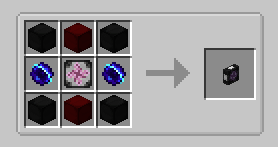
The first step towards using this add-on is to make an ME Transmutation Module. The module retrieves all
transmutation/EMC knowledge from the player who placed down the module to provide ME networks with information on stored
EMC and transmutable items. It can be placed anywhere at all on the network to function.
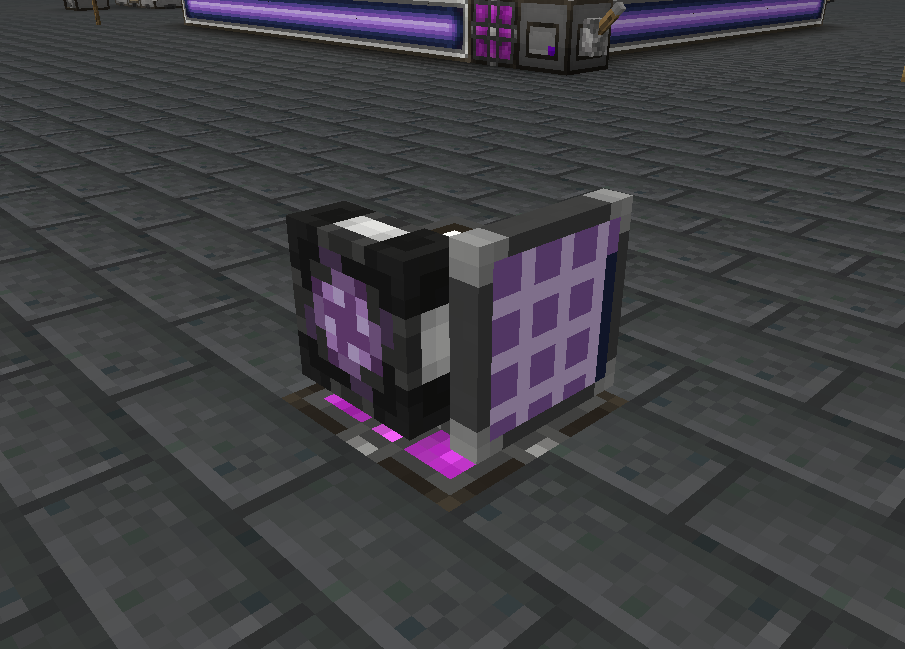
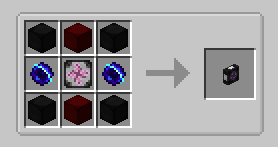
Multiple modules may be placed down on one network by any number of different players / knowledge providers, but only
one module per knowledge provider will contribute to the stored EMC figure and available "craftable" known items. If
multiple knowledge providers are employed by the modules on a network, any inserted and extracted EMC will be equally
(as is possible) distributed among all providers.
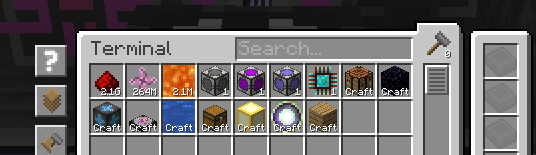
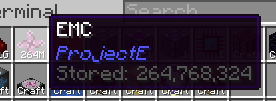
The module also includes additional safeguards to prevent overflow issues in ME networks, by adding a "tier" system to
the EMC stored on a network based on subsequent powers of an arbitrarily large number of EMC units.
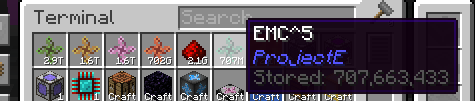
For further information on how to use the add-on, please consult the in-game AE2 guide's new section added by this
add-on.
License
All code is licensed under LGPLv3, in adherence to the same license used by Applied Energistics 2 and with some code borrowed from AE2 itself.
All assets are licensed under CC BY-NC-SA 3.0, in adherence to the same license used by AE2 and with most deriving from AE2's own assets. Some assets have been provided externally as courtesy of Sea_Kerman.
Available Versions
How to Install AppliedE on Your Server
Order Server
Order a Minecraft Java server with at least 3 GB RAM (4 GB recommended).
Set forge Loader
In the panel under "Egg", select the forge loader and matching Minecraft version (1.21.1).
Install Mod
Open the mod browser in the dashboard and search for "AppliedE". Click "Install" – done! Alternatively, upload the .jar via SFTP to the /mods folder.
Compatibility
Mod Loaders
Minecraft Versions
1.21.1, 1.20.1
Server-side
✓ RequiredRecommended RAM
4 GB(min. 3 GB)Frequently Asked Questions
AppliedE server crashes on startup – what to do?
Most common cause: wrong forge version or insufficient RAM. Check the server log (latest.log) for "OutOfMemoryError" or "Mixin" errors. With Mado Hosting: ensure at least 3 GB RAM is allocated and the loader matches the mod version (1.21.1). You can switch loaders with one click in the panel.
Is AppliedE compatible with forge and neoforge?
AppliedE officially supports forge, neoforge for Minecraft 1.21.1, 1.20.1. The Mado dashboard automatically detects incompatible loader combinations.
Server lagging with AppliedE – how to optimize performance?
Recommended RAM: 4 GB (per 8 players). Use /spark profiler to check if AppliedE consumes the most tick time. Common fixes: reduce server view-distance to 8-10, install "performant" or "starlight" as supplementary mods on Forge. With Mado Hosting, your server runs on NVMe SSDs with dedicated CPU cores for minimal latency.
Rent Modded Server
Install AppliedE with just one click on your server.