
Arcadia Patch Create
Validated server-side performance patches and runtime controls for the Create mod on NeoForge 1.21.1. Reduces server tick time (MSPT) with adaptive throttling and admin commands.
Screenshots
About this Mod

Arcadia Patch Create
A focused, server-side performance optimization mod for the Create mod on NeoForge 1.21.1.
Originally developed for the Arcadia server network, every patch included in a release has passed
a strict validation policy: clean startup, no gameplay regression, confirmed improvement via Spark
profiler on the targeted hotspot, and a conservative implementation with a narrow blast radius.
What it patches
| Patch | Target | Effect |
|---|---|---|
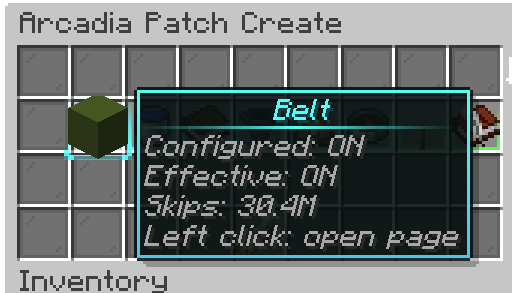
| Belt Inventory | BeltInventory |
Early return when the belt is completely empty — skips unnecessary tick logic |
| Fluid Transport | FluidTransportBehaviour |
Idle fast-path for Create fluid pipes with conservative server-side guards |
| Chute Throttle | ChuteBlockEntity |
Adaptive throttling of input probe logic based on server MSPT |
| Factory Gauge Throttle | FactoryPanelBehaviour |
Throttles storage-monitor updates for factory gauges |
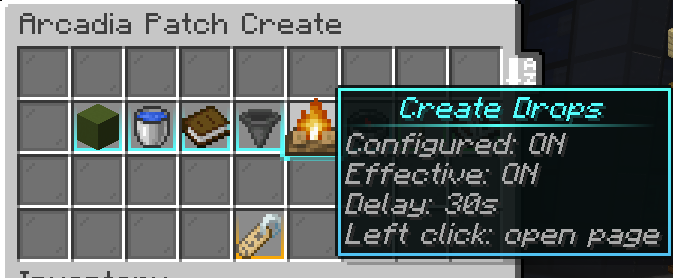
| Item Fast Despawn | Item entities | Marks Create-spawned physical items for early despawn (configurable) |
All patches are server-side only — no client installation required.
Runtime control system
Every patch can be toggled without restarting the server via the admin command:
/arcadiapatchcreate <subcommand>
Requires operator level 2.
Available controls:
- Enable / disable the master patch switch (affects all patches at once)
- Toggle individual patches independently
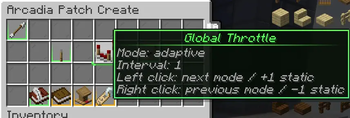
- Switch throttle modes per patch:
- OFF — no throttling (interval = 1 tick)
- STATIC — fixed configurable interval (1–5 ticks)
- ADAPTIVE — dynamic interval that scales with live MSPT (35 → 2×, 45 → 3×, 55+ → 5×)
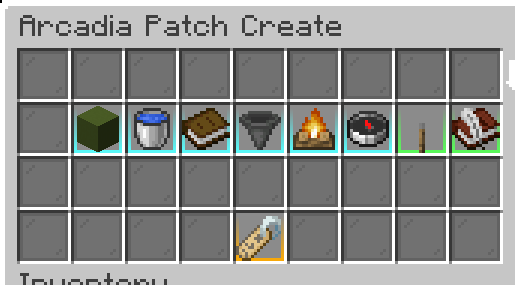
- Open an admin GUI panel (
/arcadiapatchcreate panel) - Simulate MSPT load for testing throttle behavior
- Dump a full debug report (
/arcadiapatchcreate debug dump)
Settings persist across restarts in arcadia-patch-create.properties.
Requirements
- Minecraft 1.21.1
- NeoForge 21.1.221+
- Create 6.0.9+
- Java 21
- Server-side only — clients do not need this mod
Source & Issues
- GitHub: https://github.com/Blushister/arcadia-patch-create
- Issue tracker: https://github.com/Blushister/arcadia-patch-create/issues
Available Versions
How to Install Arcadia Patch Create on Your Server
Order Server
Order a Minecraft Java server with at least 4 GB RAM (6 GB recommended).
Set neoforge Loader
In the panel under "Egg", select the neoforge loader and matching Minecraft version (26.1.2).
Install Mod
Open the mod browser in the dashboard and search for "Arcadia Patch Create". Click "Install" – done! Alternatively, upload the .jar via SFTP to the /mods folder.
Compatibility
Mod Loaders
Minecraft Versions
26.1.2, 26.1.1, 26.1 (+11 more)
Server-side
✓ RequiredRecommended RAM
6 GB(min. 4 GB)Frequently Asked Questions
Arcadia Patch Create server crashes on startup – what to do?
Most common cause: wrong neoforge version or insufficient RAM. Check the server log (latest.log) for "OutOfMemoryError" or "Mixin" errors. With Mado Hosting: ensure at least 4 GB RAM is allocated and the loader matches the mod version (26.1.2). You can switch loaders with one click in the panel.
Is Arcadia Patch Create compatible with neoforge?
Arcadia Patch Create officially supports neoforge for Minecraft 26.1.2, 26.1.1, 26.1. The Mado dashboard automatically detects incompatible loader combinations.
Server lagging with Arcadia Patch Create – how to optimize performance?
Recommended RAM: 6 GB (per 5 players). Use /spark profiler to check if Arcadia Patch Create consumes the most tick time. Common fixes: reduce server view-distance to 8-10, install "performant" or "starlight" as supplementary mods on Forge. With Mado Hosting, your server runs on NVMe SSDs with dedicated CPU cores for minimal latency.
Similar Mods






Rent Modded Server
Install Arcadia Patch Create with just one click on your server.