
Archaeology Ruins
Adds more Archaeology Ruins and dungeons to your world!
Screenshots
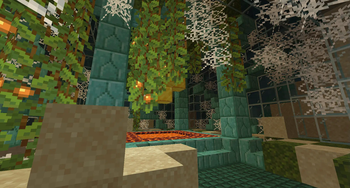
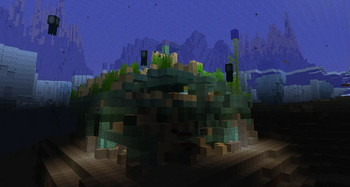
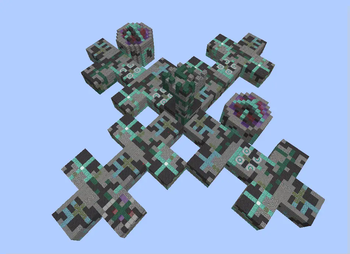
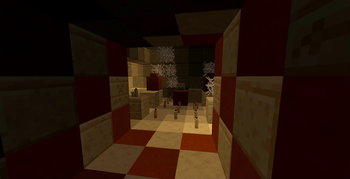
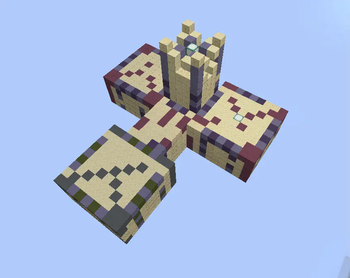
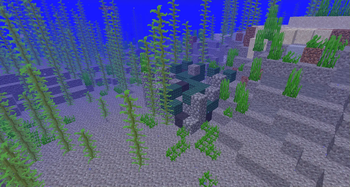
About this Mod
Over 5000 different unique structure combinations possible in this mod with procedurally generated ruins!
NOW AVAILABLE: Neo forge 1.21.1
This mod adds new structures into your world which include suspicious sand and suspicious gravel.
None of the Vanilla structures are altered.
However, some of the new structures are "ruined" versions of vanilla structures. ()such as ocena monuments, desert pyramids and jungle pyramid ruins!
In addtion, these ruins will contain new secret rooms and passage ways for the keen explorer to find and explore that are not part of their vanilla counterparts.
There are also all new ruins to discover and excavate. Most of them will contain suspicious sand or suspicious gravel, but some simply add to the history of the landscape.
Many of the structures are procedurally generated (like villages or strongholds) and so each one you encounter will be unique.
I took great care in keeping in the spirit of the game and in the archaeology update in general while adding in new areas to explore and more to do.
This mod does not add any new items, blocks, textures or mobs to the game. Only new structures.
Yes, you may use this in your modpack.
Available Versions
How to Install Archaeology Ruins on Your Server
Order Server
Order a Minecraft Java server with at least 4 GB RAM (6 GB recommended).
Set forge Loader
In the panel under "Egg", select the forge loader and matching Minecraft version (1.21.1).
Install Mod
Open the mod browser in the dashboard and search for "Archaeology Ruins". Click "Install" – done! Alternatively, upload the .jar via SFTP to the /mods folder.
Compatibility
Mod Loaders
Minecraft Versions
1.21.1, 1.20.1
Server-side
✓ RequiredRecommended RAM
6 GB(min. 4 GB)Frequently Asked Questions
Archaeology Ruins server crashes on startup – what to do?
Most common cause: wrong forge version or insufficient RAM. Check the server log (latest.log) for "OutOfMemoryError" or "Mixin" errors. With Mado Hosting: ensure at least 4 GB RAM is allocated and the loader matches the mod version (1.21.1). You can switch loaders with one click in the panel.
Is Archaeology Ruins compatible with forge and neoforge?
Archaeology Ruins officially supports forge, neoforge for Minecraft 1.21.1, 1.20.1. The Mado dashboard automatically detects incompatible loader combinations.
Server lagging with Archaeology Ruins – how to optimize performance?
Recommended RAM: 6 GB (per 5 players). Use /spark profiler to check if Archaeology Ruins consumes the most tick time. Common fixes: reduce server view-distance to 8-10, install "performant" or "starlight" as supplementary mods on Forge. With Mado Hosting, your server runs on NVMe SSDs with dedicated CPU cores for minimal latency.
Similar Mods




Rent Modded Server
Install Archaeology Ruins with just one click on your server.