
arichat
Adds AI-RolePlay to Minecraft via Headless Automation of Agnai website
Screenshots
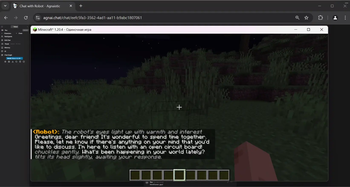
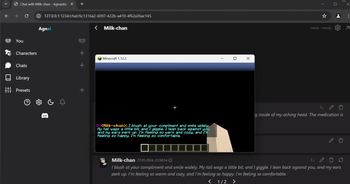
About this Mod

CurseForge >>> GitHub >>> Instruction
Arichat is a Minecraft mod for 1.12.2 forge and 1.20.4 fabric
Adds AI-RolePlay to Minecraft via Headless Automation of Agnai website
The following are 2 blocks: Description, Instruction
(The translation is available on the website)
Description
Arichat - a mod whose task is to connect Minecraft with a site connected to AI.
(On the current version of the mod, this site - Agnai, which has connects its frontend interface, which simplifies the work with different with AI models, such as role model).
To put it simplistically, the mod adds Role-Play with Artificial Intelligence to the functionality of Minecraft
By creating a character card, uploading it to the site, you will be able to communicate with it within minecraft.
Using this mod in conjunction with others, you will be able to create a physical representation of the character in the game, and his behavior will be built with the help of Arichat, and therefore based on a neural network.
It is important to realize that Arichat is not a neural network model, but a connector.
The quality of the character will depend on which model you choose/purchase, and how you prescribe the character/schemes/scenarios.
If you describe the process in a complicated way, it goes like this: Agnai is a shell over the neuro-model, and Aricat makes a minecraft shell for the shell for the neuro-model. Simplified description: adding Ai characters to minecraft.
Please read the usage section before using the mod
Warning: Arichat test mod to demonstrate features. Updates and support for the mod from the author will most likely be missing.
However, do not be upset, in the instructions I will tell you everything in detail. If you run the mod at all, you will be able to figure it out
Instructions
Arichat uses “test automation”, so the program will be driver-browser driven
I'll outline the obvious limitations right away:You need internet
- You need a browser (The author recommends installing Chrome if Arichat does not work with your browser).
- In case of an error, there is a high probability that the driver will hang as a process. In that case, you can find it via Task Manager to disable it
- If everything is working correctly, the managed browser will store data such as: site data, themes, extensions
Since, many sites have ads in them, the author recommends installing the free adBlock Plus extension at the first startup
If you use the browser without a shell, ads should not interfere with the program in theory, however, there is a possibility that they will.
How does the automation work? When you start the client, the mod starts downloading a webdriver for your browser, after which it will be launched.
You will have a “clean” browser open, you can use it like normal browsers, however, it is completely controlled by the automation program.
Going to the site, clicking on buttons, filling in fields, getting data from the site. The important thing is that the browser shell visible to us is not mandatory for the program
When you want to move from development to testing, you should enable headless in the mod config, and then restart the game.
This way the interaction between the program and the browser will be invisible to you.
Okay, now we have a simple understanding of what Arichat does. Think of it as if you were working with a browser through the game.
Digression: there is a chatmod parameter in the mod config, if it is active you will be able to interact with characters via chat and commands.
However, originally the mod was created for the creators of minecraft maps, which means that assumes that you will work with it through scripts
(Examples of scripts later)
Available Versions
How to Install arichat on Your Server
Order Server
Order a Minecraft Java server with at least 3 GB RAM (4 GB recommended).
Set fabric Loader
In the panel under "Egg", select the fabric loader and matching Minecraft version (1.20.6).
Install Mod
Open the mod browser in the dashboard and search for "arichat". Click "Install" – done! Alternatively, upload the .jar via SFTP to the /mods folder.
Compatibility
Mod Loaders
Minecraft Versions
1.20.6, 1.20.5, 1.20.4 (+1 more)
Server-side
✓ RequiredRecommended RAM
4 GB(min. 3 GB)Frequently Asked Questions
arichat server crashes on startup – what to do?
Most common cause: wrong fabric version or insufficient RAM. Check the server log (latest.log) for "OutOfMemoryError" or "Mixin" errors. With Mado Hosting: ensure at least 3 GB RAM is allocated and the loader matches the mod version (1.20.6). You can switch loaders with one click in the panel.
Is arichat compatible with fabric and forge?
arichat officially supports fabric, forge for Minecraft 1.20.6, 1.20.5, 1.20.4. Note: Forge and Fabric mods are NOT cross-compatible – pick one loader and stick with it. The Mado dashboard automatically detects incompatible loader combinations.
Server lagging with arichat – how to optimize performance?
Recommended RAM: 4 GB (per 8 players). Use /spark profiler to check if arichat consumes the most tick time. Common fixes: reduce server view-distance to 8-10, install "performant" or "starlight" as supplementary mods on Forge. With Mado Hosting, your server runs on NVMe SSDs with dedicated CPU cores for minimal latency.
Similar Mods



Rent Modded Server
Install arichat with just one click on your server.