
Armor Shift
A client-side utility to instantly cycle and swap equipped armor with sets in your inventory via a single keybind.
About this Mod
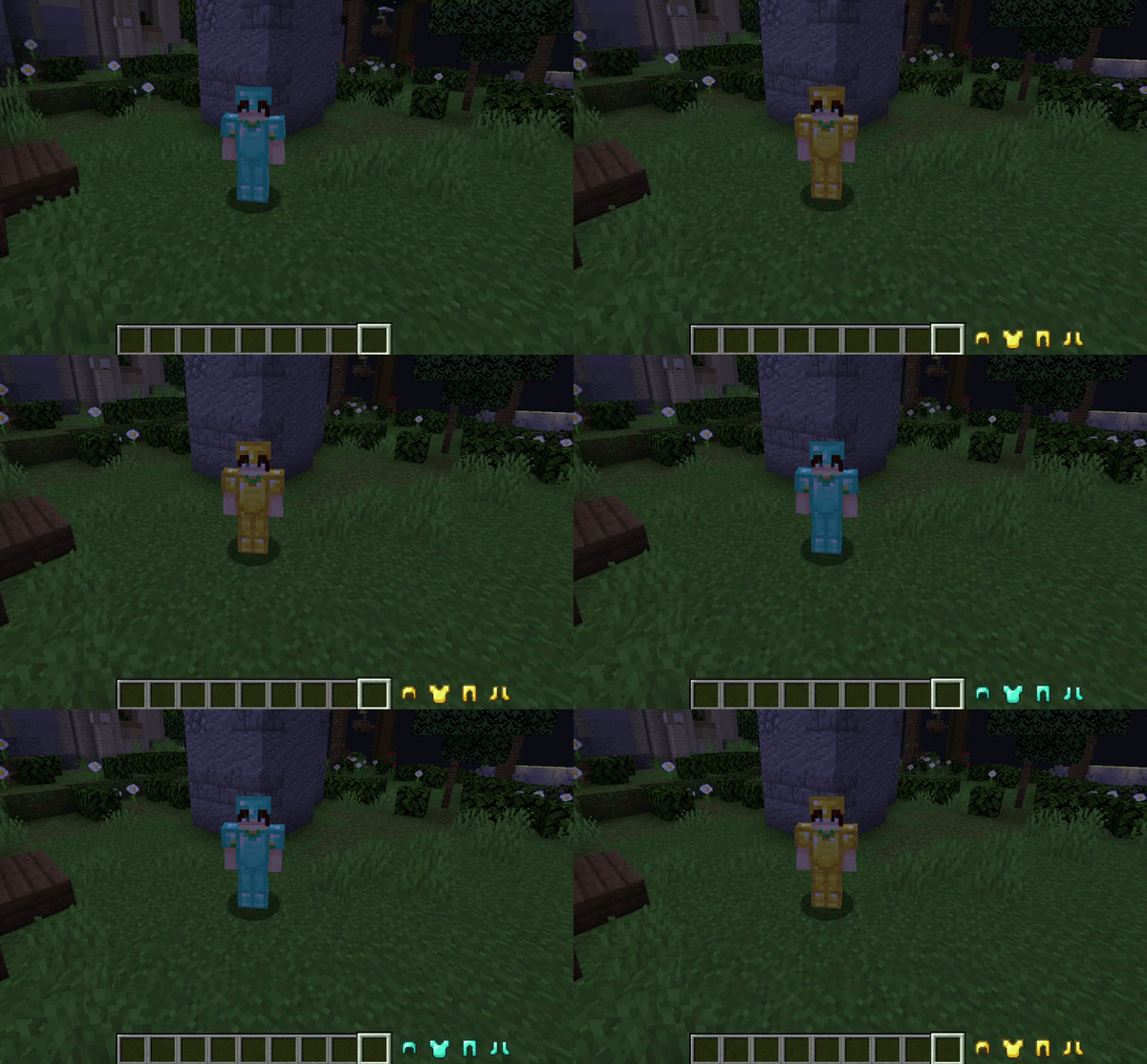
Armor Shift is a client-side utility for Minecraft Forge designed to streamline gear management. It provides a seamless mechanism to instantly exchange equipped armor pieces with alternative sets located within the player's inventory, eliminating the need for manual GUI interaction during critical gameplay moments.
Overview
Armor Shift eliminates the necessity of manual inventory management in the heat of action. Designed for players who demand technical efficiency and agility, the mod allows for gear transitions without ever closing the game screen or interrupting movement.
As a purely client-side modification, this mod focuses on versatility, allowing it to be used in any multiplayer environment or SMP without requiring plugins or server-side installations.
Features
- Instant Exchange: Perform a full armor swap instantly via a single keybind without opening the inventory screen.
- Zero Server Requests: As a purely client-side modification, Armor Shift works on any multiplayer server or SMP without requiring server-side installation.
- Priority-Based Selection: Automatically finds and equips the first matching armor pieces found in your inventory, following a standard top-to-bottom scanning order.
- Intelligent Conflict Context: The keybind is active only when in-game and not in other menus to prevent conflicts.
Configuration
The mod is configured directly through the standard Minecraft controls menu:
- Navigate to Options > Controls > Key Binds.
- Locate the Armor Shift category.
- Assign a preferred key to the Swap Armor function (unassigned by default to prevent conflicts).
Compatibility
- Minecraft Version: 1.20.1
- Mod Loader: Forge 47.4.10+
- Side: Client-side only
Credits
Author: SatDPhoe


Available Versions
How to Install Armor Shift on Your Server
Order Server
Order a Minecraft Java server with at least 3 GB RAM (4 GB recommended).
Set forge Loader
In the panel under "Egg", select the forge loader and matching Minecraft version (1.20.4).
Install Mod
Open the mod browser in the dashboard and search for "Armor Shift". Click "Install" – done! Alternatively, upload the .jar via SFTP to the /mods folder.
Compatibility
Mod Loaders
Minecraft Versions
1.20.4, 1.20.3, 1.20.2 (+1 more)
Server-side
✗ UnsupportedRecommended RAM
4 GB(min. 3 GB)Frequently Asked Questions
Armor Shift server crashes on startup – what to do?
Most common cause: wrong forge version or insufficient RAM. Check the server log (latest.log) for "OutOfMemoryError" or "Mixin" errors. With Mado Hosting: ensure at least 3 GB RAM is allocated and the loader matches the mod version (1.20.4). You can switch loaders with one click in the panel.
Is Armor Shift compatible with forge?
Armor Shift officially supports forge for Minecraft 1.20.4, 1.20.3, 1.20.2. The Mado dashboard automatically detects incompatible loader combinations.
Server lagging with Armor Shift – how to optimize performance?
Recommended RAM: 4 GB (per 8 players). Use /spark profiler to check if Armor Shift consumes the most tick time. Common fixes: reduce server view-distance to 8-10, install "performant" or "starlight" as supplementary mods on Forge. With Mado Hosting, your server runs on NVMe SSDs with dedicated CPU cores for minimal latency.
Similar Mods



![[TaCZ] Timeless and Classics Zero](https://cdn.modrinth.com/data/SzzJttH8/fd27766d2bb8390d284696b1dbd358f87e081439_96.webp)


Rent Modded Server
Install Armor Shift with just one click on your server.