
Armored Redstone
This mod can make Armored Redstone!
Screenshots
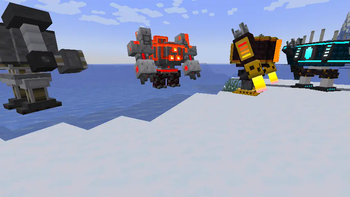
About this Mod
Armored Redstone
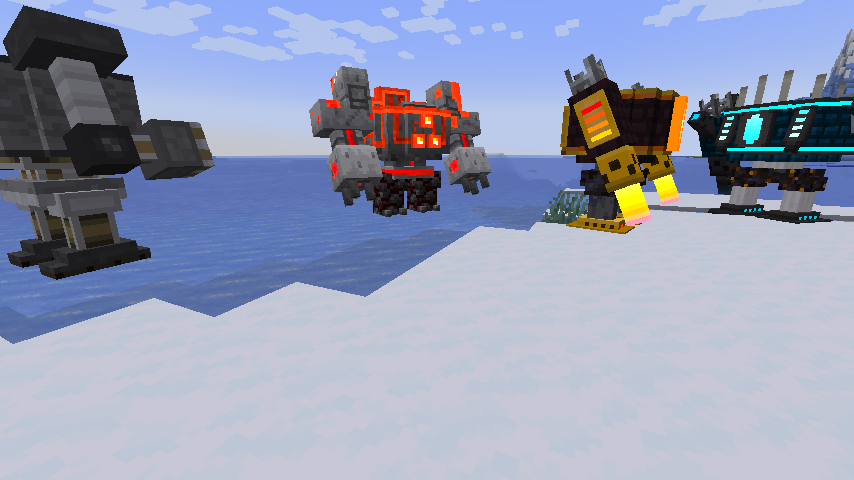
Summary🔧
have you want some buildable riding with Redstone?
and have you want to ride your monstrosity and attack illanger? (Or are you still jealous of illager?)
This Mod that makes something like Megaman X 's ride armor with Redstone!
Default Attack Key is G key
When you want Dush Your Mecha. Press the dash key you set (same as player dash but Has Knockback Attack)
Armor Type(Riding of course):
Piston Armor:
As the name suggests, it knocks out enemies with its pistons.
One of the player's craftable armors
you can repair with right click with iron ingot
Fire Burner:
Use the power of netherrack fire to set it on fire
Requires nether bricks
It can withstand magma, but its durability is a little low.
If the player is not submerged in magma, they can easily move.
This can also be created by the player
you can repair with right click with gold ingot
Soul Fire Burner:
Similar to FireBurner
Unleash soulfire using the fire power of Nether soul sand
you can repair with right click with gold ingot
Monstrosty Armor:
Armor featuring Redstone Monstrosty in Minecraft Dungeons
You can put out hot flames from your arms and put out powerful punches, but it's a little slow(Still not have fire projectile but next update fix it)
Fairly durable(Still not have but next update fix it)
Armor that only Illager can make
you can repair with right click with cobble stones
my Discord is here!:
Credit:
MajinThorin753: Making Mecha texture!
Available Versions
How to Install Armored Redstone on Your Server
Order Server
Order a Minecraft Java server with at least 3 GB RAM (4 GB recommended).
Set forge Loader
In the panel under "Egg", select the forge loader and matching Minecraft version (1.21.1).
Install Mod
Open the mod browser in the dashboard and search for "Armored Redstone". Click "Install" – done! Alternatively, upload the .jar via SFTP to the /mods folder.
Compatibility
Mod Loaders
Minecraft Versions
1.21.1, 1.21, 1.20.6 (+5 more)
Server-side
✓ RequiredRecommended RAM
4 GB(min. 3 GB)Frequently Asked Questions
Armored Redstone server crashes on startup – what to do?
Most common cause: wrong forge version or insufficient RAM. Check the server log (latest.log) for "OutOfMemoryError" or "Mixin" errors. With Mado Hosting: ensure at least 3 GB RAM is allocated and the loader matches the mod version (1.21.1). You can switch loaders with one click in the panel.
Is Armored Redstone compatible with forge and neoforge?
Armored Redstone officially supports forge, neoforge for Minecraft 1.21.1, 1.21, 1.20.6. The Mado dashboard automatically detects incompatible loader combinations.
Server lagging with Armored Redstone – how to optimize performance?
Recommended RAM: 4 GB (per 8 players). Use /spark profiler to check if Armored Redstone consumes the most tick time. Common fixes: reduce server view-distance to 8-10, install "performant" or "starlight" as supplementary mods on Forge. With Mado Hosting, your server runs on NVMe SSDs with dedicated CPU cores for minimal latency.
Similar Mods




![[TaCZ] Timeless and Classics Zero](https://cdn.modrinth.com/data/SzzJttH8/fd27766d2bb8390d284696b1dbd358f87e081439_96.webp)

Rent Modded Server
Install Armored Redstone with just one click on your server.