
Arthys' Ebonite (AE)
A small but useful and unique nether-based material packed with redstone utilities, enchantments, and more.
Screenshots
About this Mod

This mod requires Arthys' Elemental Engine, which can be downloaded here.

What is Arthys' Ebonite?
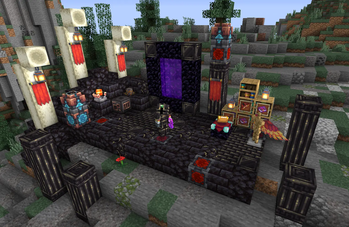
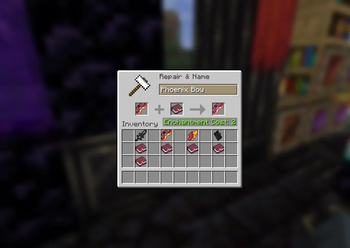
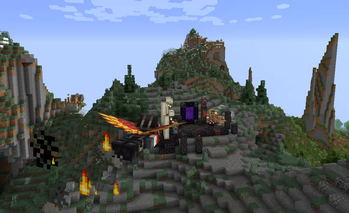
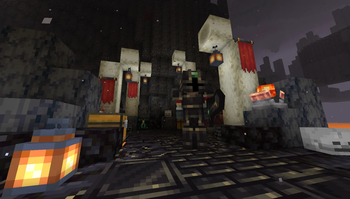
Arthys' Ebonite is a small but extremely fun and useful material pack that adds a new ore to the nether and provides a diverse range of possibilities from magical tools to custom enchantments to redstone, smithing, and building blocks. It even adds a small non-invasive structure, which can be found in the Basalt Deltas and holds the mod's only non-craftable items.
How do I play?
You'll start off exploring the nether, looking for ebonite ore, which can be mined and crafted into the many blocks this mod has to offer. However, since the armor and tools have their own impactful traits, they are locked behind an upgrade template, which you can find by exploring Basalt Deltas and looking for a small ruins structure. Once you have the template, combine it with diamond materials on a smithing table. Be sure to use JEI if you don't know a specific recipe, this mod is compatible.
Where can I learn more and submit my own ideas?
Since the mod is in its early production, I am open to receiving many crowd ideas for future updates as well as bug reports and other feedback. Since this is my own standalone project, it will exist separately from my past servers, and can be found here.. Additionally, I will be trying to make a mini information forum there as well, if you have any questions concerning the mod and its playthrough, just let me know.
Available Versions
How to Install Arthys' Ebonite (AE) on Your Server
Order Server
Order a Minecraft Java server with at least 3 GB RAM (4 GB recommended).
Set forge Loader
In the panel under "Egg", select the forge loader and matching Minecraft version (1.20.1).
Install Mod
Open the mod browser in the dashboard and search for "Arthys' Ebonite (AE)". Click "Install" – done! Alternatively, upload the .jar via SFTP to the /mods folder.
Compatibility
Mod Loaders
Minecraft Versions
1.20.1
Server-side
✓ RequiredRecommended RAM
4 GB(min. 3 GB)Frequently Asked Questions
Arthys' Ebonite (AE) server crashes on startup – what to do?
Most common cause: wrong forge version or insufficient RAM. Check the server log (latest.log) for "OutOfMemoryError" or "Mixin" errors. With Mado Hosting: ensure at least 3 GB RAM is allocated and the loader matches the mod version (1.20.1). You can switch loaders with one click in the panel.
Is Arthys' Ebonite (AE) compatible with forge?
Arthys' Ebonite (AE) officially supports forge for Minecraft 1.20.1. The Mado dashboard automatically detects incompatible loader combinations.
Server lagging with Arthys' Ebonite (AE) – how to optimize performance?
Recommended RAM: 4 GB (per 8 players). Use /spark profiler to check if Arthys' Ebonite (AE) consumes the most tick time. Common fixes: reduce server view-distance to 8-10, install "performant" or "starlight" as supplementary mods on Forge. With Mado Hosting, your server runs on NVMe SSDs with dedicated CPU cores for minimal latency.
Similar Mods




Rent Modded Server
Install Arthys' Ebonite (AE) with just one click on your server.