
Arturo-Rebirth
Recreation of the Necromancy mod in Minecraft Forge 1.18.2 for the serie Apocalipsis Minecraft.
Screenshots
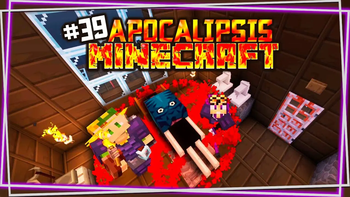
About this Mod
Minecraft Apocalypse: Arturo-Rebirth
Relive the nostalgia and excitement of Apocalypse Minecraft 3 with this special mod created for fans of Willyrex and Vegetta777! This mod brings back one of the most iconic characters of their series, updating him to the context of modern versions of Minecraft, and giving you the chance to re-experience their apocalyptic world like never before.
Key Features:
Arthur: This iconic character from Apocalypse Minecraft 3 is back with unique mechanics
and a renewed touch that will make you fully immerse yourself in the apocalypse.
JEI Compatibility: All of the crafting and recipes needed to enjoy the mod are integrated into the Just Enough Items (JEI) menu, ensuring a simple and accessible experience.
Future expansion: If the mod receives enough support from the community, we plan to update it to the latest versions of Minecraft so you can continue to enjoy it in the future.
Where is this mod currently used?
This mod has been designed specifically for the new season of Minecraft Apocalypse by Willyrex and Vegetta777. You can enjoy its gameplay and discover all the surprises that this mod brings in the current series:
👉 Check out the current season here.
👉 Arturo special episode
Important note:
This mod is under constant development. If we receive enough support from the community, we plan to expand it and adapt it to newer versions of Minecraft. Your feedback and support are key to the future of the mod!
Instructions and requirements:
- This mod requires Minecraft Forge to work.
- It is recommended to use Just Enough Items (JEI) to consult the crafting recipes and take full advantage of all the content offered by the mod.
- Install the mod like any other .jar file for Forge in the mods folder of your Minecraft installation.
Download the mod, dive into the apocalypse and relive the best moments of Minecraft 3 Apocalypse with this special tribute for fans!
Spanish Description:
Spoiler
Apocalipsis Minecraft: El Regreso de Arturo
¡Revive la nostalgia y emoción de Apocalipsis Minecraft 3 con este mod especial creado para los fans de Willyrex y Vegetta777! Este mod trae de vuelta a uno de los personajes más icónicos de su serie, actualizándolo al contexto de las versiones modernas de Minecraft, y dándote la oportunidad de volver a experimentar su mundo apocalíptico como nunca antes.
Características principales:
Arturo: Este personaje icónico de Apocalipsis Minecraft 3 está de vuelta con mecánicas únicas
y un toque renovado que hará que te sumerjas completamente en el apocalipsis.
Compatibilidad con JEI: Todos los crafteos y recetas necesarias para disfrutar del mod están integrados en el menú de Just Enough Items (JEI), asegurando una experiencia sencilla y accesible.
Expansión futura: Si el mod recibe suficiente apoyo por parte de la comunidad, planeamos actualizarlo a las versiones más recientes de Minecraft para que puedas seguir disfrutándolo en el futuro.
¿Dónde se utiliza actualmente este mod?
Este mod ha sido diseñado específicamente para la nueva temporada de Apocalipsis Minecraft de Willyrex y Vegetta777. Puedes disfrutar de su gameplay y descubrir todas las sorpresas que trae este mod en la serie actual:
👉 Mira la temporada actual aquí.
👉 Episodio espcial de Arturo
Nota importante:
Este mod está en constante desarrollo. Si recibimos el apoyo suficiente de la comunidad, planeamos expandirlo y adaptarlo a las versiones más nuevas de Minecraft. ¡Tu opinión y apoyo son clave para el futuro del mod!
Instrucciones y requisitos:
- Este mod requiere Minecraft Forge para funcionar.
- Se recomienda utilizar Just Enough Items (JEI) para consultar las recetas de crafteo y aprovechar al máximo todo el contenido que ofrece el mod.
- Instala el mod como cualquier otro archivo .jar para Forge en la carpeta mods de tu instalación de Minecraft.
¡Descarga el mod, sumérgete en el apocalipsis y revive los mejores momentos de Apocalipsis Minecraft 3 con este homenaje especial para los fans!
Available Versions
How to Install Arturo-Rebirth on Your Server
Order Server
Order a Minecraft Java server with at least 3 GB RAM (4 GB recommended).
Set forge Loader
In the panel under "Egg", select the forge loader and matching Minecraft version (1.18.2).
Install Mod
Open the mod browser in the dashboard and search for "Arturo-Rebirth". Click "Install" – done! Alternatively, upload the .jar via SFTP to the /mods folder.
Compatibility
Mod Loaders
Minecraft Versions
1.18.2
Server-side
✓ RequiredRecommended RAM
4 GB(min. 3 GB)Frequently Asked Questions
Arturo-Rebirth server crashes on startup – what to do?
Most common cause: wrong forge version or insufficient RAM. Check the server log (latest.log) for "OutOfMemoryError" or "Mixin" errors. With Mado Hosting: ensure at least 3 GB RAM is allocated and the loader matches the mod version (1.18.2). You can switch loaders with one click in the panel.
Is Arturo-Rebirth compatible with forge?
Arturo-Rebirth officially supports forge for Minecraft 1.18.2. The Mado dashboard automatically detects incompatible loader combinations.
Server lagging with Arturo-Rebirth – how to optimize performance?
Recommended RAM: 4 GB (per 8 players). Use /spark profiler to check if Arturo-Rebirth consumes the most tick time. Common fixes: reduce server view-distance to 8-10, install "performant" or "starlight" as supplementary mods on Forge. With Mado Hosting, your server runs on NVMe SSDs with dedicated CPU cores for minimal latency.
Similar Mods




Rent Modded Server
Install Arturo-Rebirth with just one click on your server.