
Ascend Tiers
Simple to use and hard to abuse! Set Tiers to any items/blocks/creatures to balance your modpack from broken mods.
Screenshots
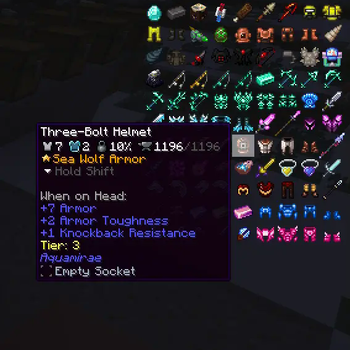
About this Mod
Tier System:
Players will not be able to use tools and blocks, wear armor or accessories from Curios, or break blocks if their Tier is not sufficient. Items with a Tier cannot be used in interactions if the player does not have the required Tier and cannot be held in the inventory for more than 5 seconds.
The damage, defense, toughness, and durability of items will increase based on their Tier.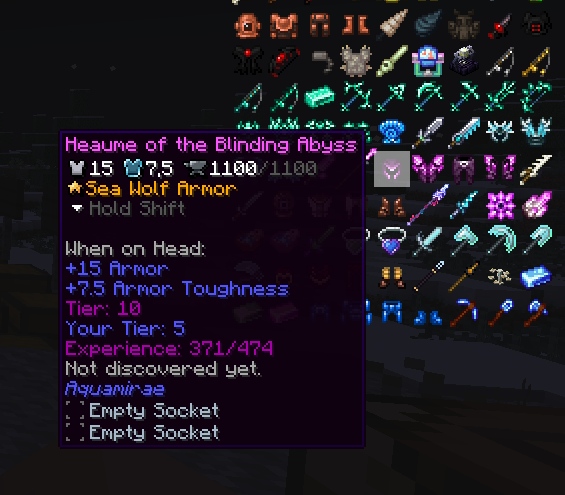
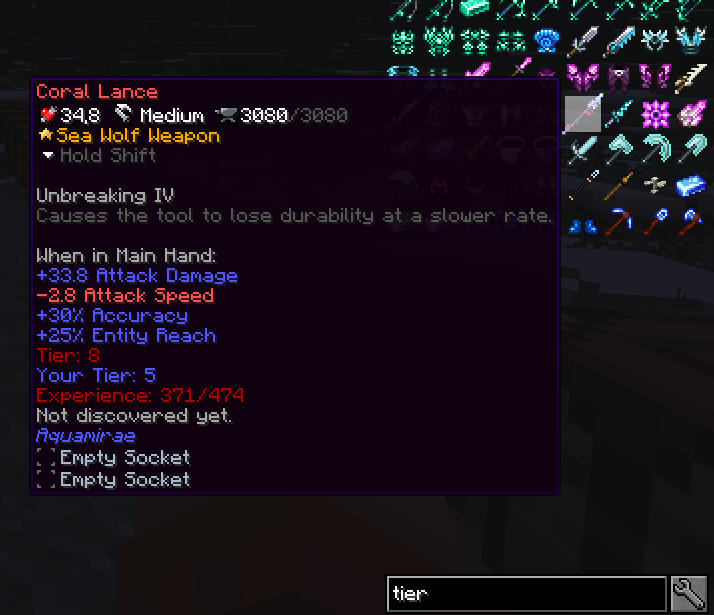
To level up your Tier, you need to collect items available for the current Tier and gain experience. Experience will be awarded based on the item's Tier and will increase in requirement with each level, starting from 30% of the maximum available experience.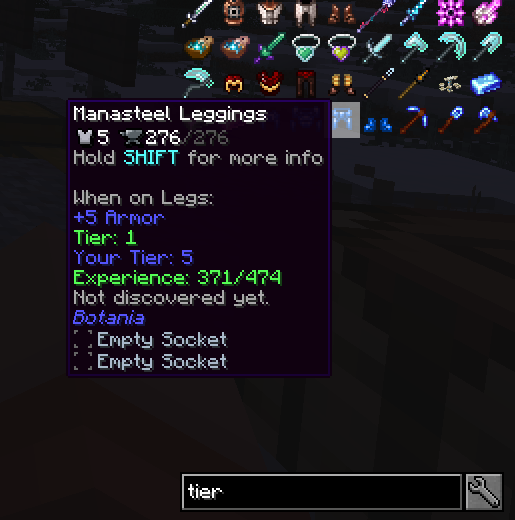
Tier also apply to creatures:
A creature's Tier will affect the damage it deals and receives.
When attacking a creature with an item of lower Tier, the damage will be reduced, while with a higher Tier, the damage will be increased.
Armor Tier will additionally provide more absorption against creatures of a lower Tier and less absorption against creatures of a higher Tier.
When a player attacks another player, absorption will only be calculated between the Tiers of the attacking items and the defending armor.
How to configure:
Tiers can be assigned to items using a commands while holding the item, or for all items in a chest by looking at it. /tiers addItem hand/chest
Tiers can also be removed from items, with everything saved in the config file. /tiers removeItem hand/chest
Tiers can be assigned to creatures with the same command, while holding a spawn egg, or by looking at the creature, or automatically based on the creature's health.
There is also a config at-common where you can change bonuses scales, max Tier and other things.
Available Versions
How to Install Ascend Tiers on Your Server
Order Server
Order a Minecraft Java server with at least 3 GB RAM (4 GB recommended).
Set forge Loader
In the panel under "Egg", select the forge loader and matching Minecraft version (1.20.1).
Install Mod
Open the mod browser in the dashboard and search for "Ascend Tiers". Click "Install" – done! Alternatively, upload the .jar via SFTP to the /mods folder.
Compatibility
Mod Loaders
Minecraft Versions
1.20.1, 1.19.2
Server-side
✓ RequiredRecommended RAM
4 GB(min. 3 GB)Frequently Asked Questions
Ascend Tiers server crashes on startup – what to do?
Most common cause: wrong forge version or insufficient RAM. Check the server log (latest.log) for "OutOfMemoryError" or "Mixin" errors. With Mado Hosting: ensure at least 3 GB RAM is allocated and the loader matches the mod version (1.20.1). You can switch loaders with one click in the panel.
Is Ascend Tiers compatible with forge and neoforge?
Ascend Tiers officially supports forge, neoforge for Minecraft 1.20.1, 1.19.2. The Mado dashboard automatically detects incompatible loader combinations.
Server lagging with Ascend Tiers – how to optimize performance?
Recommended RAM: 4 GB (per 8 players). Use /spark profiler to check if Ascend Tiers consumes the most tick time. Common fixes: reduce server view-distance to 8-10, install "performant" or "starlight" as supplementary mods on Forge. With Mado Hosting, your server runs on NVMe SSDs with dedicated CPU cores for minimal latency.
Similar Mods




![[TaCZ] Timeless and Classics Zero](https://cdn.modrinth.com/data/SzzJttH8/fd27766d2bb8390d284696b1dbd358f87e081439_96.webp)

Rent Modded Server
Install Ascend Tiers with just one click on your server.