
Ashen Witch Broom
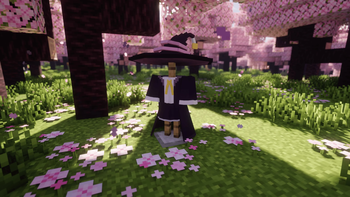
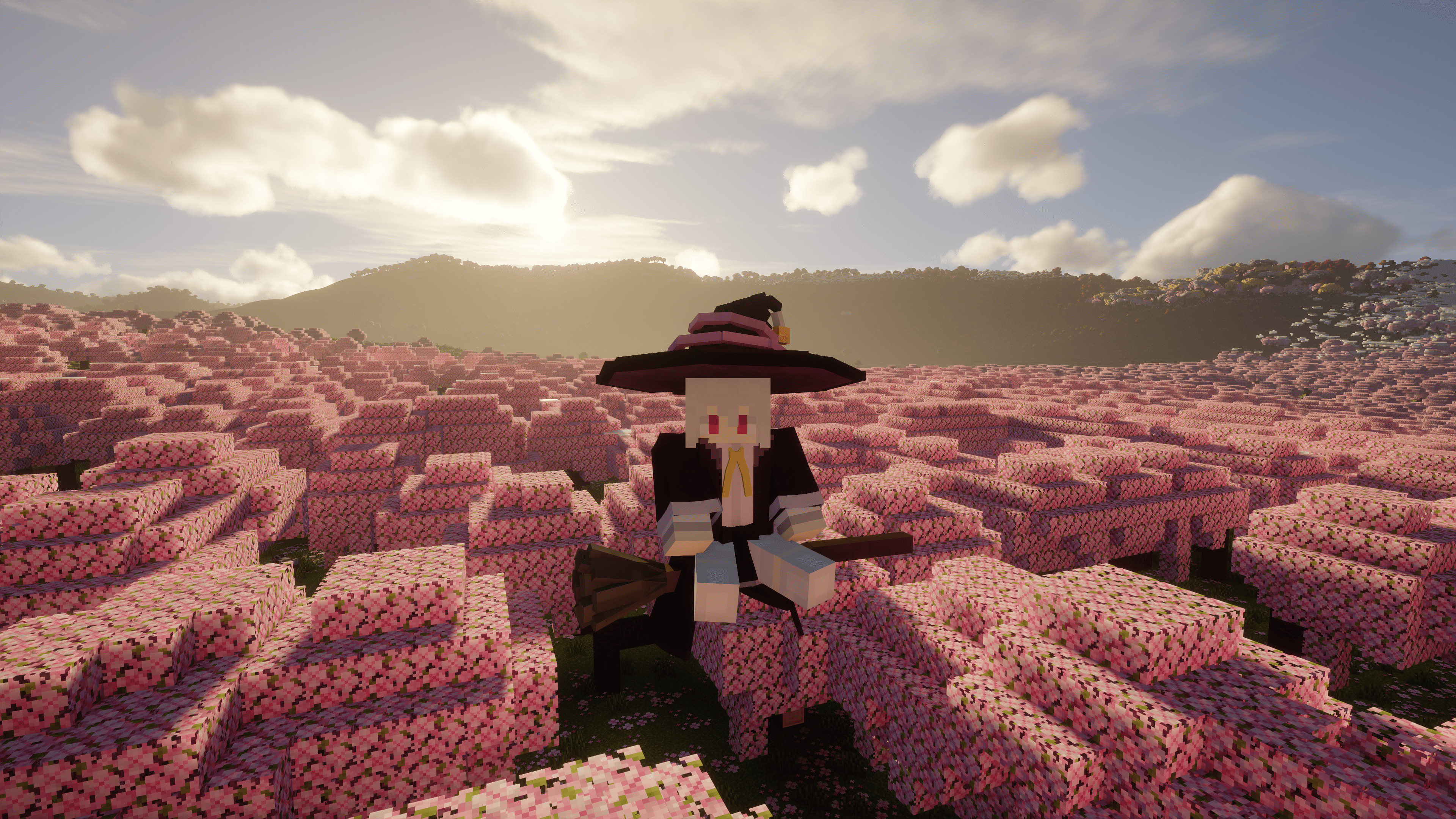
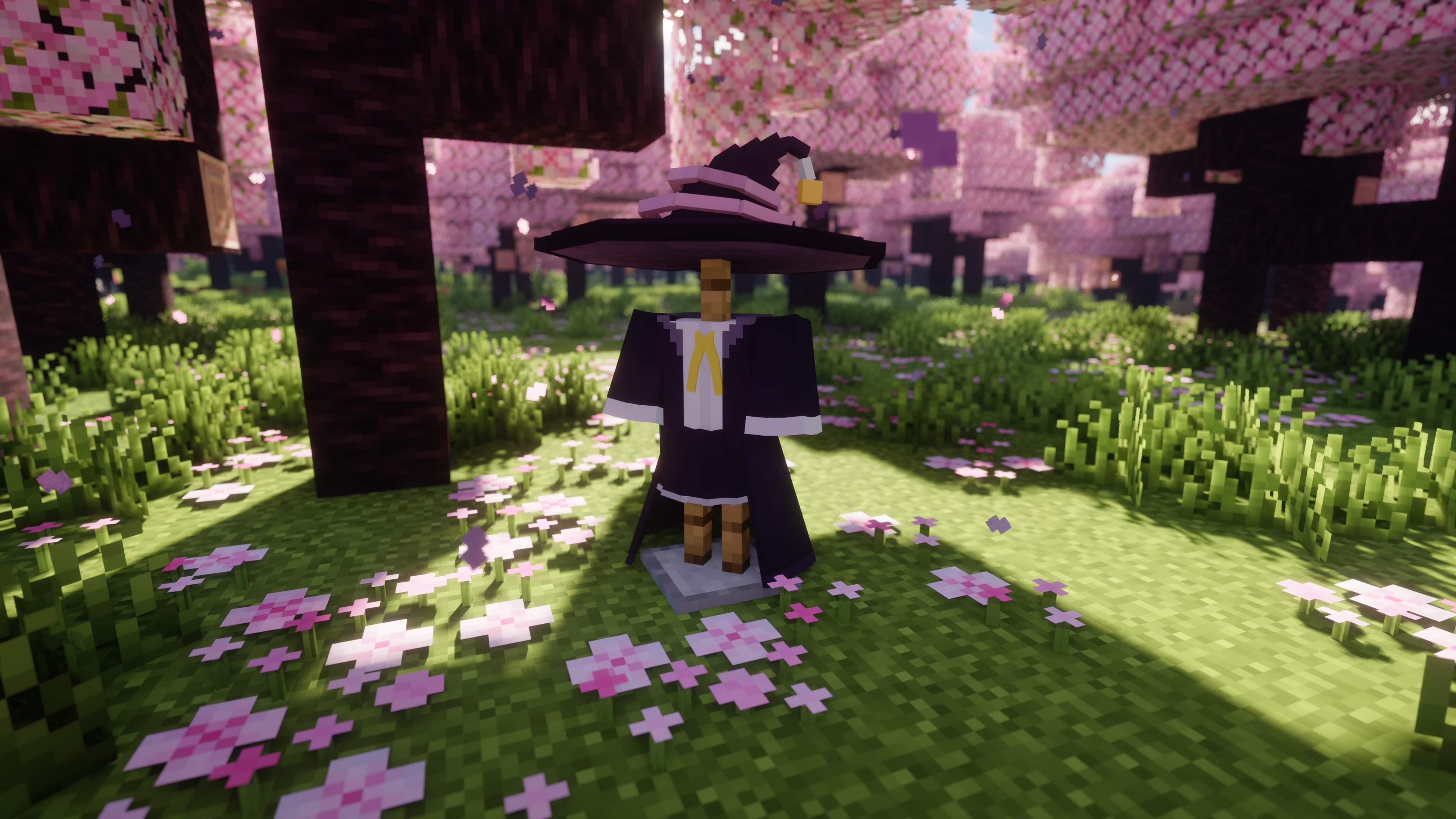
This mod is based on Elaina, adding a rideable and configurable witch's broom, a dyeable hat, and her clothes to the game. Soar through the sky on your magic broom and experience the daily life of a witch!
Screenshots


About this Mod
Introduction
This mod was born from a burning desire to become a witch in Minecraft 1.21.1, forged through sleepless nights of coding.
This is an unofficial remake of [Witch's Broom]. While it reuses the original assets, the code has been refactored to support NeoForge 1.21.x and above.
(As of Oct. 20, 2025, the original author has also updated the mod to 1.21.1.)
The broom has been epically buffed (how fast you fly is only limited by your conscience!), can be summoned in any dimension, and is fully configurable to your liking.
Additionally, chunk loading commands have been added, allowing you to force-load strong or weak chunks for extended periods and manage them with ease.
Added Items
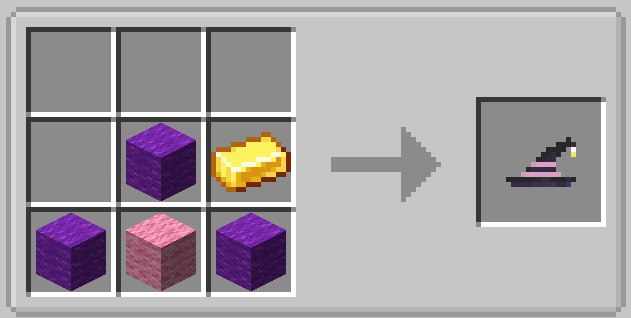
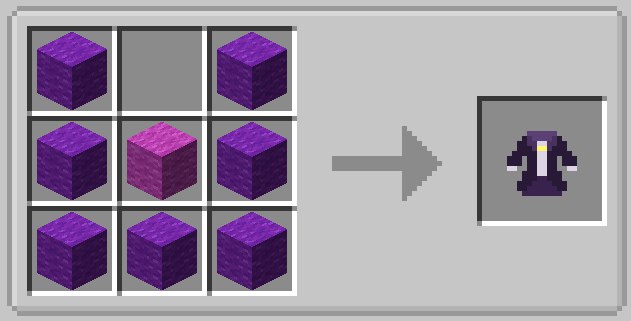
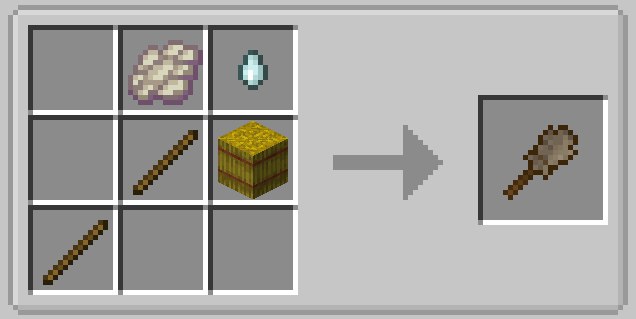
The mod adds a Witch's Broom (both as an item and an entity), as well as a Witch's Hat and a Witch's Outfit.
The design is inspired by Elaina's broom from the anime "Wandering Witch: The Journey of Elaina."
Broom Controls
The controls are intuitive and simple:
- W/S: Forward / Backward
- A/D: Turn Left / Turn Right
- Left Alt: Descend
- Space: Ascend
- Left Ctrl: Sprint (just like running)
Right-click the ground to summon your broom. Sneak + Left-click to dismiss it.
You can also press the R key to summon the broom from a distance. The summoning range can be adjusted in the config menu.
Crafting Recipes
| Hat | Outfit | Broom |
|---|---|---|
 |
 |
 |
Mod Config Menu
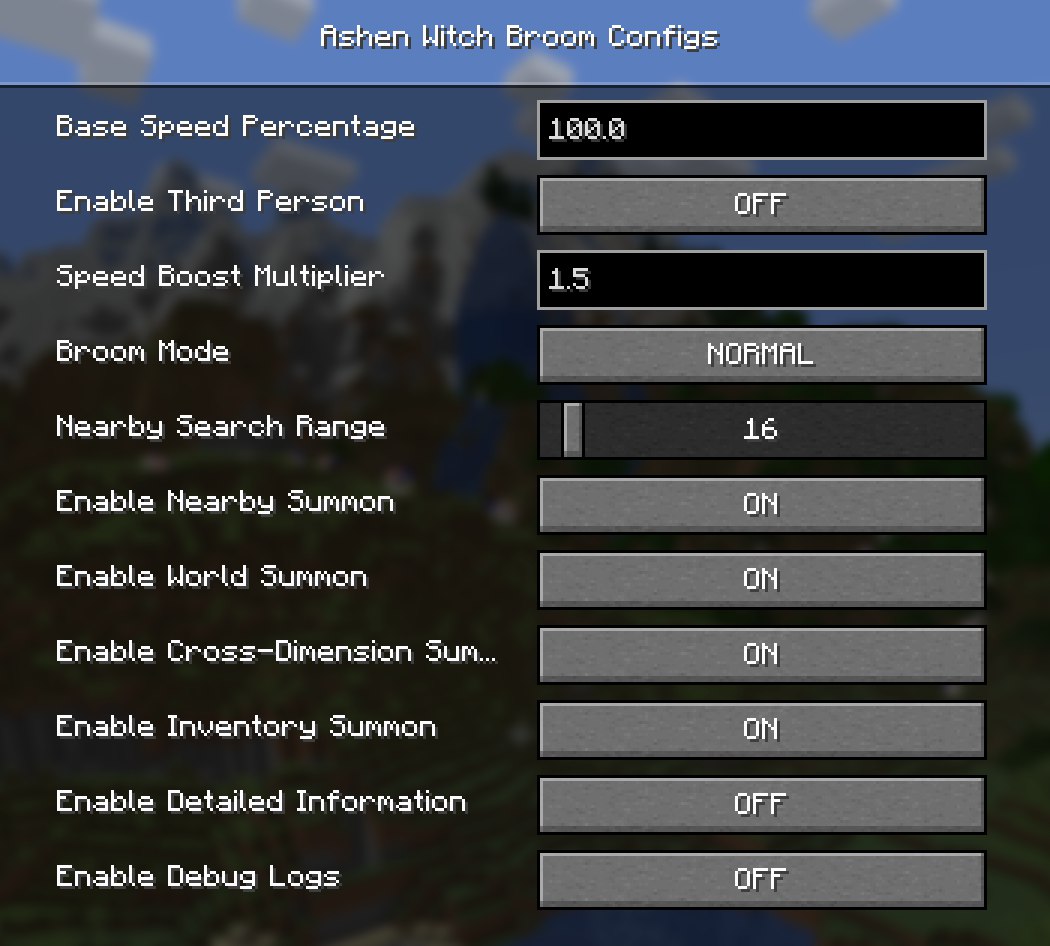
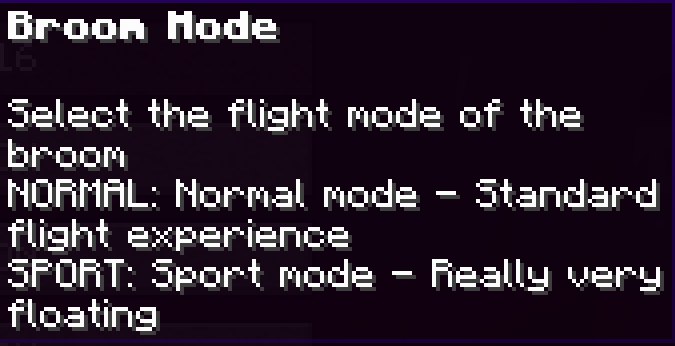
All settings for the broom can be found in-game via:Settings → Mods → Ashen Witch Broom → Config
| Config Menu | Broom Modes |
|---|---|
 |
 |
Mod Commands
The mod provides commands for managing your broom and for force-loading chunks.
Broom Command Usage: /broom detect [player]
player is the target player. If omitted, it defaults to yourself. Targeting other players requires OP permissions.
| Command | Function | Example |
|---|---|---|
/broom detect [player] |
Broom detection command. Displays detailed information about all stored brooms. | 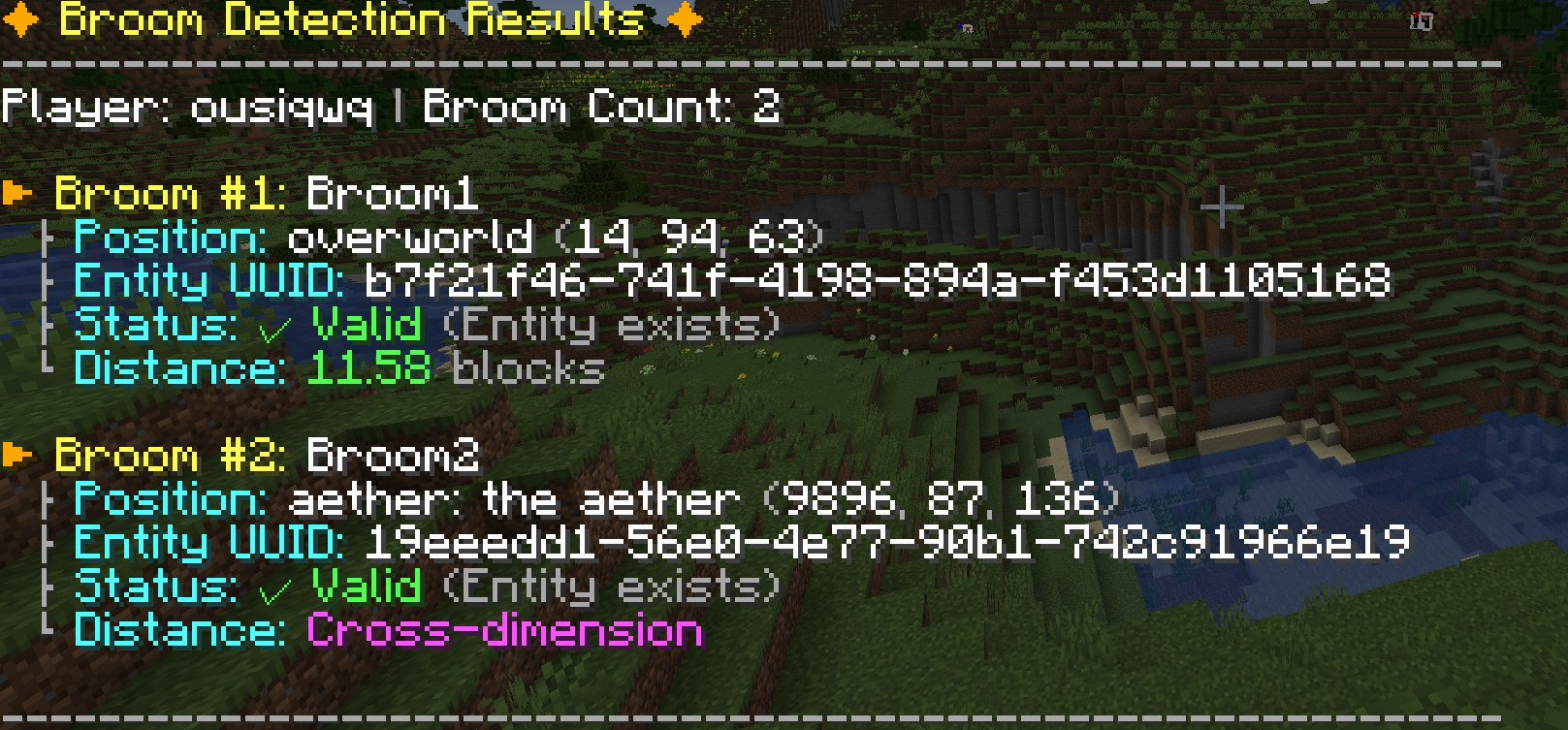 |
/broom stats [player] |
Broom statistics command. Shows broom usage stats. | 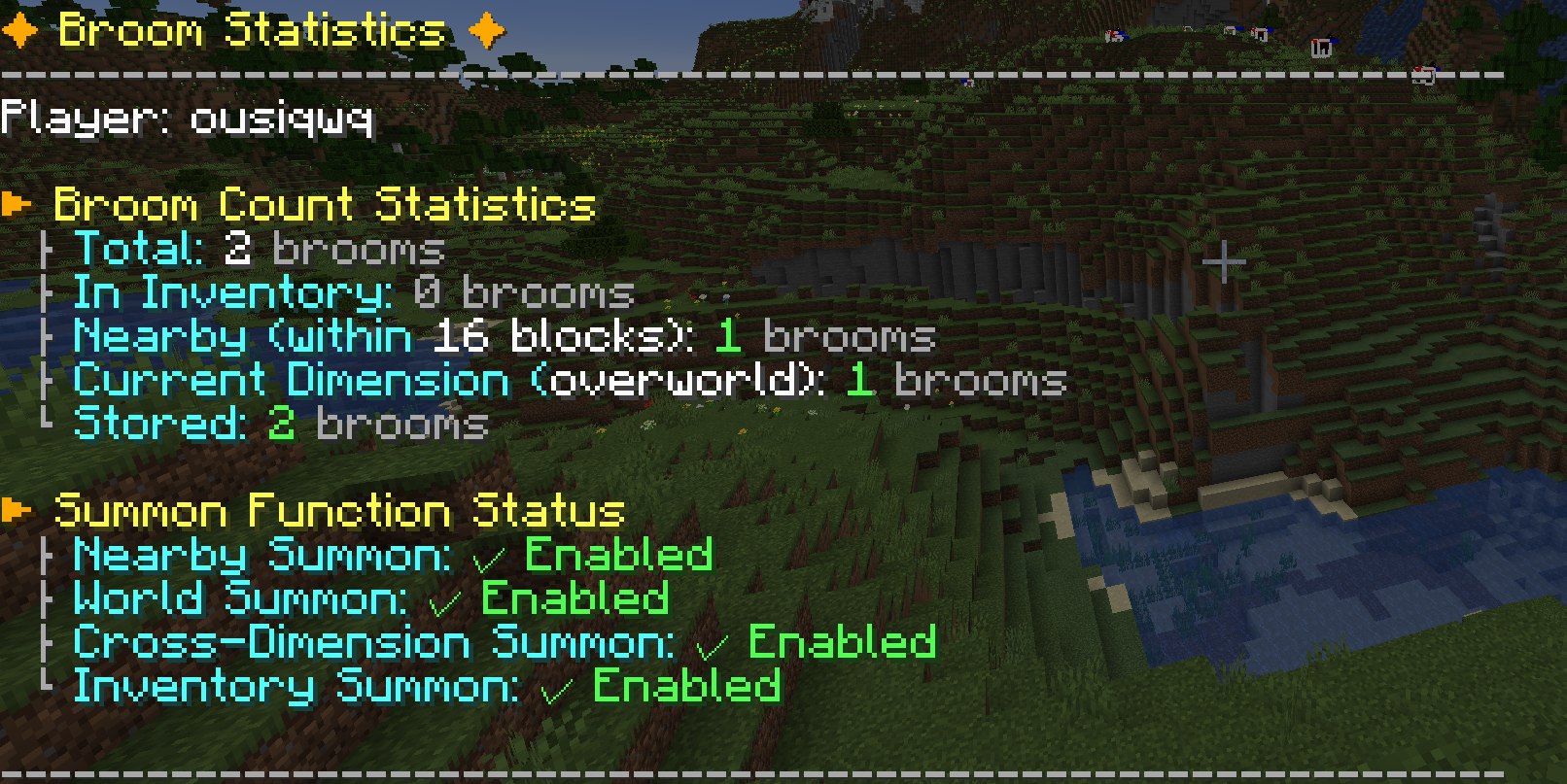 |
/broom cleanup [player] |
Broom cleanup command. Batch validates and removes invalid broom records. | 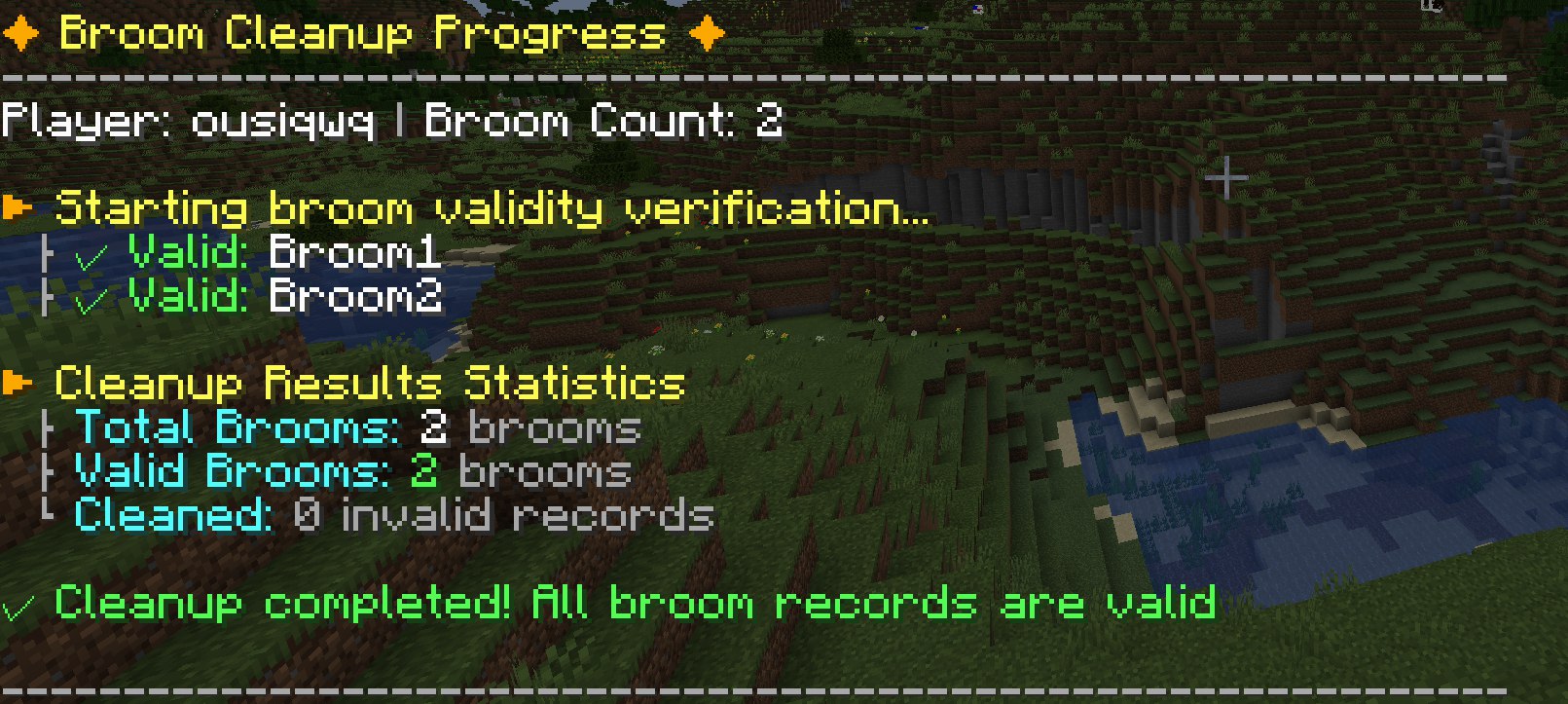 |
/broom help |
Displays the help menu. | 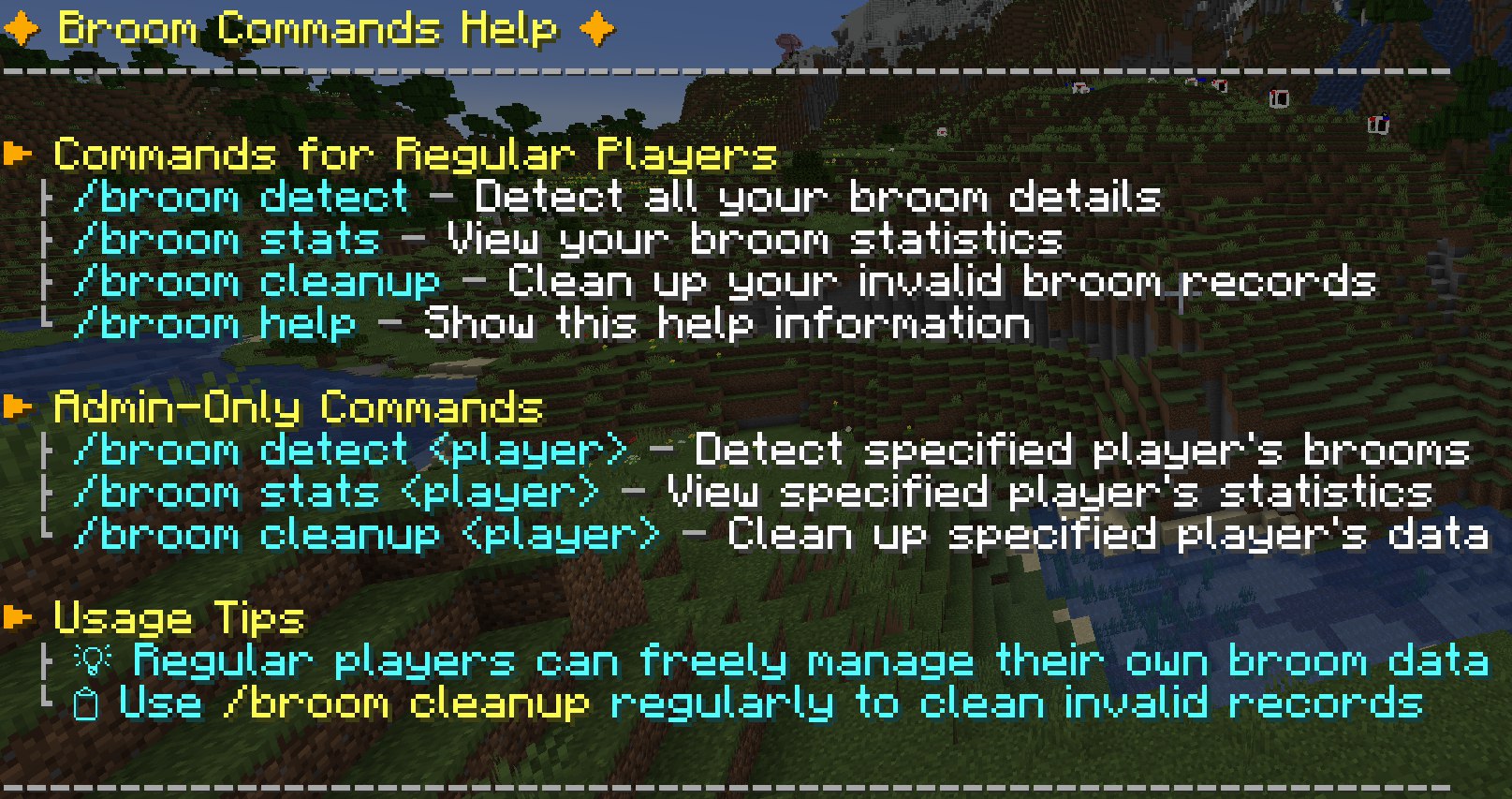 |
Chunk Loading Command Usage: /broom chunks add <lazy|ticking> <x> <z> [width] [height]
x and z are the chunk coordinates (not block coordinates, which are block_coordinate ÷ 16). x and z are required. w (width) and h (height) are optional; if omitted, only the single chunk at x, z will be targeted.
Running this command and its subcommands requires OP permissions.
After a server restart or game exit, the mod will automatically reload any previously set chunks upon startup.
| Command | Function |
|---|---|
/broom chunks add ... |
Adds chunks to the force-load list. Choose between lazy (weak loading) and ticking (strong loading). Re-adding a chunk will not change its type; you must use the del command first. |
/broom chunks del ... |
Removes chunks from the force-load list. Don't worry about errors; it will automatically skip chunks not loaded by this mod. |
/broom chunks list |
Lists all chunks currently being force-loaded by this mod in your current dimension. |
/broom chunks help |
Displays the help menu. |
A Quick Apology
My apologies! I rushed the initial release a bit, and as a result, versions 1.0.0 and 1.0.1 had some major bugs:
- The broom could not be retrieved in unloaded chunks.
- Riding data was not syncing correctly with the server.
These critical issues have now been fixed in version 1.0.2. Thank you for your patience! :)
Gallery

Available Versions
How to Install Ashen Witch Broom on Your Server
Order Server
Order a Minecraft Java server with at least 3 GB RAM (4 GB recommended).
Set neoforge Loader
In the panel under "Egg", select the neoforge loader and matching Minecraft version (1.21.1).
Install Mod
Open the mod browser in the dashboard and search for "Ashen Witch Broom". Click "Install" – done! Alternatively, upload the .jar via SFTP to the /mods folder.
Compatibility
Mod Loaders
Minecraft Versions
1.21.1
Server-side
✓ RequiredRecommended RAM
4 GB(min. 3 GB)Frequently Asked Questions
Ashen Witch Broom server crashes on startup – what to do?
Most common cause: wrong neoforge version or insufficient RAM. Check the server log (latest.log) for "OutOfMemoryError" or "Mixin" errors. With Mado Hosting: ensure at least 3 GB RAM is allocated and the loader matches the mod version (1.21.1). You can switch loaders with one click in the panel.
Is Ashen Witch Broom compatible with neoforge?
Ashen Witch Broom officially supports neoforge for Minecraft 1.21.1. The Mado dashboard automatically detects incompatible loader combinations.
Server lagging with Ashen Witch Broom – how to optimize performance?
Recommended RAM: 4 GB (per 8 players). Use /spark profiler to check if Ashen Witch Broom consumes the most tick time. Common fixes: reduce server view-distance to 8-10, install "performant" or "starlight" as supplementary mods on Forge. With Mado Hosting, your server runs on NVMe SSDs with dedicated CPU cores for minimal latency.
Similar Mods




Rent Modded Server
Install Ashen Witch Broom with just one click on your server.