
Assorted Tech
Contains an assorted group of additions based around technology, machines, and logic.
Screenshots
About this Mod
Assorted Tech [Forge/Fabric]
Versions 6.0.0 and newer now require Assorted Lib
Assorted Tech adds a bunch of blocks/items all around tech.
Full documentation at: https://assortedmods.com/tech
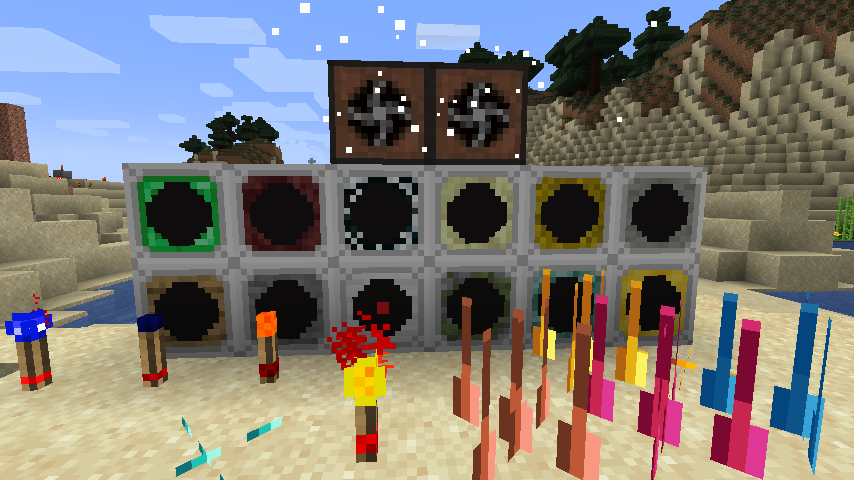
Like the other Assorted Mods most of these come straight from my old mod GrimPack but most have been either changed or rewritten to be better and have more options.
Currently Assorted Tech adds the following:
Glowstone Torch:
- Is a simple torch that will light up if it is powered.
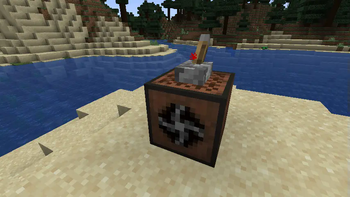
Flip Flop Torch:
- Works just like a flip-flop logic gate, provide it power it holds it. Power it again and it no longer is providing power.
Sensors:
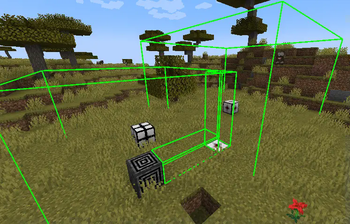
Sensors are block types that scan the area they are facing and will become powered if they see an entity of their type in view of their range.
You are able to adjust the range of the sensor by right-clicking and shift-right clicking on them with an empty hand.
You can also view the range by right clicking on them with a redstone torch. The area will be green if there are no blocks blocking the range and red if so.
These are the sensor types available:
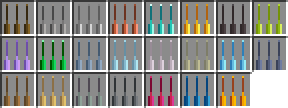
- Wood - Any entity
- Stone - Living entities
- Iron - Player entities
- Mossy Cobblestone - Monster entities
- Prismarine - Water Animals and any entities in the entity_type tag (assortedtech:sensors/water)
- Gold - Item entities
- Emerald - Villager entities
- Netherrack - Any entities in the entity_type tag (assortedtech:sensors/nether)
- Cobweb - Any entities in the entity_type tag (assortedtech:sensors/arthropods)
- End Stone - Any entities in the entity_type tag (assortedtech:sensors/end)
- Hay Bale - Any entities in the entity_type tag (assortedtech:sensors/pets)
- Feather - Any entities in the entity_type tag (assortedtech:sensors/flying)
Spikes:
These are a block that when powered will start damaging any entity within the hitbox. They can be placed on any side of the block.
These support all vanilla materials as well as those that Assorted Core supports.
Fans:
These are blocks that can push/pull entities or blow/suck. They have a GUI that you can open to adjust the range and the mode that they currently are set to.
When powered with redstone they will turn off. The air particles they emit can be disabled in the config as well as the speed and max range of the fans.
Bridges:
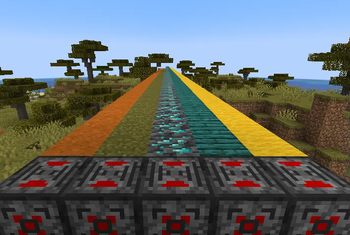
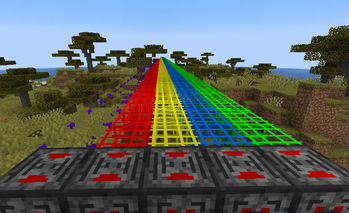
Laser Bridges in Minecraft. These have 5 varieties that each do different things and some are able to move the player automatically.
Gravity:
Multiple blocks that allow you manipulate gravity and push/pull/gravitate entities in a range. With directional variants as well as being able to wear armor so that you are not affected.
Alarm:
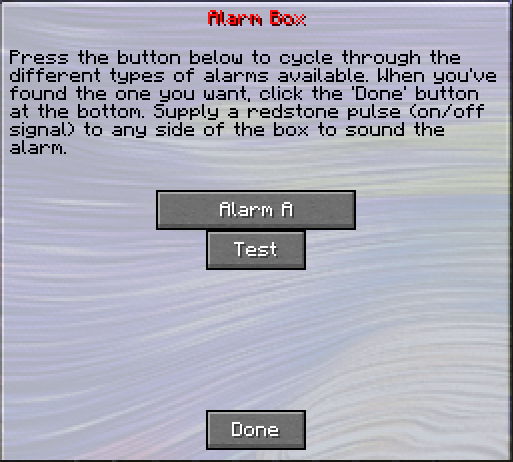
An Alarm Box that when powered can play one of 14 different sounds.
Available Versions
How to Install Assorted Tech on Your Server
Order Server
Order a Minecraft Java server with at least 3 GB RAM (4 GB recommended).
Set fabric Loader
In the panel under "Egg", select the fabric loader and matching Minecraft version (1.20.1).
Install Mod
Open the mod browser in the dashboard and search for "Assorted Tech". Click "Install" – done! Alternatively, upload the .jar via SFTP to the /mods folder.
Compatibility
Mod Loaders
Minecraft Versions
1.20.1, 1.19.4, 1.19.3 (+2 more)
Server-side
✓ RequiredRecommended RAM
4 GB(min. 3 GB)Frequently Asked Questions
Assorted Tech server crashes on startup – what to do?
Most common cause: wrong fabric version or insufficient RAM. Check the server log (latest.log) for "OutOfMemoryError" or "Mixin" errors. With Mado Hosting: ensure at least 3 GB RAM is allocated and the loader matches the mod version (1.20.1). You can switch loaders with one click in the panel.
Is Assorted Tech compatible with fabric and forge?
Assorted Tech officially supports fabric, forge for Minecraft 1.20.1, 1.19.4, 1.19.3. Note: Forge and Fabric mods are NOT cross-compatible – pick one loader and stick with it. The Mado dashboard automatically detects incompatible loader combinations.
Server lagging with Assorted Tech – how to optimize performance?
Recommended RAM: 4 GB (per 8 players). Use /spark profiler to check if Assorted Tech consumes the most tick time. Common fixes: reduce server view-distance to 8-10, install "performant" or "starlight" as supplementary mods on Forge. With Mado Hosting, your server runs on NVMe SSDs with dedicated CPU cores for minimal latency.
Similar Mods





Rent Modded Server
Install Assorted Tech with just one click on your server.